--full
```
## Beta testing
Once your app is working well in prototyping, you release it to a small group of real users. At this stage, you often don't know exactly how users will interact with your app, so you need richer observability. You want to understand not just what the app did, but how users responded to it.
### Collect feedback
Linking [user feedback](/langsmith/attach-user-feedback) to specific traces lets you identify which responses were helpful or unhelpful. Update `app.py` (or `app.ts`) from the previous step to add a run ID to each call and attach a score afterward:
```python Python theme={"theme":{"light":"catppuccin-latte","dark":"catppuccin-mocha"}}
from openai import OpenAI
from langsmith import traceable, Client, uuid7 # [!code highlight]
from langsmith.wrappers import wrap_openai
client = wrap_openai(OpenAI())
docs = [
"Acme Cloud supports unlimited users on Enterprise plans. Starter plans are limited to 5 users.",
"To reset your password, click 'Forgot password' on the login page and follow the instructions sent to your email.",
"API rate limits are 1,000 requests per hour on the Starter plan and 10,000 requests per hour on Enterprise.",
]
def retriever(query: str) -> list[str]:
return docs
@traceable
def support_bot(question: str) -> str:
context = retriever(question)
system_message = (
"You are a helpful customer support agent. "
"Answer using only the information provided below:\n\n"
+ "\n".join(context)
)
response = client.chat.completions.create(
model="gpt-5.4-mini",
messages=[
{"role": "system", "content": system_message},
{"role": "user", "content": question},
],
)
return response.choices[0].message.content
if __name__ == "__main__":
run_id = str(uuid7()) # [!code highlight]
support_bot( # [!code highlight]
"How many users can I have on the Starter plan?", # [!code highlight]
langsmith_extra={"run_id": run_id}, # [!code highlight]
) # [!code highlight]
ls_client = Client() # [!code highlight]
ls_client.create_feedback(run_id, key="user-score", score=1.0) # [!code highlight]
```
```typescript TypeScript theme={"theme":{"light":"catppuccin-latte","dark":"catppuccin-mocha"}}
import OpenAI from "openai";
import { wrapOpenAI } from "langsmith/wrappers";
import { traceable, getCurrentRunTree } from "langsmith/traceable"; // [!code highlight]
import { Client } from "langsmith"; // [!code highlight]
const client = wrapOpenAI(new OpenAI());
const docs = [
"Acme Cloud supports unlimited users on Enterprise plans. Starter plans are limited to 5 users.",
"To reset your password, click 'Forgot password' on the login page and follow the instructions sent to your email.",
"API rate limits are 1,000 requests per hour on the Starter plan and 10,000 requests per hour on Enterprise.",
];
function retriever(query: string): string[] {
return docs;
}
let capturedRunId: string; // [!code highlight]
const supportBot = traceable(async function supportBot(question: string): Promise {
capturedRunId = getCurrentRunTree().id; // [!code highlight]
const context = retriever(question);
const systemMessage =
"You are a helpful customer support agent. " +
"Answer using only the information provided below:\n\n" +
context.join("\n");
const response = await client.chat.completions.create({
model: "gpt-5.4-mini",
messages: [
{ role: "system", content: systemMessage },
{ role: "user", content: question },
],
});
return response.choices[0].message?.content ?? "";
});
(async () => {
await supportBot("How many users can I have on the Starter plan?"); // [!code highlight]
const lsClient = new Client(); // [!code highlight]
await lsClient.createFeedback(capturedRunId, "user-score", { score: 1.0 }); // [!code highlight]
await lsClient.flush(); // [!code highlight]
})();
```
In production, these two pieces would live in separate locations: the `support_bot` call with `run_id` stays in your app, and `create_feedback` moves to whichever endpoint receives user feedback (for example, a `/feedback` API route). The `run_id` is passed from one to the other so the feedback can be linked to the correct trace.
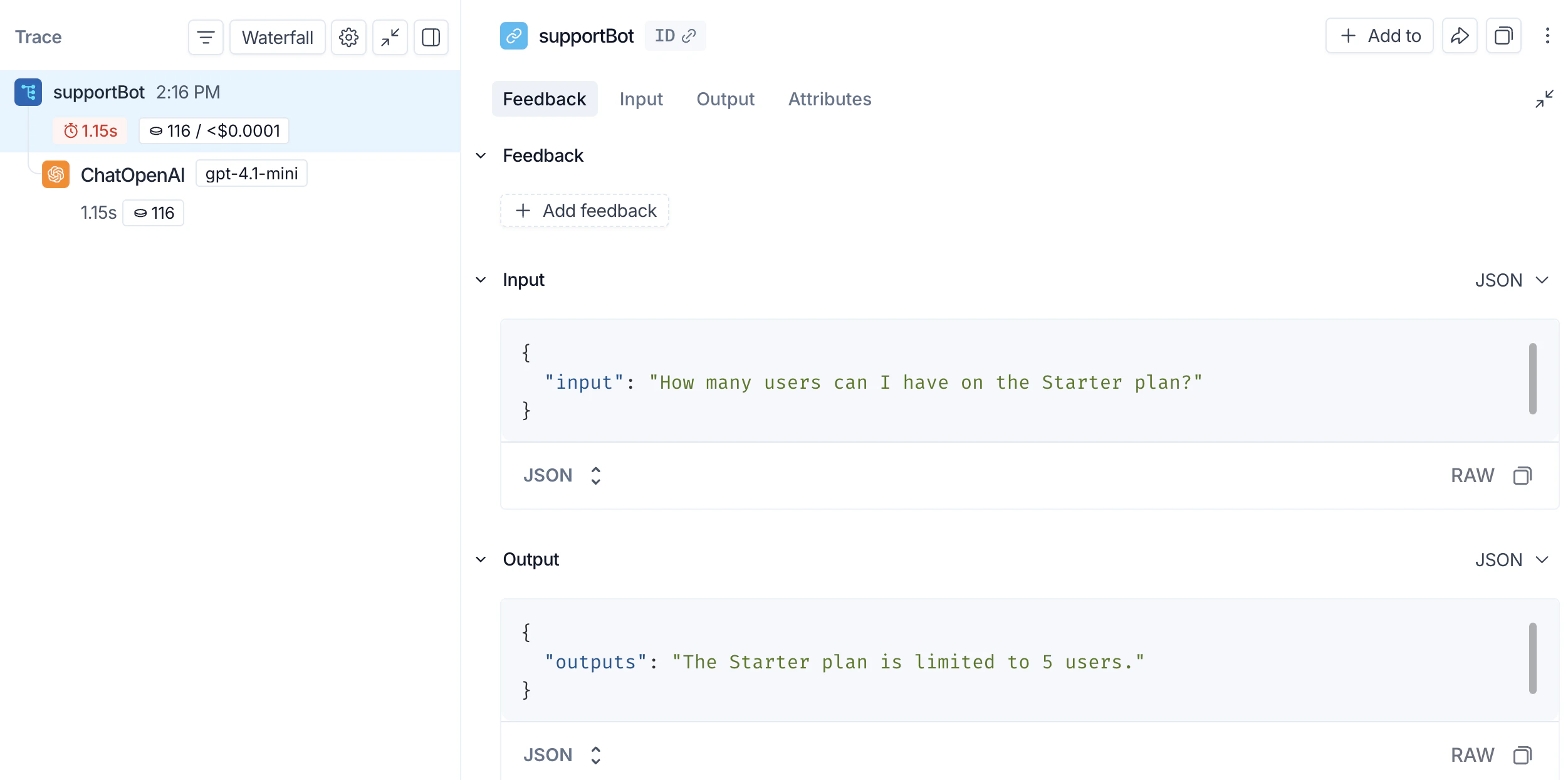
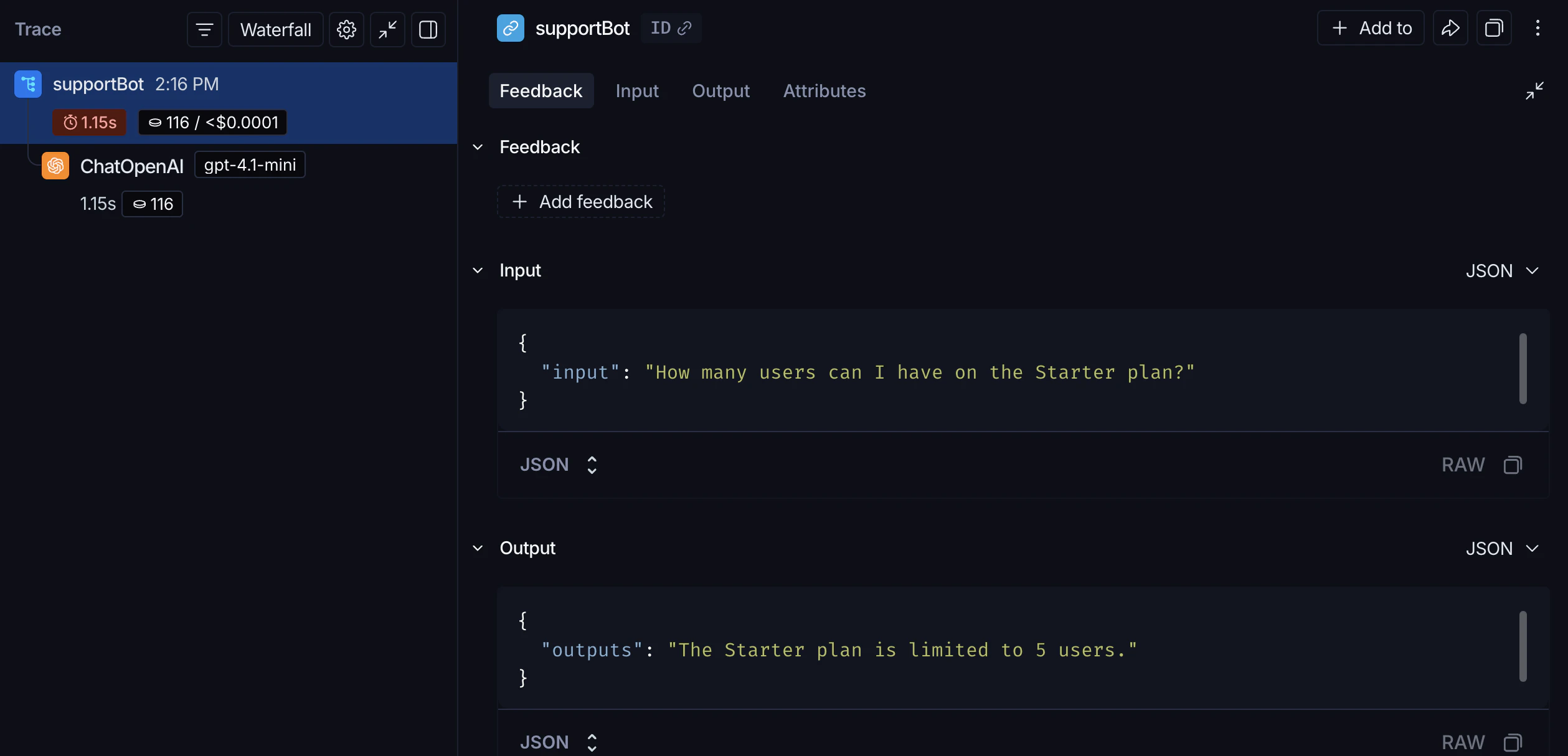
The feedback appears in the **Feedback** tab when you inspect the run in the UI. You can then filter runs by feedback score using the filtering controls in the **Runs** table.
### Log metadata
[Metadata](/langsmith/add-metadata-tags) lets you tag runs with attributes useful for filtering and comparison. For example, which model version was used or which user made the request.
The following example traces both the retriever (with `run_type="retriever"`) and the main function (with a `metadata` attribute for the model name):
```python Python theme={"theme":{"light":"catppuccin-latte","dark":"catppuccin-mocha"}}
from openai import OpenAI
from langsmith import traceable
from langsmith.wrappers import wrap_openai
client = wrap_openai(OpenAI())
docs = [
"Acme Cloud supports unlimited users on Enterprise plans. Starter plans are limited to 5 users.",
"To reset your password, click 'Forgot password' on the login page and follow the instructions sent to your email.",
"API rate limits are 1,000 requests per hour on the Starter plan and 10,000 requests per hour on Enterprise.",
]
@traceable(run_type="retriever") # [!code highlight]
def retriever(query: str) -> list[str]:
return docs
@traceable(metadata={"llm": "gpt-5.4-mini"}) # [!code highlight]
def support_bot(question: str) -> str:
context = retriever(question)
system_message = (
"You are a helpful customer support agent. "
"Answer using only the information provided below:\n\n"
+ "\n".join(context)
)
response = client.chat.completions.create(
model="gpt-5.4-mini",
messages=[
{"role": "system", "content": system_message},
{"role": "user", "content": question},
],
)
return response.choices[0].message.content
if __name__ == "__main__":
support_bot("How many users can I have on the Starter plan?")
```
```typescript TypeScript theme={"theme":{"light":"catppuccin-latte","dark":"catppuccin-mocha"}}
import OpenAI from "openai";
import { wrapOpenAI } from "langsmith/wrappers";
import { traceable } from "langsmith/traceable";
const client = wrapOpenAI(new OpenAI());
const docs = [
"Acme Cloud supports unlimited users on Enterprise plans. Starter plans are limited to 5 users.",
"To reset your password, click 'Forgot password' on the login page and follow the instructions sent to your email.",
"API rate limits are 1,000 requests per hour on the Starter plan and 10,000 requests per hour on Enterprise.",
];
const retriever = traceable( // [!code highlight]
function retriever(query: string): string[] { // [!code highlight]
return docs; // [!code highlight]
}, // [!code highlight]
{ run_type: "retriever" } // [!code highlight]
); // [!code highlight]
const supportBot = traceable(
async function supportBot(question: string): Promise {
const context = await retriever(question);
const systemMessage =
"You are a helpful customer support agent. " +
"Answer using only the information provided below:\n\n" +
context.join("\n");
const response = await client.chat.completions.create({
model: "gpt-5.4-mini",
messages: [
{ role: "system", content: systemMessage },
{ role: "user", content: question },
],
});
return response.choices[0].message?.content ?? "";
},
{ metadata: { llm: "gpt-5.4-mini" } } // [!code highlight]
);
(async () => {
await supportBot("How many users can I have on the Starter plan?");
})();
```
Both metadata values appear on the trace. You can filter runs by metadata using the filtering controls in the **Runs** table.
## Production
With strong observability in place, you can confidently ship to production. In production, you have significantly more traffic and can't examine every trace individually. LangSmith provides monitoring tools to help you understand aggregate behavior and drill down when something looks wrong.
### Monitoring
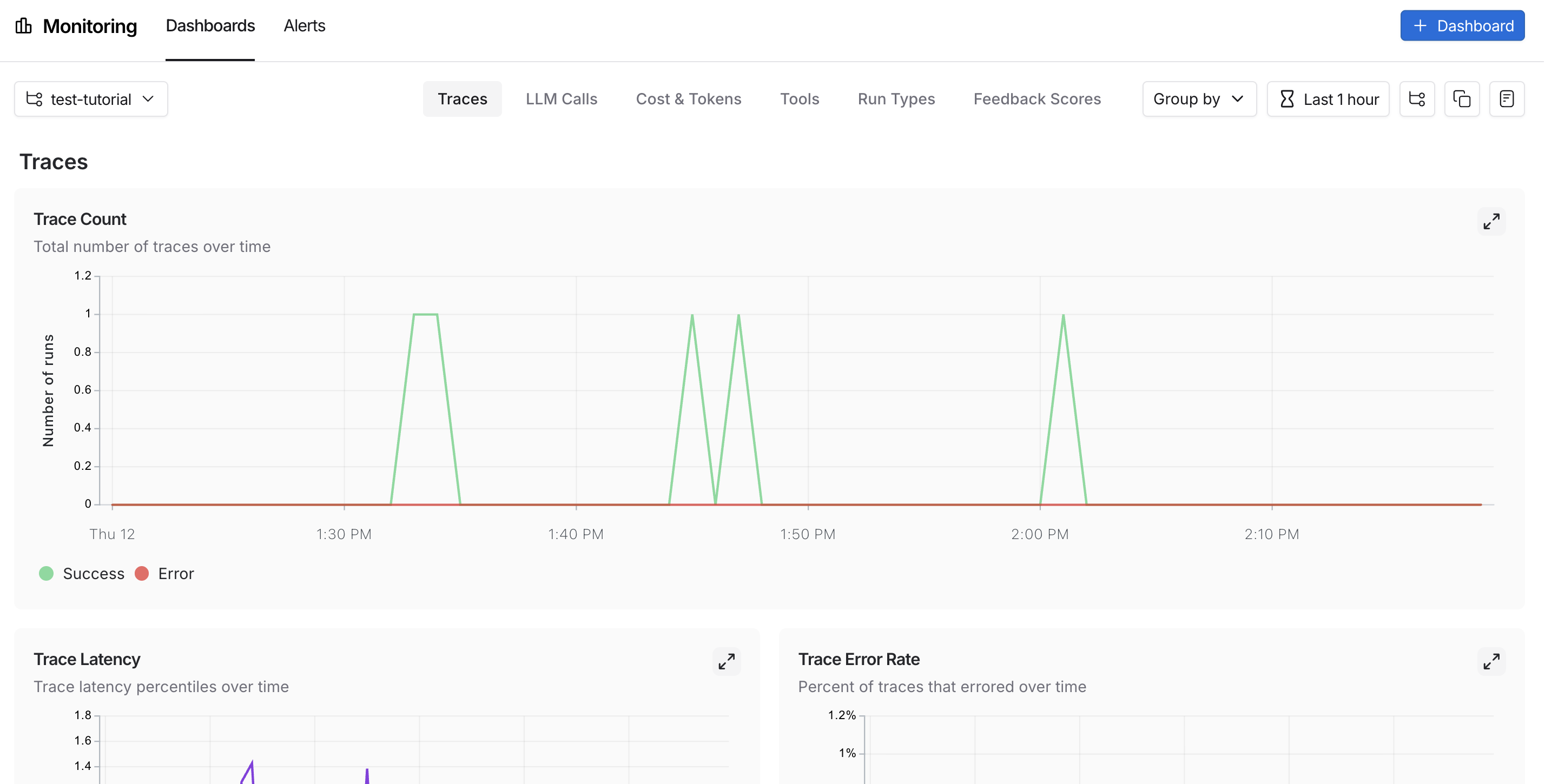
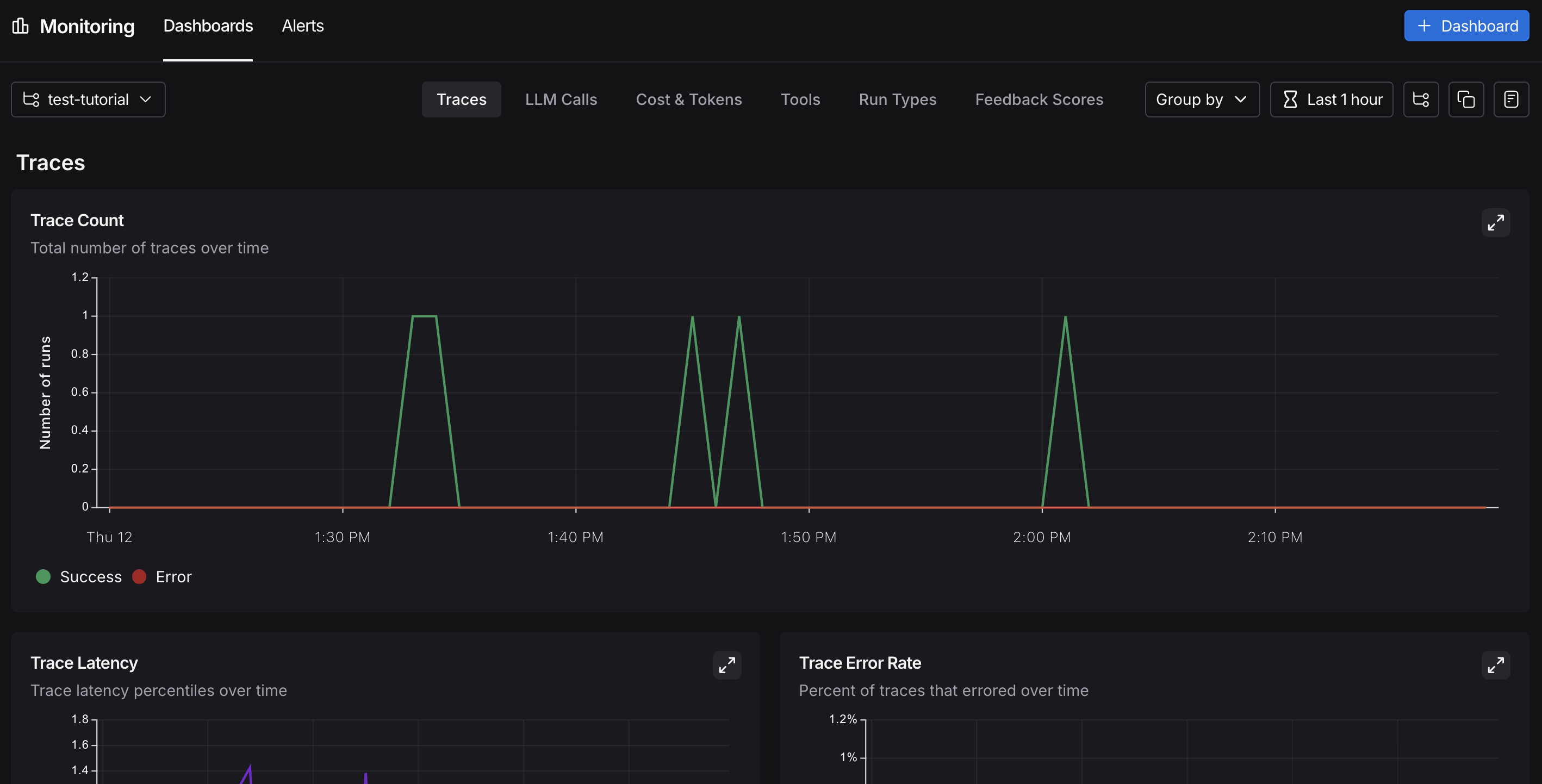
In the UI sidebar, select **Monitoring**, then choose a tracing project from the dropdown at the top left. Charts display key metrics for the project over time, including trace count, latency, error rate, feedback scores, and costs. For more on available metrics and chart configuration, refer to [Dashboards](/langsmith/dashboards).
 ### A/B testing
Group-by functionality requires at least two different values for a given metadata key.
Because you have been logging the `llm` metadata attribute, you can group monitoring charts by that attribute to compare model performance over time. From **Monitoring** in the UI sidebar, click **Group by** in the top left corner, select **Metadata** from the dropdown, then select `llm`. The charts update to show results grouped by that attribute. For more on grouping and custom charts, refer to [Dashboards](/langsmith/dashboards).
### Drilldown
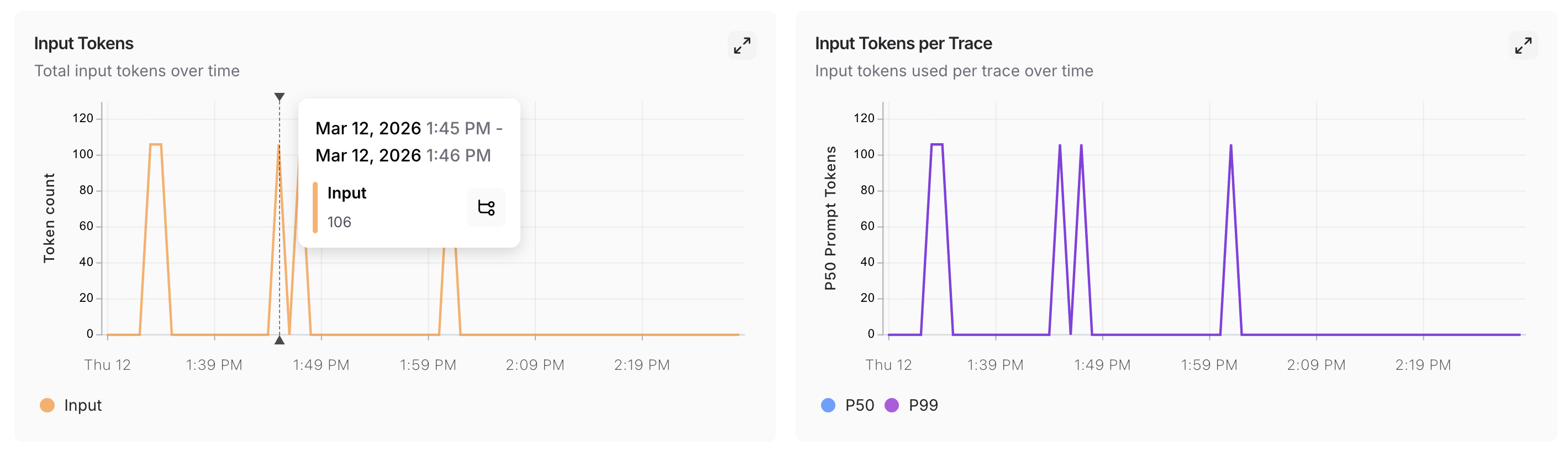
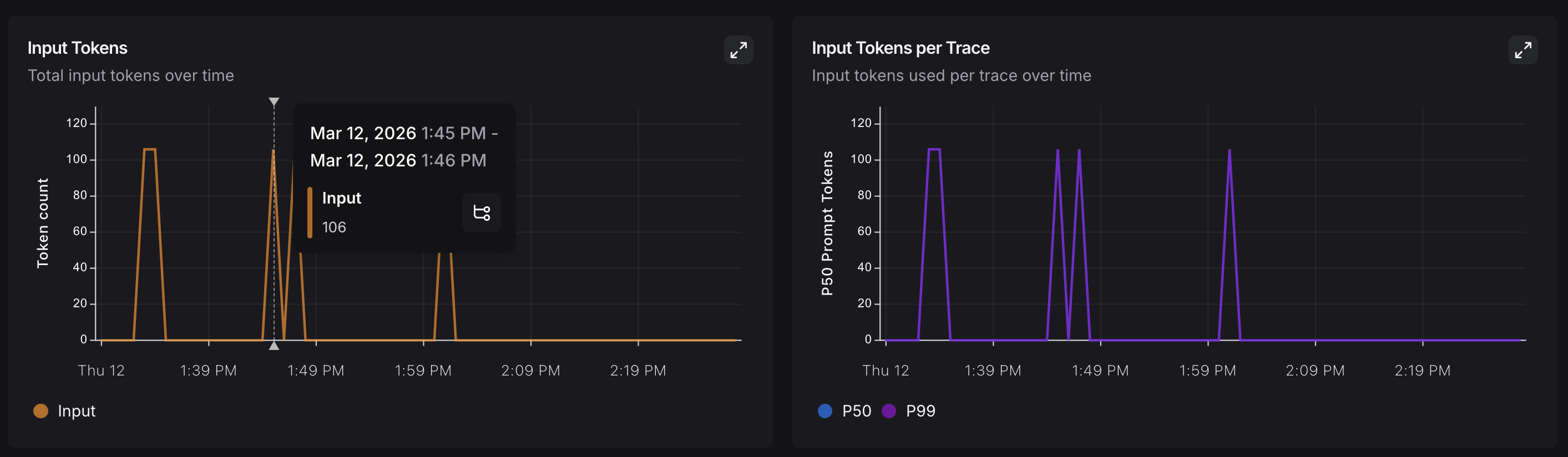
When a monitoring chart shows something unexpected, click a data point to freeze the tooltip, then click the metric name (for example, **Input**) to jump to the filtered runs table for that time window. For more on searching and filtering runs, refer to [Filter traces](/langsmith/filter-traces-in-application).
### A/B testing
Group-by functionality requires at least two different values for a given metadata key.
Because you have been logging the `llm` metadata attribute, you can group monitoring charts by that attribute to compare model performance over time. From **Monitoring** in the UI sidebar, click **Group by** in the top left corner, select **Metadata** from the dropdown, then select `llm`. The charts update to show results grouped by that attribute. For more on grouping and custom charts, refer to [Dashboards](/langsmith/dashboards).
### Drilldown
When a monitoring chart shows something unexpected, click a data point to freeze the tooltip, then click the metric name (for example, **Input**) to jump to the filtered runs table for that time window. For more on searching and filtering runs, refer to [Filter traces](/langsmith/filter-traces-in-application).
 ## Conclusion
In this tutorial, you added LangSmith observability to an application across its full development lifecycle. The same tracing setup that helps you iterate quickly during prototyping will continue to provide value in production. You'll have visibility into individual traces and aggregate performance trends.
For more, see:
* [Observability concepts](/langsmith/observability-concepts): terminology and core ideas.
* [Tracing integrations](/langsmith/integrations): LangChain, LangGraph, Anthropic, and other providers.
* [Automations](/langsmith/rules): rules and online evaluations that run automatically on your traces.
***
## Conclusion
In this tutorial, you added LangSmith observability to an application across its full development lifecycle. The same tracing setup that helps you iterate quickly during prototyping will continue to provide value in production. You'll have visibility into individual traces and aggregate performance trends.
For more, see:
* [Observability concepts](/langsmith/observability-concepts): terminology and core ideas.
* [Tracing integrations](/langsmith/integrations): LangChain, LangGraph, Anthropic, and other providers.
* [Automations](/langsmith/rules): rules and online evaluations that run automatically on your traces.
***
[Connect these docs](/use-these-docs) to Claude, VSCode, and more via MCP for real-time answers.
[Edit this page on GitHub](https://github.com/langchain-ai/docs/edit/main/src/langsmith/observability-llm-tutorial.mdx) or [file an issue](https://github.com/langchain-ai/docs/issues/new/choose).
 ### Check your traces from the terminal
If you installed the [LangSmith CLI](/langsmith/langsmith-cli), list recent traces for your project without opening the UI:
```bash theme={"theme":{"light":"catppuccin-latte","dark":"catppuccin-mocha"}}
langsmith trace list --project
### Check your traces from the terminal
If you installed the [LangSmith CLI](/langsmith/langsmith-cli), list recent traces for your project without opening the UI:
```bash theme={"theme":{"light":"catppuccin-latte","dark":"catppuccin-mocha"}}
langsmith trace list --project