> ## Documentation Index
> Fetch the complete documentation index at: https://docs.langchain.com/llms.txt
> Use this file to discover all available pages before exploring further.
# Sandboxes overview
> Use managed sandboxes to safely execute code and interact with the filesystem in isolated environments.
Sandboxes are isolated environments that allow agents to safely execute potentially risky operations—like running arbitrary code or interacting with the filesystem—without affecting your main infrastructure.
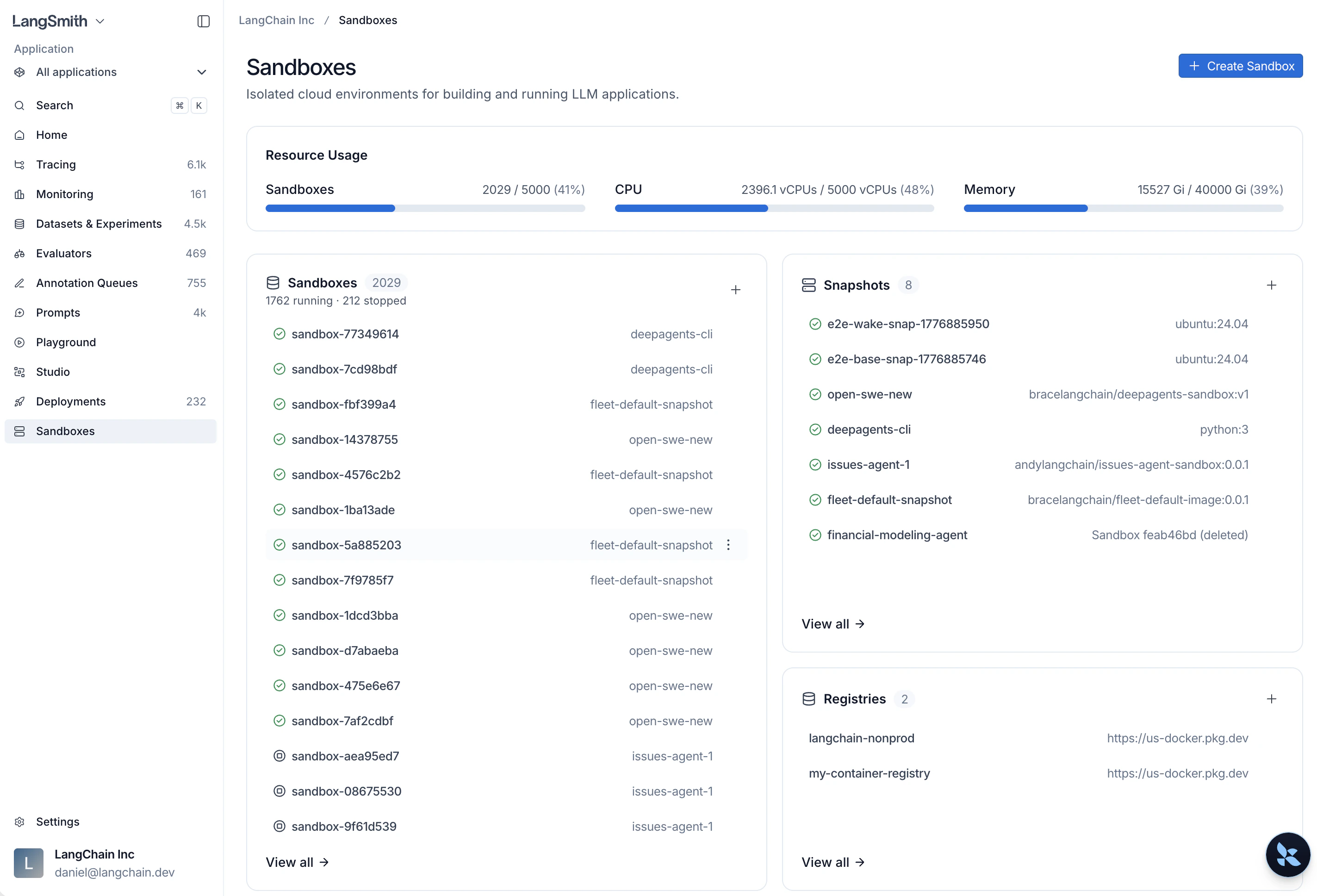
From the [LangSmith homepage](https://smith.langchain.com?utm_source=docs\&utm_medium=cta\&utm_campaign=langsmith-signup\&utm_content=langsmith-sandboxes), select **Sandboxes** to manage all your sandbox resources.
 ## Resources
Build filesystem images from Docker images or capture a running sandbox, then boot sandboxes from them.
Access HTTP services running inside sandboxes via authenticated URLs.
Inject credentials into outbound API requests without hardcoding secrets.
Control which workspace members can interact with a sandbox after it is created.
Build snapshots, manage sandboxes, open consoles, and tunnel TCP ports from the command line.
Create and manage sandboxes programmatically with the Python or TypeScript SDK.
***
## Resources
Build filesystem images from Docker images or capture a running sandbox, then boot sandboxes from them.
Access HTTP services running inside sandboxes via authenticated URLs.
Inject credentials into outbound API requests without hardcoding secrets.
Control which workspace members can interact with a sandbox after it is created.
Build snapshots, manage sandboxes, open consoles, and tunnel TCP ports from the command line.
Create and manage sandboxes programmatically with the Python or TypeScript SDK.
***
[Connect these docs](/use-these-docs) to Claude, VSCode, and more via MCP for real-time answers.
[Edit this page on GitHub](https://github.com/langchain-ai/docs/edit/main/src/langsmith/sandboxes.mdx) or [file an issue](https://github.com/langchain-ai/docs/issues/new/choose).