> ## Documentation Index
> Fetch the complete documentation index at: https://docs.langchain.com/llms.txt
> Use this file to discover all available pages before exploring further.
# Basic authentication with email and password
LangSmith supports login via username/password with a few limitations:
* You cannot change an existing installation from basic auth mode to OAuth with PKCE (deprecated) or vice versa - installations must be either one or the other. **A basic auth installation requires a completely fresh installation including a separate PostgreSQL database/schema, unless migrating from an existing `None` type installation (see below).**
* Users must be given their initial auto-generated password once they are invited. This password may be changed later by any Organization Admin.
* You cannot use both basic auth and OAuth with client secret at the same time.
## Requirements and features
* There is a single `Default` organization that is provisioned during initial installation, and creating additional organizations is not supported
* Your initial password (configured below) must be least 12 characters long and have at least one lowercase, uppercase, and symbol
* There are no strict requirements for the secret used for signing JWTs, but we recommend securely generating a string of at least 32 characters. For example: `openssl rand -base64 32`
### Migrating from none auth
**Only supported in versions 0.7 and above.**
Migrating an installation from [None](/langsmith/authentication-methods#none) auth mode replaces the single "default" user with a user with the configured credentials and keeps all existing resources. The single pre-existing workspace ID post-migration remains `00000000-0000-0000-0000-000000000000`, but everything else about the migrated installation is standard for a basic auth installation.
To migrate, simply update your configuration as shown below and run `helm upgrade` (or `docker-compose up`) as usual.
### Configuration
Changing the JWT secret will log out your users
```yaml Helm theme={"theme":{"light":"catppuccin-latte","dark":"catppuccin-mocha"}}
config:
authType: mixed
basicAuth:
enabled: true
initialOrgAdminEmail:
initialOrgAdminPassword: # Must be at least 12 characters long and have at least one lowercase, uppercase, and symbol
jwtSecret:
```
```bash Docker theme={"theme":{"light":"catppuccin-latte","dark":"catppuccin-mocha"}}
# In your .env file
AUTH_TYPE=mixed
BASIC_AUTH_ENABLED=true
INITIAL_ORG_ADMIN_EMAIL=
INITIAL_ORG_ADMIN_PASSWORD= # Must be at least 12 characters long and have at least one lowercase, uppercase, and symbol
BASIC_AUTH_JWT_SECRET=
```
Additionally, in docker-compose you will need to run the bootstrap command to create the initial organization and user:
```bash theme={"theme":{"light":"catppuccin-latte","dark":"catppuccin-mocha"}}
docker-compose exec langchain-backend python hooks/auth_bootstrap.pyc
```
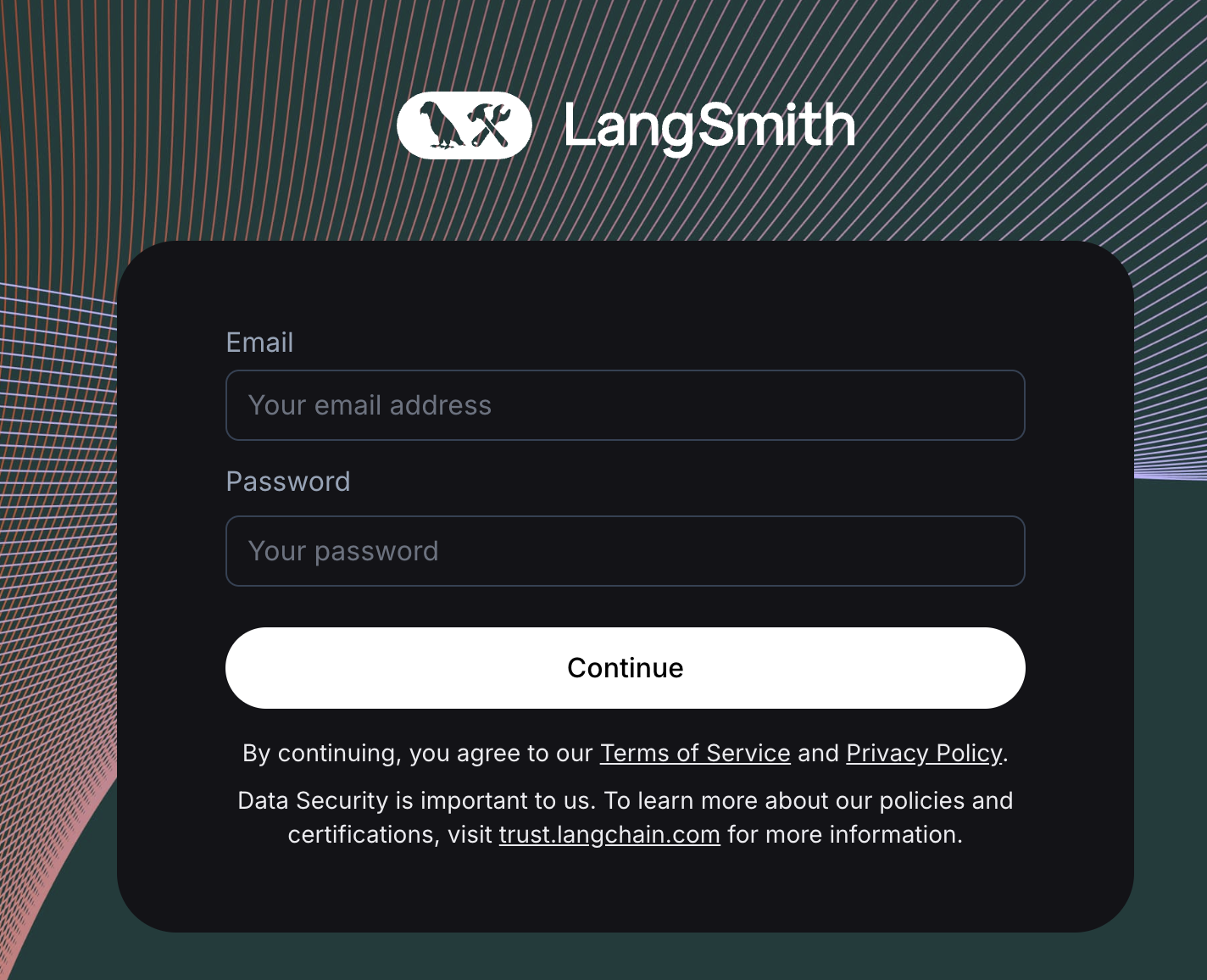
Once configured, you will see a login screen like the one below. You should be able to login with the `initialOrgAdminEmail` and `initialOrgAdminPassword` values, and your user will be auto-provisioned with role `Organization Admin`. See the [admin guide](/langsmith/administration-overview#organization-roles) for more details on organization roles.
 ***
***
[Connect these docs](/use-these-docs) to Claude, VSCode, and more via MCP for real-time answers.
[Edit this page on GitHub](https://github.com/langchain-ai/docs/edit/main/src/langsmith/self-host-basic-auth.mdx) or [file an issue](https://github.com/langchain-ai/docs/issues/new/choose).