> ## Documentation Index
> Fetch the complete documentation index at: https://docs.langchain.com/llms.txt
> Use this file to discover all available pages before exploring further.

# Upgrade an installation

<Warning>
  Downgrades are not officially supported. LangSmith upgrades may include database migrations and other changes that are not backward-compatible. If you need to roll back to a previous version, contact [support](mailto:support@langchain.dev) for guidance.
</Warning>

If you don't have the repo added, run the following command to add it:

```bash theme={"theme":{"light":"catppuccin-latte","dark":"catppuccin-mocha"}}
helm repo add langchain https://langchain-ai.github.io/helm/
```

Update your local helm repo

```bash theme={"theme":{"light":"catppuccin-latte","dark":"catppuccin-mocha"}}
helm repo update
```

Update your helm chart config file with any updates that are needed in the new version. These will be detailed in the release notes for the new version.

Run the following command to upgrade the chart (replace `version` with the version you want to upgrade to):

<Note>
  If you are using a namespace other than the default namespace, you will need to specify the namespace in the `helm` and `kubectl` commands by using the `-n <namespace` flag.
</Note>

Find the latest version of the chart. You can find this in the [LangSmith Helm Chart GitHub repository](https://github.com/langchain-ai/helm/releases) or by running the following command:

```bash theme={"theme":{"light":"catppuccin-latte","dark":"catppuccin-mocha"}}
helm search repo langchain/langsmith --versions
```

You should see output similar to this:

```bash theme={"theme":{"light":"catppuccin-latte","dark":"catppuccin-mocha"}}
langchain/langsmith     0.10.14         0.10.32         Helm chart to deploy the langsmith application ...
langchain/langsmith     0.10.13         0.10.32         Helm chart to deploy the langsmith application ...
langchain/langsmith     0.10.12         0.10.32         Helm chart to deploy the langsmith application ...
langchain/langsmith     0.10.11         0.10.29         Helm chart to deploy the langsmith application ...
langchain/langsmith     0.10.10         0.10.29         Helm chart to deploy the langsmith application ...
langchain/langsmith     0.10.9          0.10.29         Helm chart to deploy the langsmith application ...
```

Choose the version you want to upgrade to (generally the latest version is recommended) and note the version number:

```bash theme={"theme":{"light":"catppuccin-latte","dark":"catppuccin-mocha"}}
helm upgrade <release-name> langchain/langsmith --version <version> --values <path-to-values-file> --wait --debug
```

Verify that the upgrade was successful:

```bash theme={"theme":{"light":"catppuccin-latte","dark":"catppuccin-mocha"}}
helm status <release-name>
```

All pods should be in the `Running` state. Verify that ClickHouse is running and that both `migrations` jobs have completed.

```bash theme={"theme":{"light":"catppuccin-latte","dark":"catppuccin-mocha"}}
kubectl get pods
NAME                                     READY   STATUS      RESTARTS   AGE
langsmith-backend-95b6d54f5-gz48b        1/1     Running     0          15h
langsmith-pg-migrations-d2z6k            0/1     Completed   0          5h48m
langsmith-ch-migrations-gasvk            0/1     Completed   0          5h48m
langsmith-clickhouse-0                   1/1     Running     0          26h
langsmith-frontend-84687d9d45-6cg4r      1/1     Running     0          15h
langsmith-hub-backend-66ffb75fb4-qg6kl   1/1     Running     0          15h
langsmith-playground-85b444d8f7-pl589    1/1     Running     0          15h
langsmith-queue-d58cb64f7-87d68          1/1     Running     0          15h
```

## Validate your deployment

1. Run `kubectl get services`

   Output will be similar to:

   ```bash theme={"theme":{"light":"catppuccin-latte","dark":"catppuccin-mocha"}}
   NAME                         TYPE           CLUSTER-IP       EXTERNAL-IP     PORT(S)                      AGE
   kubernetes                   ClusterIP      172.20.0.1       <none>          443/TCP                      27d
   langsmith-backend            ClusterIP      172.20.22.34     <none>          1984/TCP                     21d
   langsmith-clickhouse         ClusterIP      172.20.117.62    <none>          8123/TCP,9000/TCP            21d
   langsmith-frontend           LoadBalancer   172.20.218.30    <external ip>   80:30093/TCP,443:31130/TCP   21d
   langsmith-platform-backend   ClusterIP      172.20.232.183   <none>          1986/TCP                     21d
   langsmith-playground         ClusterIP      172.20.167.132   <none>          3001/TCP                     21d
   langsmith-postgres           ClusterIP      172.20.59.63     <none>          5432/TCP                     21d
   langsmith-redis              ClusterIP      172.20.229.98    <none>          6379/TCP                     20d
   ```

2. Curl the external ip of the `langsmith-frontend` service:

   ```bash theme={"theme":{"light":"catppuccin-latte","dark":"catppuccin-mocha"}}
   curl <external ip>/api/info
   {"version":"0.5.7","license_expiration_time":"2033-05-20T20:08:06","batch_ingest_config":{"scale_up_qsize_trigger":1000,"scale_up_nthreads_limit":16,"scale_down_nempty_trigger":4,"size_limit":100,"size_limit_bytes":20971520}}
   ```

   Check that the version matches the version you upgraded to.

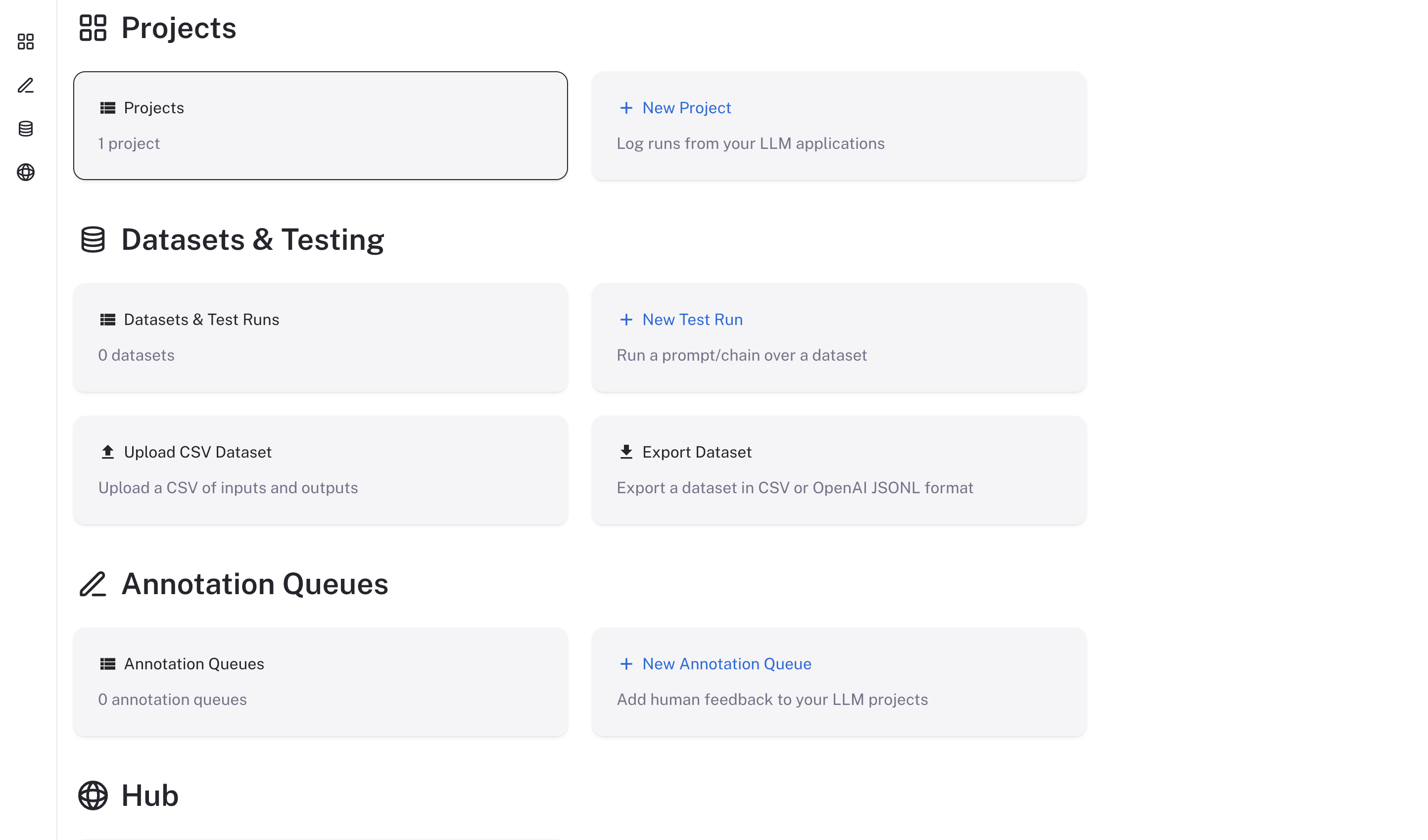
3. Visit the external IP for the `langsmith-frontend` service on your browser. The LangSmith UI should be visible and operational.
   <img src="https://mintcdn.com/langchain-5e9cc07a/4kN8yiLrZX_amfFn/langsmith/images/langsmith-ui.png?fit=max&auto=format&n=4kN8yiLrZX_amfFn&q=85&s=5310f686e7b9eebaaee4fe2a152a8675" alt="LangSmith UI" width="2886" height="1698" data-path="langsmith/images/langsmith-ui.png" />

***

<div className="source-links">
  <Callout icon="terminal-2">
    [Connect these docs](/use-these-docs) to Claude, VSCode, and more via MCP for real-time answers.
  </Callout>

  <Callout icon="edit">
    [Edit this page on GitHub](https://github.com/langchain-ai/docs/edit/main/src/langsmith/self-host-upgrades.mdx) or [file an issue](https://github.com/langchain-ai/docs/issues/new/choose).
  </Callout>
</div>
