> ## Documentation Index
> Fetch the complete documentation index at: https://docs.langchain.com/llms.txt
> Use this file to discover all available pages before exploring further.
# Configure threads
Many LLM applications have a chatbot-like interface in which the user and the LLM application engage in a multi-turn conversation. In order to track these conversations, you can use [*threads*](/langsmith/observability-concepts#threads) in LangSmith.
## Group traces into threads
To associate traces together into a thread, you need to pass in a special `metadata` key where the value is the unique identifier for that thread. The key name should be one of:
* `session_id`
* `thread_id`
* `conversation_id`
The value can be any string you want, but we recommend using **UUID v7** thread IDs.
The [LangSmith SDK](/langsmith/reference) exports a `uuid7` helper (Python v0.4.43+, JS v0.3.80+):
* **Python**: `from langsmith import uuid7`
* **JS/TS**: `import { uuid7 } from 'langsmith'`
For instructions, refer to [Add metadata and tags to traces](/langsmith/add-metadata-tags).
**Important:** To ensure filtering and token counting work correctly across your entire thread, you must set the thread metadata (`session_id`, `thread_id`, or `conversation_id`) on **all runs**, including child runs within a trace.
If child runs don't have the thread\_id metadata, they won't be included when:
* Filtering runs by thread.
* Calculating token usage for a thread.
* Aggregating costs across a thread.
When creating child runs (e.g., using `@traceable` for nested functions or creating child spans), ensure you propagate the thread metadata to all child runs.
### Example
This example demonstrates how to log and retrieve conversation history using a structured message format to maintain long-running chats.
The example sets a `THREAD_ID` and passes it via `metadata` to the tracing wrapper, linking every run from that session into the same thread in LangSmith. Conversation history is persisted locally between turns—replace the file-based or in-memory store with a database or cache in production. The `get_chat_history` flag controls whether the pipeline continues an existing thread or starts a fresh one:
```python Python expandable wrap theme={"theme":{"light":"catppuccin-latte","dark":"catppuccin-mocha"}}
import os
import json
from dotenv import load_dotenv
# Load environment variables from .env file
load_dotenv()
import openai
from langsmith import traceable, Client, uuid7
from langsmith.wrappers import wrap_openai
# Initialize clients
langsmith_client = Client()
client = wrap_openai(openai.Client())
# Configuration
THREAD_ID = str(uuid7())
# Using a local directory to store thread history. For production use, use a persistent storage solution.
THREADS_DIR = os.path.join(os.path.dirname(__file__), "threads")
# gets a history of all LLM calls in the thread to construct conversation history
def get_thread_history(thread_id: str) -> list:
path = os.path.join(THREADS_DIR, f"{thread_id}.json")
if not os.path.exists(path):
return []
with open(path, "r") as f:
return json.load(f)
def save_thread_history(thread_id: str, messages: list):
os.makedirs(THREADS_DIR, exist_ok=True)
with open(os.path.join(THREADS_DIR, f"{thread_id}.json"), "w") as f:
json.dump(messages, f, indent=2, default=str)
@traceable(name="Chat Bot", metadata={"thread_id": THREAD_ID})
def chat_pipeline(messages: list, get_chat_history: bool = False):
# Whether to continue an existing thread or start a new one
if get_chat_history:
history_messages = get_thread_history(THREAD_ID)
# Get existing conversation history and append new messages
all_messages = history_messages + messages
else:
all_messages = messages
# Invoke the model
chat_completion = client.chat.completions.create(
model="gpt-5.4-mini", messages=all_messages
)
response_message = chat_completion.choices[0].message
print("Response from model:", response_message)
full_conversation = all_messages + [{"role": response_message.role, "content": response_message.content}]
save_thread_history(THREAD_ID, full_conversation)
return {"messages": full_conversation}
# Format message
messages = [
{
"content": "Hi, my name is Sally",
"role": "user"
}
]
# Call the chat pipeline
result = chat_pipeline(messages, get_chat_history=False)
```
```typescript TypeScript expandable wrap theme={"theme":{"light":"catppuccin-latte","dark":"catppuccin-mocha"}}
import * as fs from "fs";
import * as path from "path";
import { fileURLToPath } from "url";
import * as dotenv from "dotenv";
import OpenAI from "openai";
import { traceable } from "langsmith/traceable";
import { wrapOpenAI } from "langsmith/wrappers";
import { uuid7 } from "langsmith";
const __dirname = path.dirname(fileURLToPath(import.meta.url));
// Load environment variables from .env file
dotenv.config();
// Initialize client
const client = wrapOpenAI(new OpenAI());
// Configuration
const THREAD_ID = uuid7();
// Using a local directory to store thread history. For production use, use a persistent storage solution.
const THREADS_DIR = path.join(__dirname, "threads");
type Message = { role: string; content: string };
// Gets a history of all LLM calls in the thread to construct conversation history
function getThreadHistory(threadId: string): Message[] {
const filePath = path.join(THREADS_DIR, `${threadId}.json`);
if (!fs.existsSync(filePath)) return [];
return JSON.parse(fs.readFileSync(filePath, "utf-8"));
}
function saveThreadHistory(threadId: string, messages: Message[]): void {
fs.mkdirSync(THREADS_DIR, { recursive: true });
fs.writeFileSync(
path.join(THREADS_DIR, `${threadId}.json`),
JSON.stringify(messages, null, 2)
);
}
const chatPipeline = traceable(
async function chatPipeline({ messages, get_chat_history = false }: { messages: Message[]; get_chat_history?: boolean }) {
// Whether to continue an existing thread or start a new one
if (get_chat_history) {
const historyMessages = getThreadHistory(THREAD_ID);
// Get existing conversation history and append new messages
messages = [...historyMessages, ...messages];
}
// Invoke the model
const chatCompletion = await client.chat.completions.create({
model: "gpt-5.4-mini",
messages,
});
const responseMessage = chatCompletion.choices[0].message;
console.log("Response from model:", responseMessage);
const fullConversation: Message[] = [
...messages,
{ role: responseMessage.role, content: responseMessage.content ?? "" },
];
saveThreadHistory(THREAD_ID, fullConversation);
return { messages: fullConversation };
},
{ name: "Chat Bot", metadata: { thread_id: THREAD_ID } }
);
// Format message
const messages: Message[] = [{ role: "user", content: "Hi! My name is Sally" }];
// Call the chat pipeline
await chatPipeline({ messages, get_chat_history: false });
```
```java Java expandable wrap theme={"theme":{"light":"catppuccin-latte","dark":"catppuccin-mocha"}}
import com.langchain.smith.client.LangsmithClient;
import com.langchain.smith.client.okhttp.LangsmithOkHttpClient;
import com.langchain.smith.tracing.TraceConfig;
import com.langchain.smith.tracing.Tracing;
import com.langchain.smith.wrappers.openai.OpenAITracing;
import com.openai.client.OpenAIClient;
import com.openai.client.okhttp.OpenAIOkHttpClient;
import com.openai.models.ChatModel;
import com.openai.models.chat.completions.ChatCompletion;
import com.openai.models.chat.completions.ChatCompletionAssistantMessageParam;
import com.openai.models.chat.completions.ChatCompletionCreateParams;
import com.openai.models.chat.completions.ChatCompletionMessageParam;
import com.openai.models.chat.completions.ChatCompletionUserMessageParam;
import java.util.ArrayList;
import java.util.Collections;
import java.util.HashMap;
import java.util.List;
import java.util.Map;
import java.util.concurrent.ExecutorService;
import java.util.concurrent.Executors;
import java.util.concurrent.TimeUnit;
import java.util.function.Function;
class ThreadsChatPipeline {
private static final String THREAD_ID = "01990f3e-7f97-74c5-a9b6-8d3f7e8e2f11";
private static final class OpenAiResources {
private static final LangsmithClient langsmith = LangsmithOkHttpClient.fromEnv();
private static final ExecutorService executor = Executors.newSingleThreadExecutor();
private static final Map threadMetadata = new HashMap<>();
static {
threadMetadata.put("thread_id", THREAD_ID);
}
private static final OpenAIClient openai =
OpenAITracing.wrapOpenAI(
OpenAIOkHttpClient.fromEnv(),
TraceConfig.builder()
.client(langsmith)
.executor(executor)
.metadata(threadMetadata)
.build());
private static final List threadHistory = new ArrayList<>();
static final Function>> CHAT_PIPELINE =
Tracing.traceFunction(
request -> {
List allMessages = new ArrayList<>();
if (request.getChatHistory()) {
allMessages.addAll(threadHistory);
}
allMessages.addAll(request.getMessages());
ChatCompletion chatCompletion =
openai
.chat()
.completions()
.create(
ChatCompletionCreateParams.builder()
.model(ChatModel.GPT_5_CHAT_LATEST)
.messages(allMessages)
.build());
String content = chatCompletion.choices().get(0).message().content().orElse("");
List fullConversation = new ArrayList<>(allMessages);
fullConversation.add(
ChatCompletionMessageParam.ofAssistant(
ChatCompletionAssistantMessageParam.builder().content(content).build()));
threadHistory.clear();
threadHistory.addAll(fullConversation);
return Collections.singletonMap("messages", fullConversation);
},
TraceConfig.builder()
.name("Chat Bot")
.client(langsmith)
.executor(executor)
.metadata(threadMetadata)
.build());
private OpenAiResources() {}
static ExecutorService executor() {
return executor;
}
}
static Function>> chatPipeline() {
return OpenAiResources.CHAT_PIPELINE;
}
public static void main(String[] args) throws InterruptedException {
try {
List messages =
Collections.singletonList(
ChatCompletionMessageParam.ofUser(
ChatCompletionUserMessageParam.builder()
.content("Hi, my name is Sally")
.build()));
chatPipeline().apply(new ChatRequest(messages, false));
} finally {
OpenAiResources.executor().shutdown();
if (!OpenAiResources.executor().awaitTermination(10, TimeUnit.SECONDS)) {
throw new IllegalStateException("Timed out waiting for LangSmith traces to submit");
}
}
}
static class ChatRequest {
private final List messages;
private final boolean getChatHistory;
ChatRequest(List messages, boolean getChatHistory) {
this.messages = messages;
this.getChatHistory = getChatHistory;
}
List getMessages() {
return messages;
}
boolean getChatHistory() {
return getChatHistory;
}
}
}
```
```kotlin Kotlin expandable wrap theme={"theme":{"light":"catppuccin-latte","dark":"catppuccin-mocha"}}
import com.langchain.smith.client.okhttp.LangsmithOkHttpClient
import com.langchain.smith.tracing.TraceConfig
import com.langchain.smith.tracing.traceable
import com.langchain.smith.wrappers.openai.wrapOpenAI
import com.openai.client.okhttp.OpenAIOkHttpClient
import com.openai.models.ChatModel
import com.openai.models.chat.completions.ChatCompletionAssistantMessageParam
import com.openai.models.chat.completions.ChatCompletionCreateParams
import com.openai.models.chat.completions.ChatCompletionMessageParam
import com.openai.models.chat.completions.ChatCompletionUserMessageParam
import java.util.concurrent.Executors
import java.util.concurrent.TimeUnit
val threadId = "01990f3e-7f97-74c5-a9b6-8d3f7e8e2f11"
val langsmith by lazy { LangsmithOkHttpClient.fromEnv() }
val executor by lazy { Executors.newSingleThreadExecutor() }
val threadMetadata by lazy { mapOf("thread_id" to threadId) }
val openai by lazy {
wrapOpenAI(
OpenAIOkHttpClient.fromEnv(),
TraceConfig.builder()
.client(langsmith)
.executor(executor)
.metadata(threadMetadata)
.build(),
)
}
val threadHistory = mutableListOf()
data class ChatRequest(
val messages: List,
val getChatHistory: Boolean = false,
)
val chatPipeline by lazy {
traceable(
{ request: ChatRequest ->
val allMessages =
if (request.getChatHistory) {
threadHistory + request.messages
} else {
request.messages
}
val chatCompletion =
openai.chat().completions().create(
ChatCompletionCreateParams.builder()
.model(ChatModel.GPT_5_CHAT_LATEST)
.messages(allMessages)
.build(),
)
val content = chatCompletion.choices()[0].message().content().orElse("")
val fullConversation =
allMessages +
ChatCompletionMessageParam.ofAssistant(
ChatCompletionAssistantMessageParam.builder().content(content).build(),
)
threadHistory.clear()
threadHistory.addAll(fullConversation)
mapOf("messages" to fullConversation)
},
TraceConfig.builder()
.name("Chat Bot")
.client(langsmith)
.executor(executor)
.metadata(threadMetadata)
.build(),
)
}
fun main() {
try {
val messages =
listOf(
ChatCompletionMessageParam.ofUser(
ChatCompletionUserMessageParam.builder()
.content("Hi, my name is Sally")
.build(),
),
)
chatPipeline(ChatRequest(messages))
} finally {
executor.shutdown()
check(executor.awaitTermination(10, TimeUnit.SECONDS)) {
"Timed out waiting for LangSmith traces to submit"
}
}
}
```
The Java and Kotlin examples use a dedicated executor. Shutting down the executor and awaiting termination ensures background trace submissions complete before the process exits.
Make the following calls to continue the conversation. By passing `get_chat_history=True` / `get_chat_history: true` / `getChatHistory = true`, you can continue the conversation from where it left off. This means that the LLM receives the entire message history and responds to it, instead of just responding to the latest message:
```python Python theme={"theme":{"light":"catppuccin-latte","dark":"catppuccin-mocha"}}
# Format message
messages = [
{
"content": "What is my name",
"role": "user"
}
]
# Call the chat pipeline
result = chat_pipeline(messages, get_chat_history=True)
```
```typescript TypeScript theme={"theme":{"light":"catppuccin-latte","dark":"catppuccin-mocha"}}
// Continue the conversation.
const messages: Message[] = [{ role: "user", content: "What is my name" }];
await chatPipeline({ messages, get_chat_history: true });
```
```java Java theme={"theme":{"light":"catppuccin-latte","dark":"catppuccin-mocha"}}
List messages =
Collections.singletonList(
ChatCompletionMessageParam.ofUser(
ChatCompletionUserMessageParam.builder()
.content("What is my name")
.build()));
ThreadsChatPipeline.chatPipeline().apply(new ThreadsChatPipeline.ChatRequest(messages, true));
```
```kotlin Kotlin theme={"theme":{"light":"catppuccin-latte","dark":"catppuccin-mocha"}}
val messages =
listOf(
ChatCompletionMessageParam.ofUser(
ChatCompletionUserMessageParam.builder()
.content("What is my name")
.build(),
),
)
chatPipeline(ChatRequest(messages, getChatHistory = true))
```
Keep the conversation going. Since past messages are included, the LLM will remember the conversation:
```python Python theme={"theme":{"light":"catppuccin-latte","dark":"catppuccin-mocha"}}
# Continue the conversation.
messages = [
{
"content": "What was the first message I sent you?",
"role": "user"
}
]
chat_pipeline(messages, get_chat_history=True)
```
```typescript TypeScript theme={"theme":{"light":"catppuccin-latte","dark":"catppuccin-mocha"}}
// Continue the conversation.
const messages: Message[] = [{ role: "user", content: "What was the first message I sent you?" }];
await chatPipeline({ messages, get_chat_history: true });
```
```java Java theme={"theme":{"light":"catppuccin-latte","dark":"catppuccin-mocha"}}
List messages =
Collections.singletonList(
ChatCompletionMessageParam.ofUser(
ChatCompletionUserMessageParam.builder()
.content("What was the first message I sent you?")
.build()));
ThreadsChatPipeline.chatPipeline().apply(new ThreadsChatPipeline.ChatRequest(messages, true));
```
```kotlin Kotlin theme={"theme":{"light":"catppuccin-latte","dark":"catppuccin-mocha"}}
val messages =
listOf(
ChatCompletionMessageParam.ofUser(
ChatCompletionUserMessageParam.builder()
.content("What was the first message I sent you?")
.build(),
),
)
chatPipeline(ChatRequest(messages, getChatHistory = true))
```
## View threads
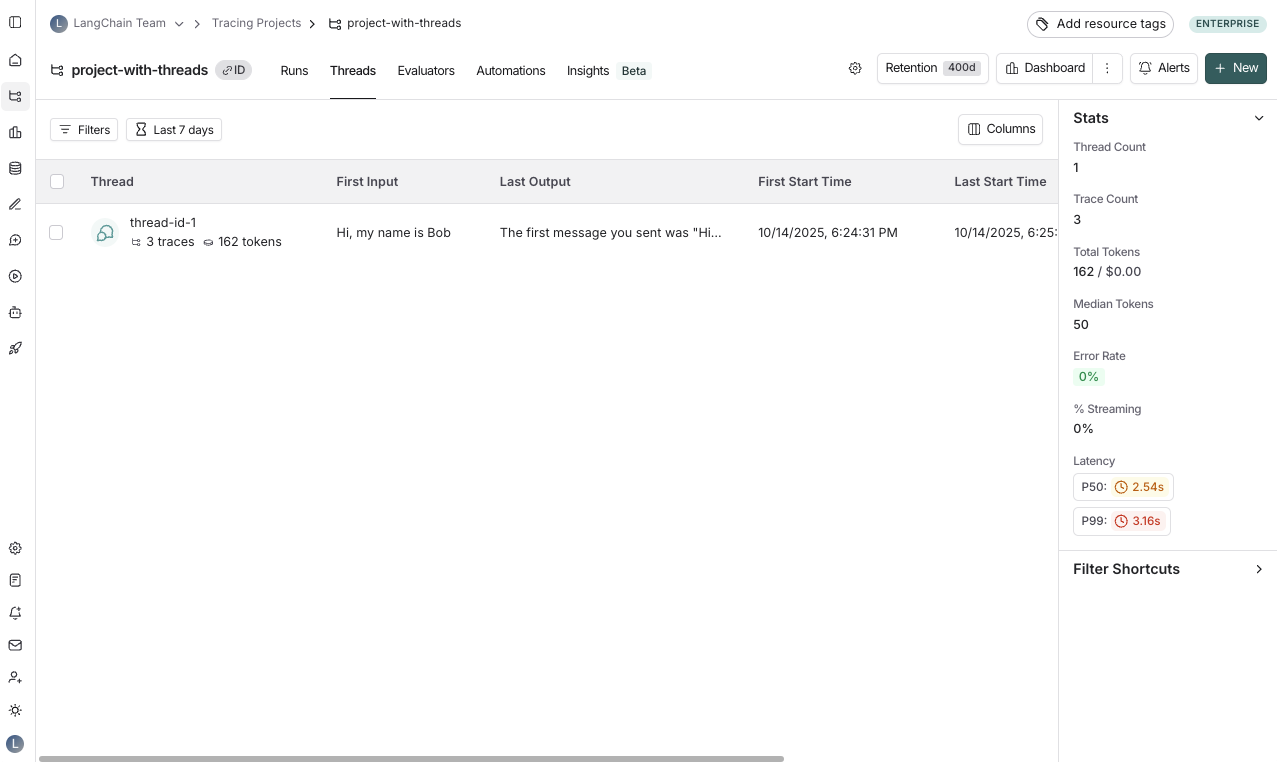
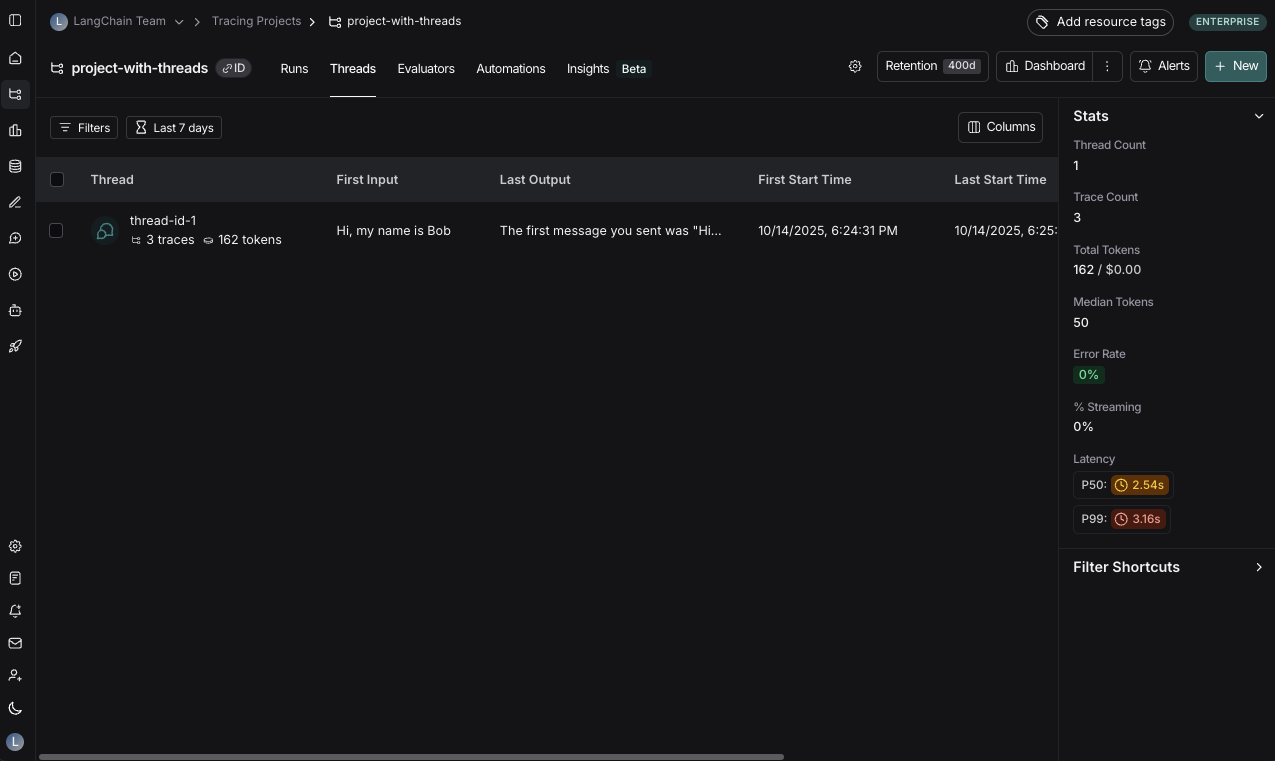
You can view threads by clicking on the **Threads** tab in any project details page. You will then see a list of all threads, sorted by the most recent activity.
Use **[Polly](/langsmith/polly)** in thread views to analyze conversation threads, understand user sentiment, identify pain points, and track whether issues were resolved.
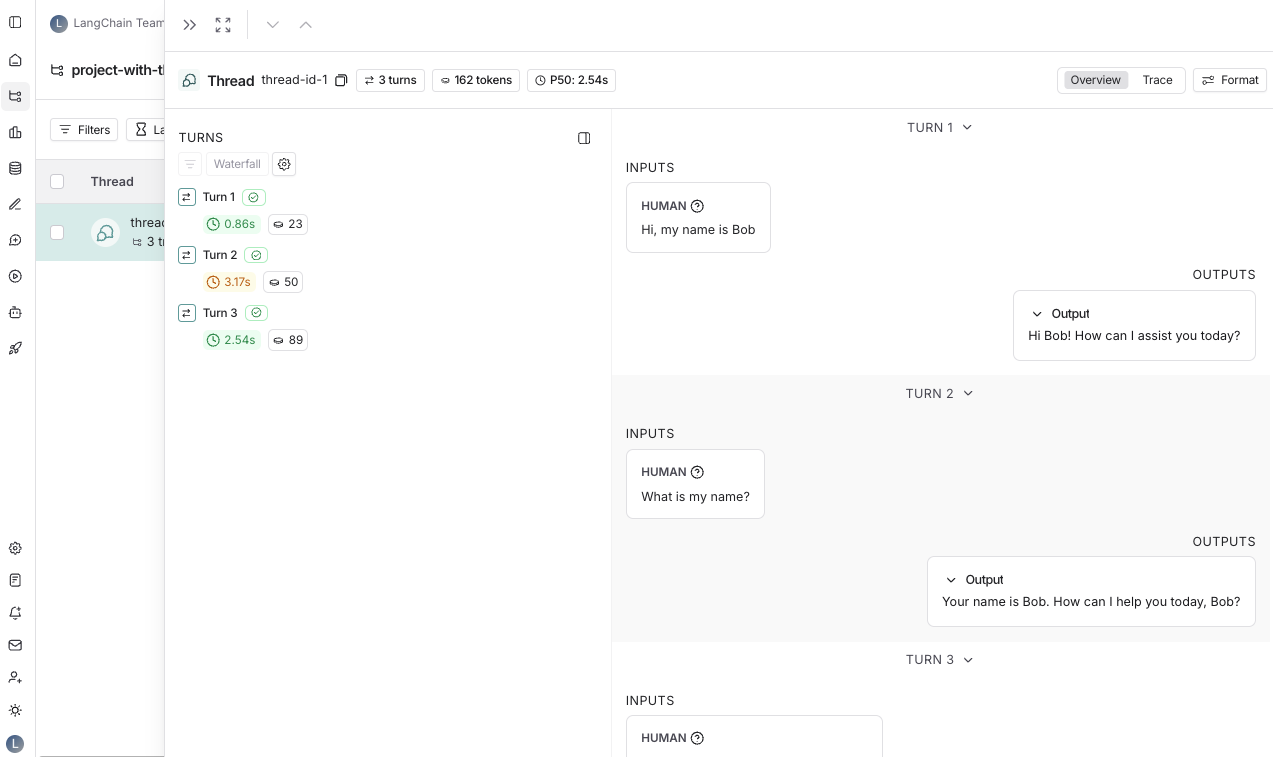
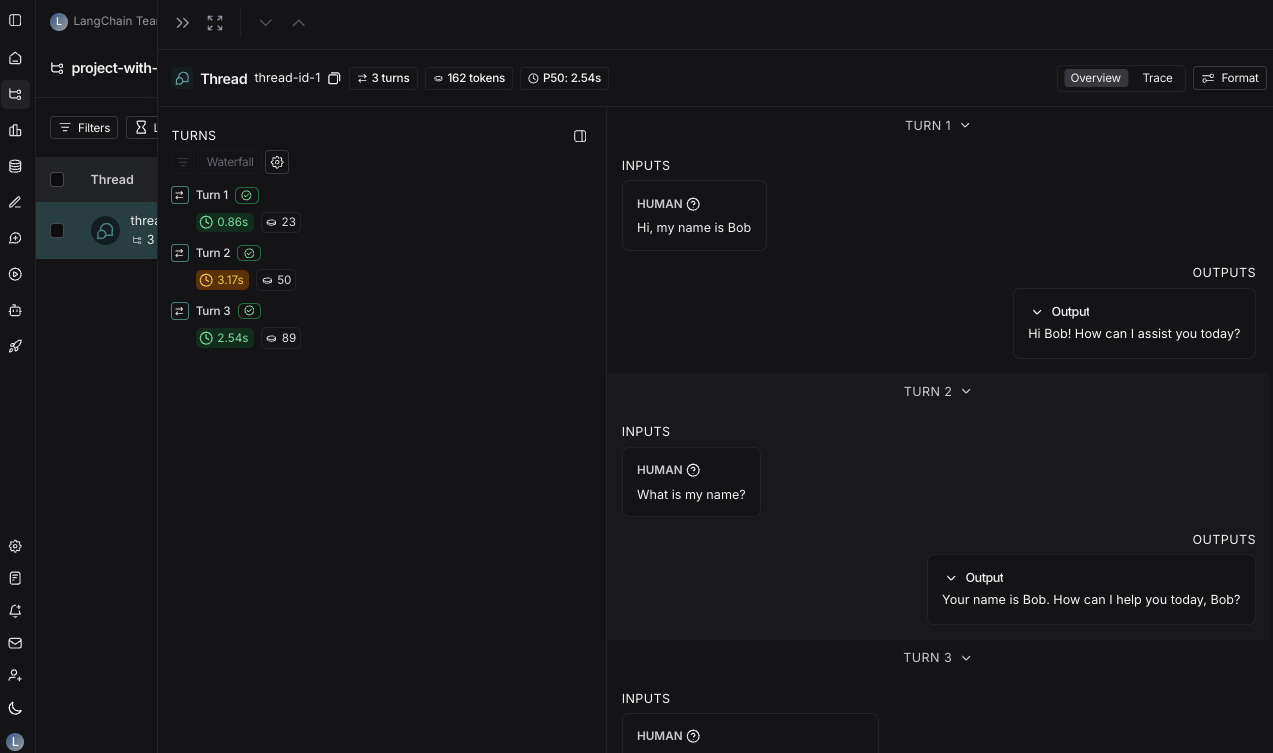
You can then click into a particular thread. This will open the history for a particular thread:
You can view threads in two different ways:
* [Thread overview](#thread-overview)
* [Trace view](#trace-view)
You can use the buttons at the top of the page to switch between the two views or use the keyboard shortcut `T` to toggle between the two views.
### Thread overview
The thread overview displays each turn of the conversation sequentially, showing the inputs and outputs for each trace in the thread. You can configure which fields in the inputs and outputs are displayed in the overview, or show multiple fields by clicking the **Configure** button.
The JSON path for the inputs and outputs supports negative indexing, so you can use `-1` to access the last element of an array. For example, `inputs.messages[-1].content` will access the last message in the `messages` array.
### Trace view
The trace view for threads is similar to the trace view when looking at a [single run](/langsmith/observability-concepts#runs), except that you have access to all the runs for each turn in the thread.
### View feedback
When viewing a thread, across the top of the page you will see a section called **Feedback**. This is where you can review the feedback for each of the runs that make up the thread. This feedback is aggregated, so if you evaluate each run of a thread for the same criteria, you will see the average score across all the displayed runs. You can also see [thread-level feedback](/langsmith/online-evaluations-multi-turn) left here.
### Save thread-level filter
Thread filters look through all runs and surface a thread if at least 1 run matches the filter.
Similar to saving filters at the project level, you can also save commonly used filters at the thread level. To save filters on the **Threads** table, [set a filter](/langsmith/filter-traces-in-application#create-and-apply-filters) using the **Add filter** button and then click the **Save view** button.
You can open up the trace or annotate the trace in a side panel by clicking on **Annotate** and **Open trace**, respectively.
## Related
* [Observability concepts](/langsmith/observability-concepts#threads): background on threads and how they relate to runs and traces.
* [Add metadata and tags to traces](/langsmith/add-metadata-tags): how to pass `thread_id` and other metadata keys.
* [Filter traces](/langsmith/filter-traces-in-application): filter by thread metadata in the tracing UI.
* [Set up multi-turn online evaluators](/langsmith/online-evaluations-multi-turn): evaluate threads rather than individual runs.
* [Log user feedback using the SDK](/langsmith/attach-user-feedback): attach feedback to runs within a thread.
***
[Connect these docs](/use-these-docs) to Claude, VSCode, and more via MCP for real-time answers.
[Edit this page on GitHub](https://github.com/langchain-ai/docs/edit/main/src/langsmith/threads.mdx) or [file an issue](https://github.com/langchain-ai/docs/issues/new/choose).