

Self-hosted LangSmith is an add-on to the Enterprise plan designed for LangChain’s largest, most security-conscious customers. For more details, refer to Pricing. Contact our sales team if you want a license key to trial LangSmith in your environment.
Features
Architecture
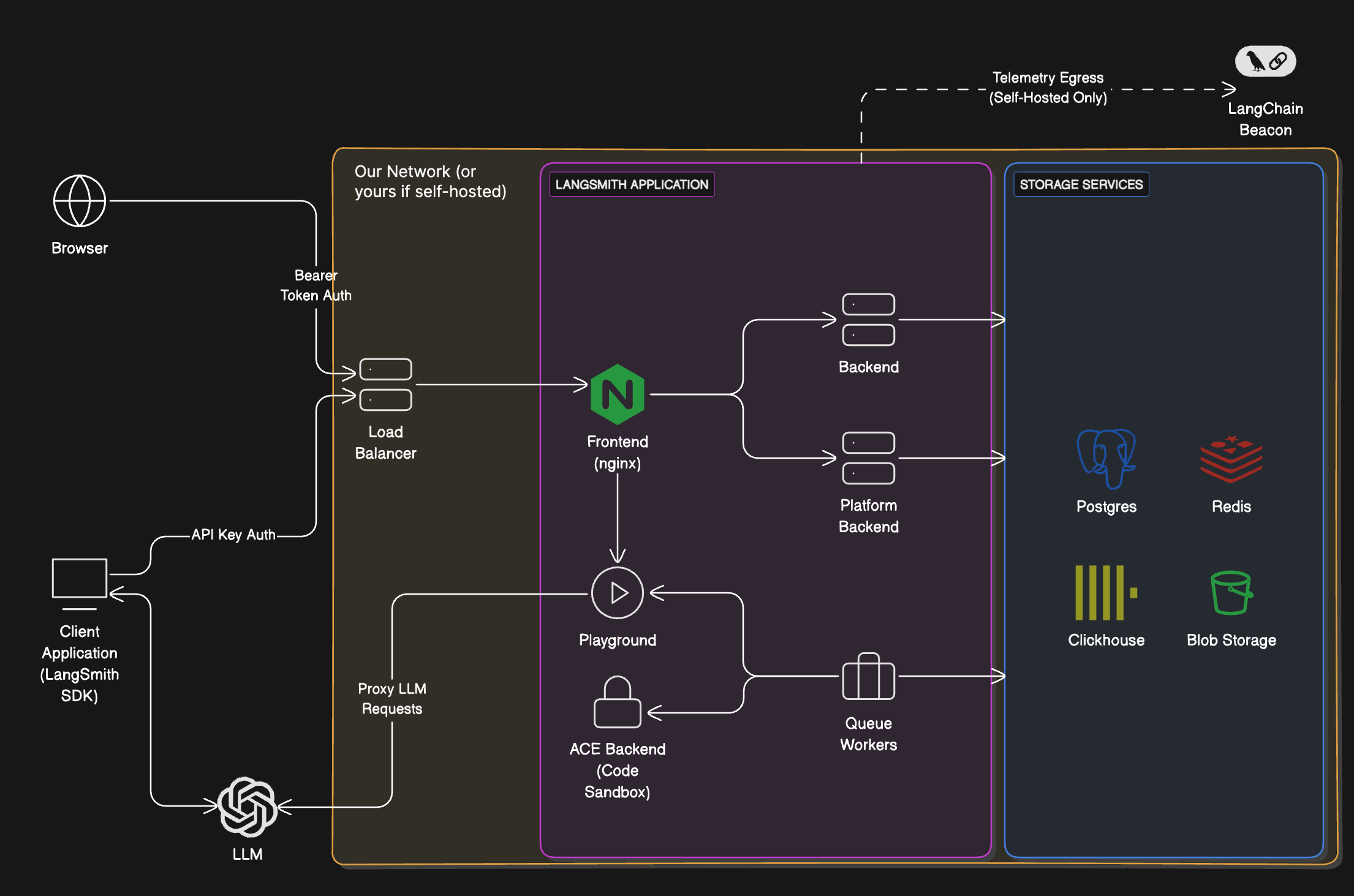
A self-hosted LangSmith instance runs a set of application services backed by several storage services.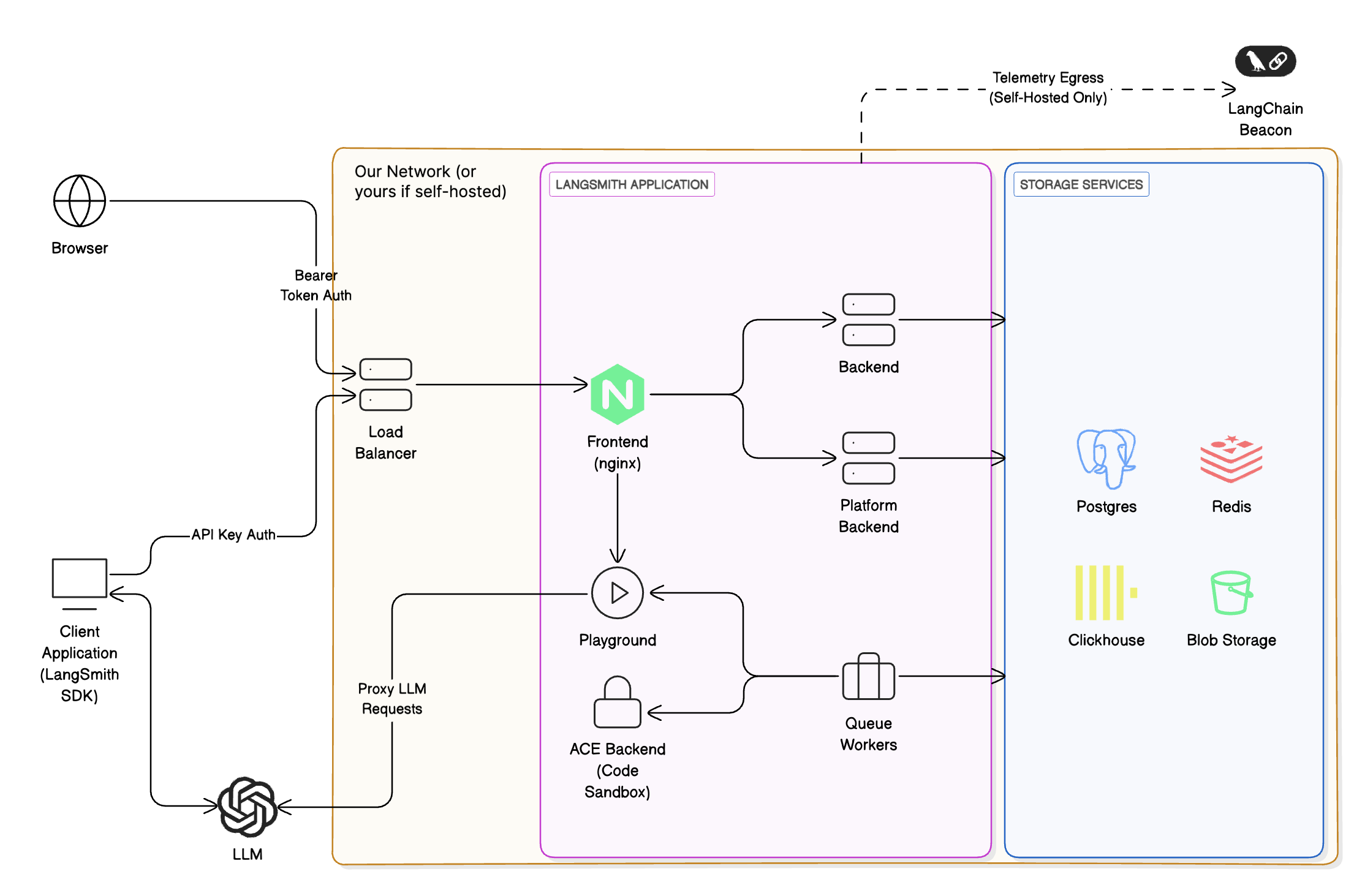
Services
Storage services
LangSmith bundles all storage services by default. You can configure it to use external versions of all storage services. For production, use external storage services.
Installation procedures
This page is an overview. The installation itself happens in the Kubernetes installation guide, and optional features have their own setup guides. To go from this page to a running instance:1
Install the base platform
Follow Self-host LangSmith on Kubernetes from start to finish. It covers prerequisites, Helm configuration, Insights and Chat encryption keys, deployment, and verification. When you complete it, you’ll have a running LangSmith instance with observability, evaluation, prompt engineering, Insights, and Chat.Before you start, review the minimum versions for self-hosting dependencies. To provision the cluster, datastores, and Helm release together, use Deploy with Terraform instead of the Helm-only guide.
2
(Optional) Add features
After the base platform is running, enable the optional features your use case requires from the Features table. See Configure additional self-hosted features. Skip this step if the base installation covers your use case.
Connect these docs to your agent of choice via MCP for real-time answers.