

- Completely hide inputs and outputs using environment variables or Client configuration.
- Hide metadata to remove or transform run metadata.
- Apply rule-based masking with regex patterns or anonymization libraries to selectively redact sensitive information.
- Redact secrets from traces using the SDK anonymizer with ready-to-use regex patterns for API keys, tokens, and credentials.
- Process inputs and outputs for individual functions with function-level customization.
- Use third-party anonymizers like Microsoft Presidio and Amazon Comprehend for advanced PII detection.
- Batch process run operations to apply expensive masking logic across multiple runs at once, reducing per-run overhead. LangSmith processes runs in a background thread, which does not block your application.
- Redact inputs and outputs per request using
tracing_contextto mask data only for specific invocations (for example, based on tenant or feature flag) while leaving other traces untouched.
If your compliance or privacy requirements mandate that certain operations should never be traced at all (for example, clients with zero-retention policies), consider using conditional tracing to disable tracing selectively for specific requests instead of masking data.
Hide inputs and outputs
If you want to completely hide the inputs and outputs of your traces, you can set the following environment variables when running your application:hide_inputs and hide_outputs parameters on the Client object (hideInputs and hideOutputs in TypeScript).
The following example returns an empty object for both hide_inputs and hide_outputs, but you can customize this to your needs:
Hide metadata
Thehide_metadata parameter allows you to control whether run metadata is hidden or transformed when tracing with the LangSmith Python SDK. Metadata is passed with the extra parameter when creating runs (e.g., extra={"metadata": {...}}). hide_metadata is useful for removing sensitive information, complying with privacy requirements, or reducing the amount of data sent to LangSmith. You can configure metadata hiding in two ways:
-
Using the SDK:
-
Using environment variables:
hide_metadata parameter accepts three types of values:
True: Completely removes all metadata (sends an empty dictionary).FalseorNone: Preserves metadata as-is (default behavior).Callable: A custom function that transforms the metadata dictionary.
metadata field in the extra parameter for all runs created or updated by the Client, including runs created through the @traceable decorator or LangChain integrations.
Hide all metadata
Sethide_metadata=True to remove all metadata completely from runs sent to LangSmith:
Custom transformation
Use a callable function to selectively filter, redact, or modify metadata before it’s sent to LangSmith:Rule-based masking of inputs and outputs
This feature is available in the following LangSmith SDK versions:
- Python: 0.1.81 and above
- TypeScript: 0.1.33 and above
create_anonymizer / createAnonymizer function and pass the newly created anonymizer when instantiating the Client. The anonymizer can be either constructed from a list of regex patterns and the replacement values or from a function that accepts and returns a string value.
The anonymizer will be skipped for inputs if LANGSMITH_HIDE_INPUTS = true. Same applies for outputs if LANGSMITH_HIDE_OUTPUTS = true.
However, if inputs or outputs are to be sent to Client, the anonymizer method will take precedence over functions found in hide_inputs and hide_outputs. By default, the create_anonymizer will only look at maximum of 10 nesting levels deep, which can be configured via the max_depth parameter.
Improving the performance of
anonymizer API is on our roadmap! If you are encountering performance issues, please contact support via support.langchain.com.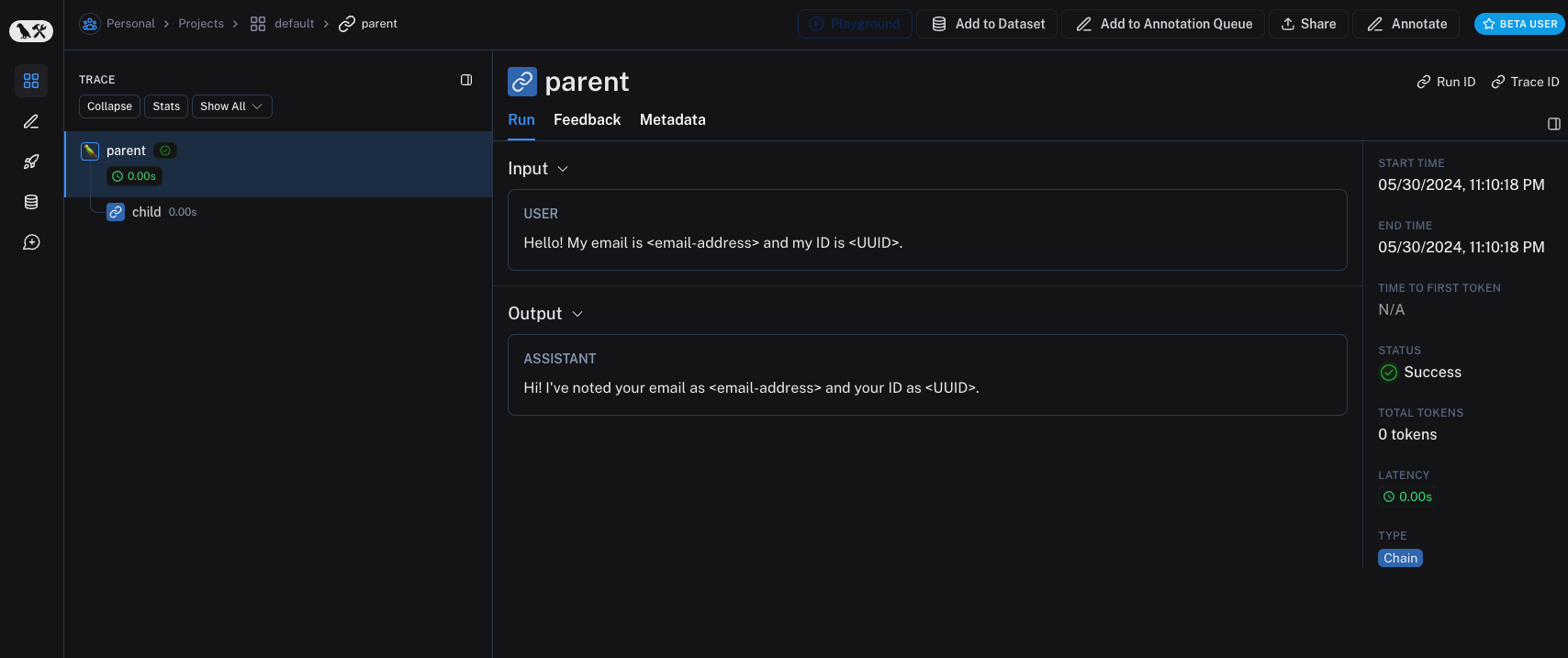
hide_inputs and hide_outputs parameters to achieve the same effect. You can also use these parameters to process the inputs and outputs more efficiently.
Processing inputs and outputs for a single function
The
process_outputs parameter is available in LangSmith SDK version 0.1.98 and above for Python.process_inputs and process_outputs parameters of the @traceable decorator.
These parameters accept functions that allow you to transform the inputs and outputs of a specific function before they are logged to LangSmith. This is useful for reducing payload size, removing sensitive information, or customizing how an object should be serialized and represented in LangSmith for a particular function.
Here’s an example of how to use process_inputs and process_outputs:
process_inputs creates a new dictionary with processed input data, and process_outputs transforms the output into a specific format before logging to LangSmith.
For asynchronous functions, the usage is similar:
hide_inputs and hide_outputs) when both are defined.
Examples
You can combine rule-based masking with various anonymizers to scrub sensitive information from inputs and outputs. The following examples will cover working with regex, Microsoft Presidio, and Amazon Comprehend.Regex
The implementation below is not exhaustive and may miss some formats or edge cases. Test any implementation thoroughly before using it in production.
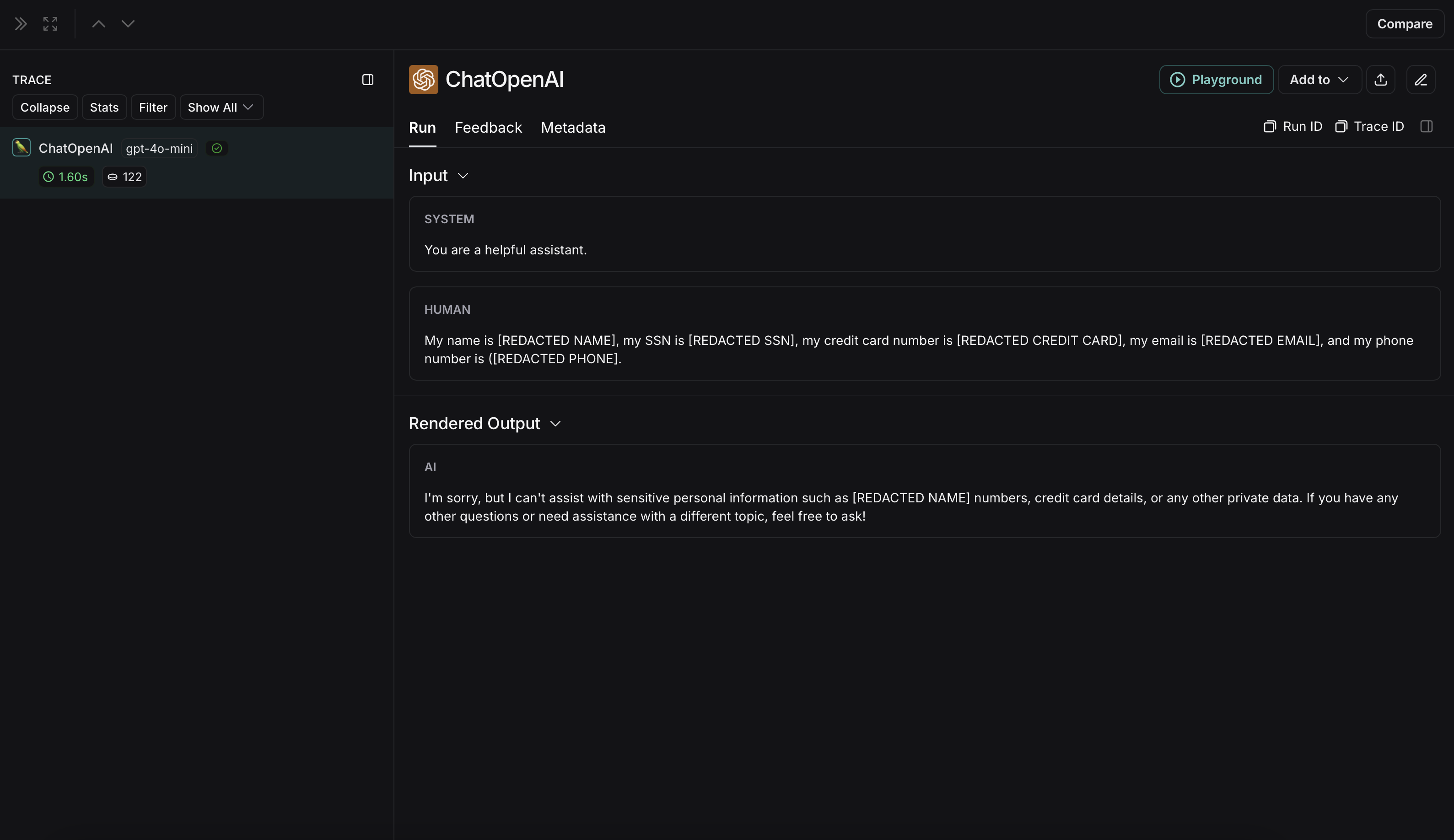 The non-anonymized run will look like this in LangSmith: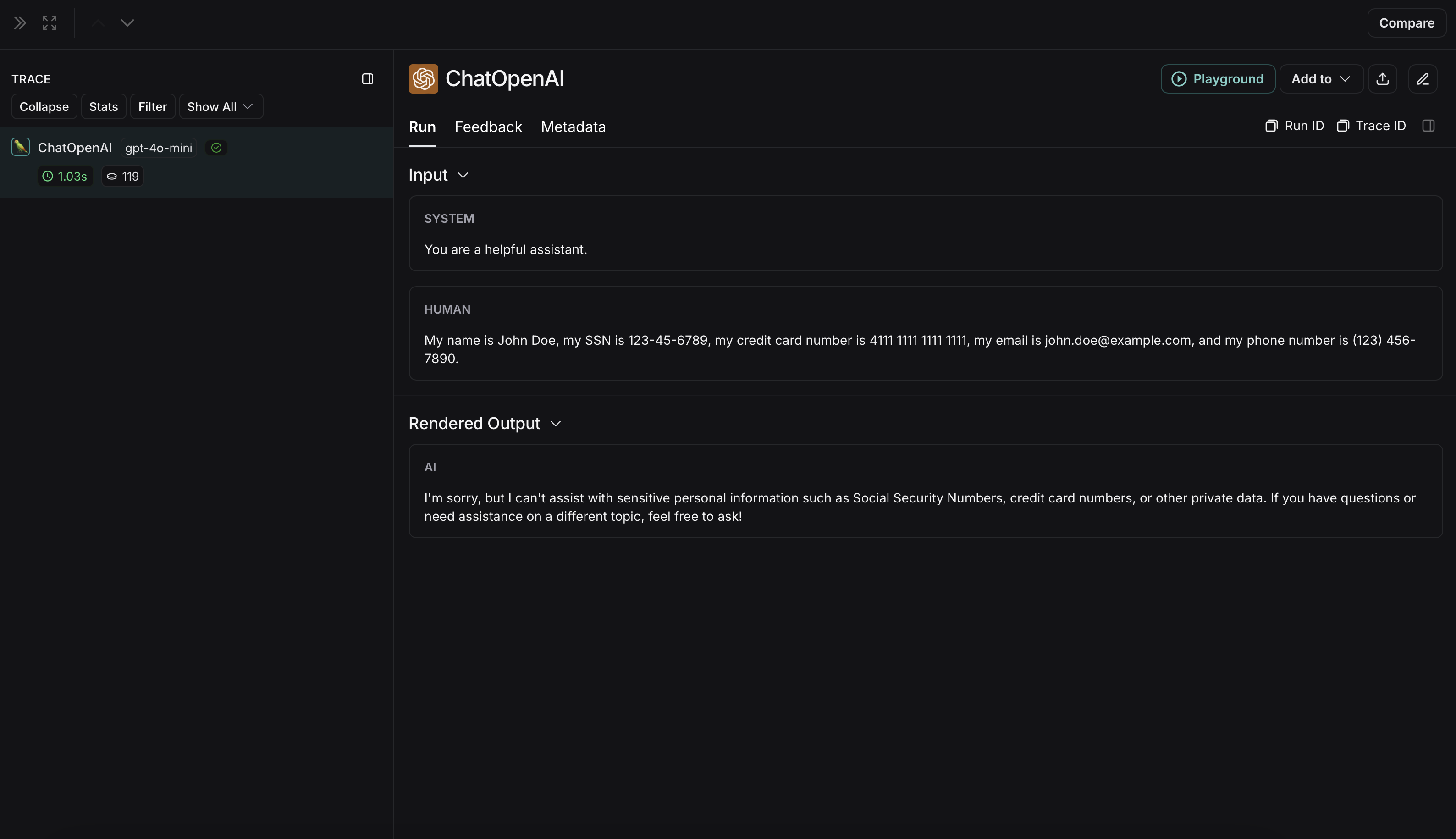
Microsoft Presidio
The implementation below provides a general example of how to anonymize sensitive information in messages exchanged between a user and an LLM. It is not exhaustive and does not account for all cases. Test any implementation thoroughly before using it in production.
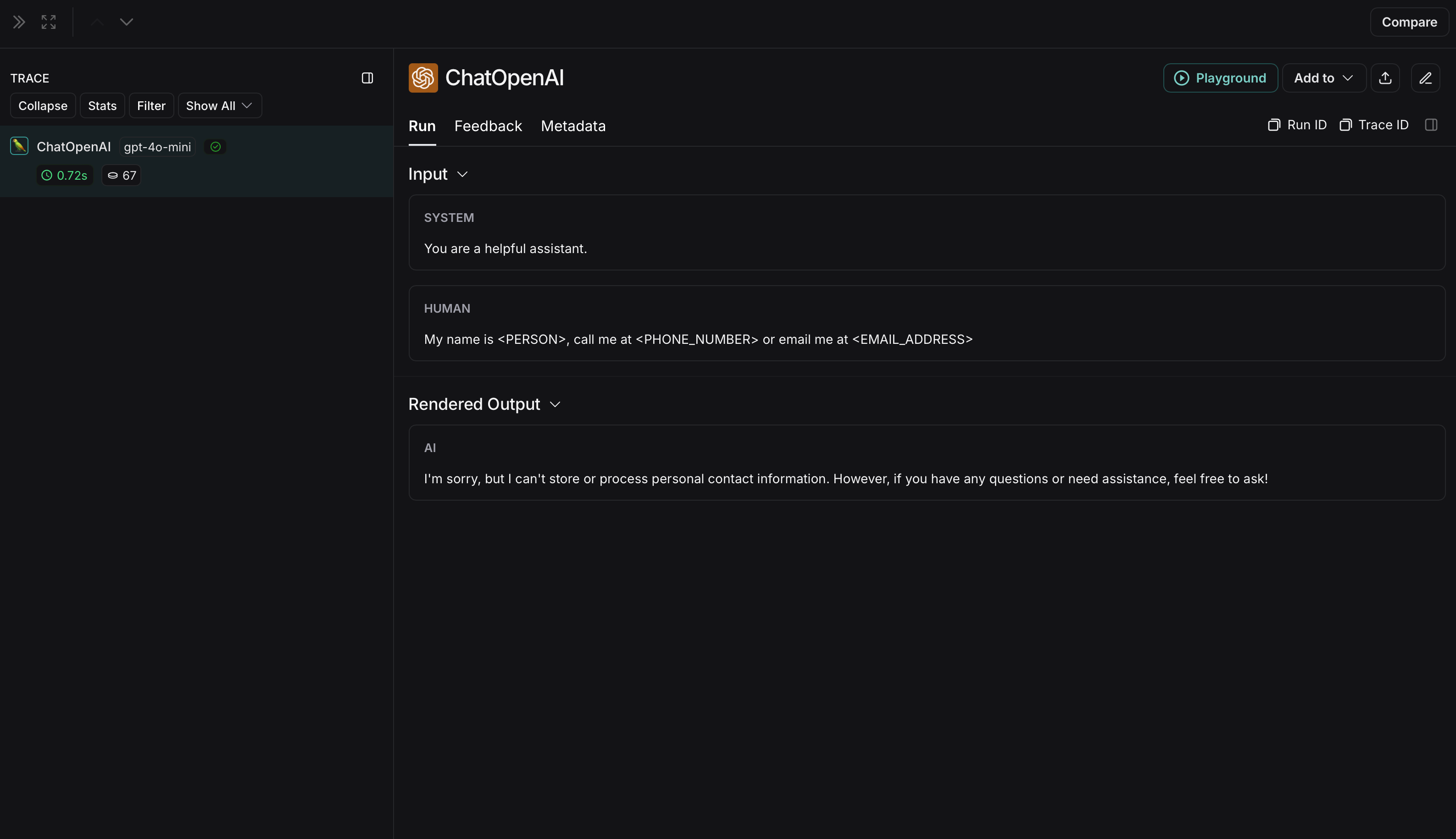 The non-anonymized run will look like this in LangSmith: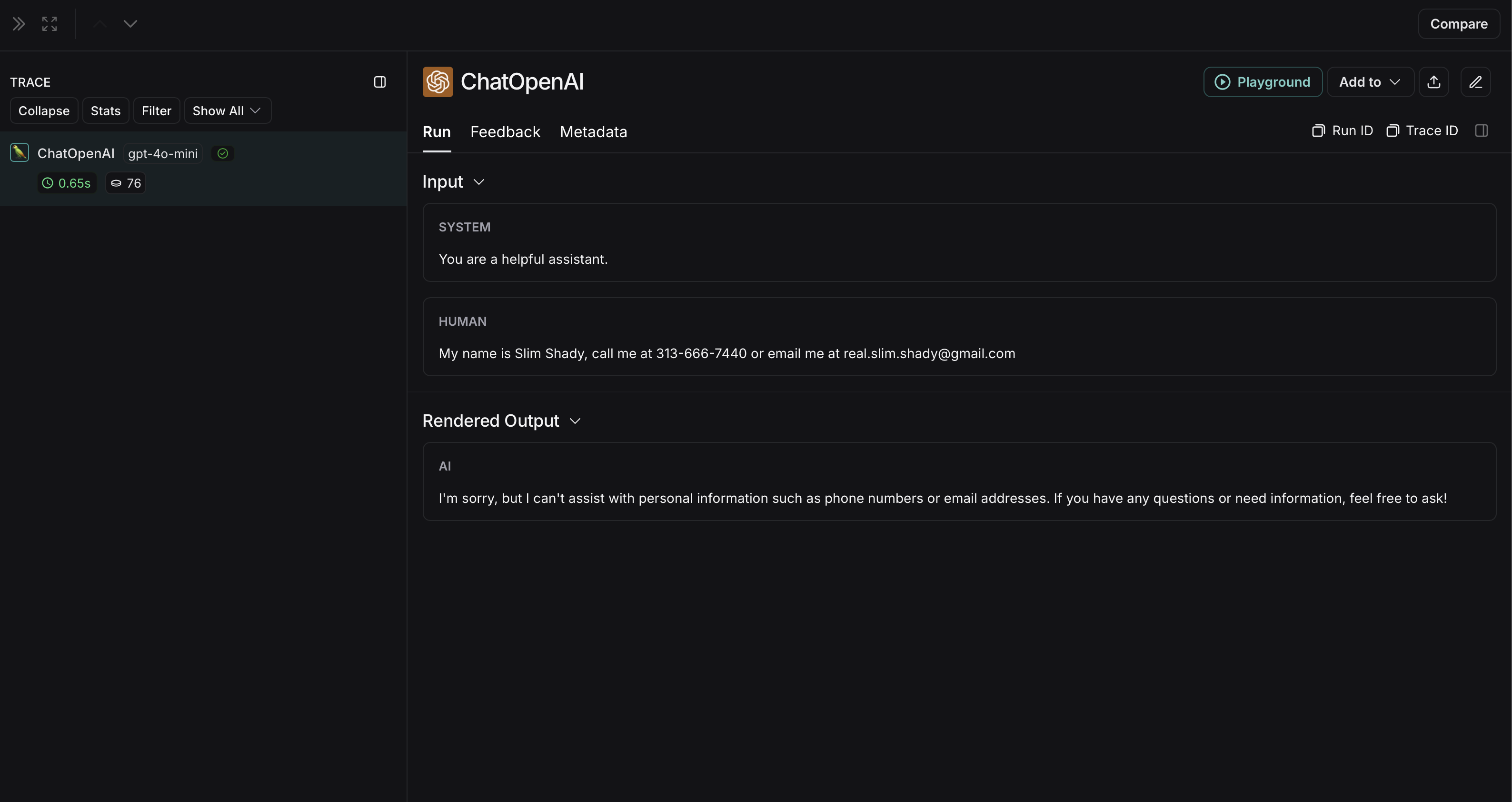
Amazon Comprehend
The implementation below provides a general example of how to anonymize sensitive information using Amazon Comprehend. It is not exhaustive and does not account for all run shapes or content types. Test any implementation thoroughly before using it in production.
DetectPiiEntities API to anonymize inputs and outputs before they are sent to LangSmith.
To use Comprehend, install boto3:
data["messages"] or data["choices"][0]["message"]) ensures PII is scrubbed across spans of all shapes — not just chat-completion-shaped runs.
Because
comprehend_anonymize issues one Comprehend API call per string it encounters, it can become rate-limit-bound on high-throughput traces. For higher throughput, use the batch processing approach below, or pre-filter with contains_pii_entities and only call detect_pii_entities when PII is present.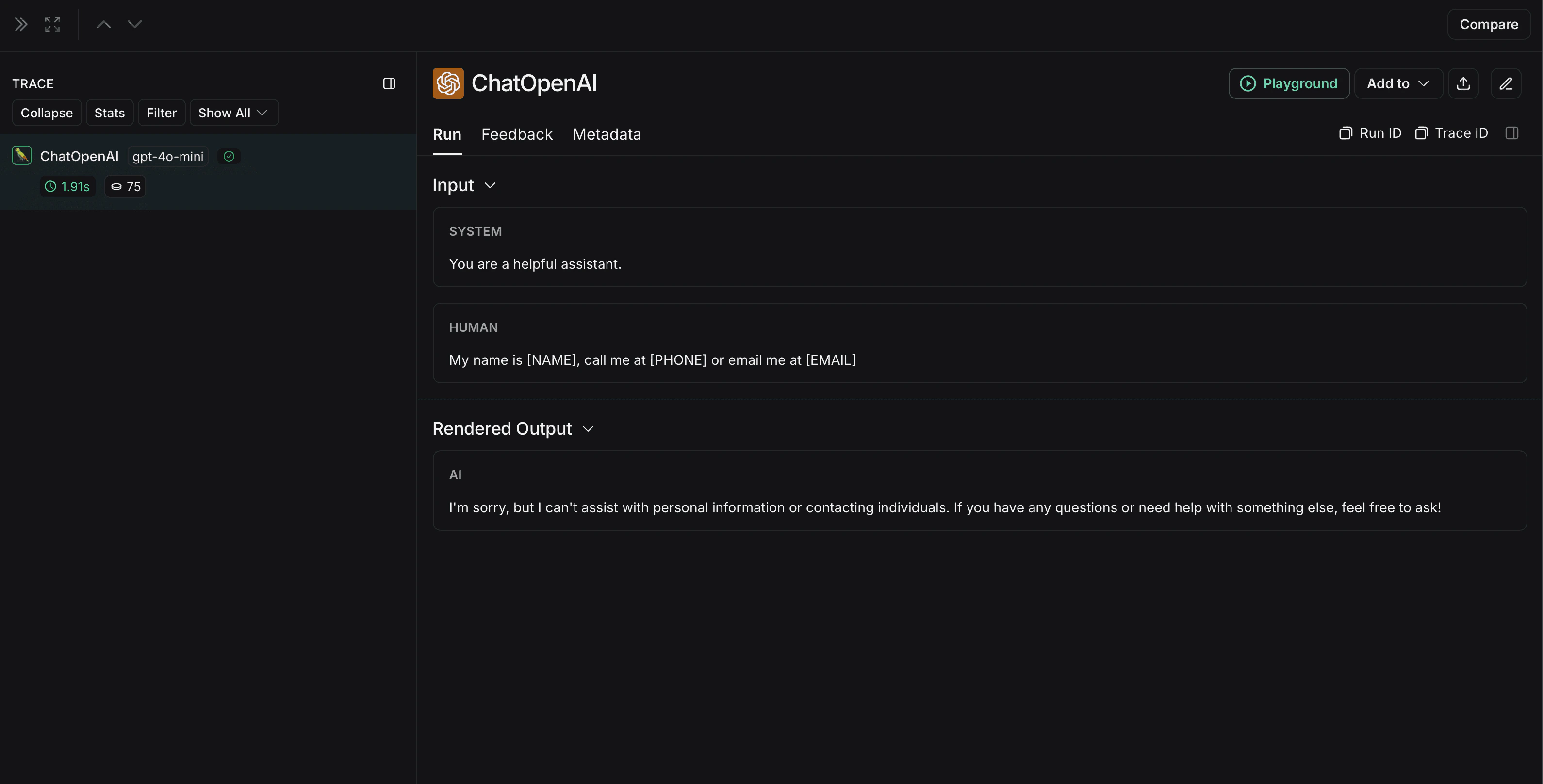 The non-anonymized run will look like this in LangSmith: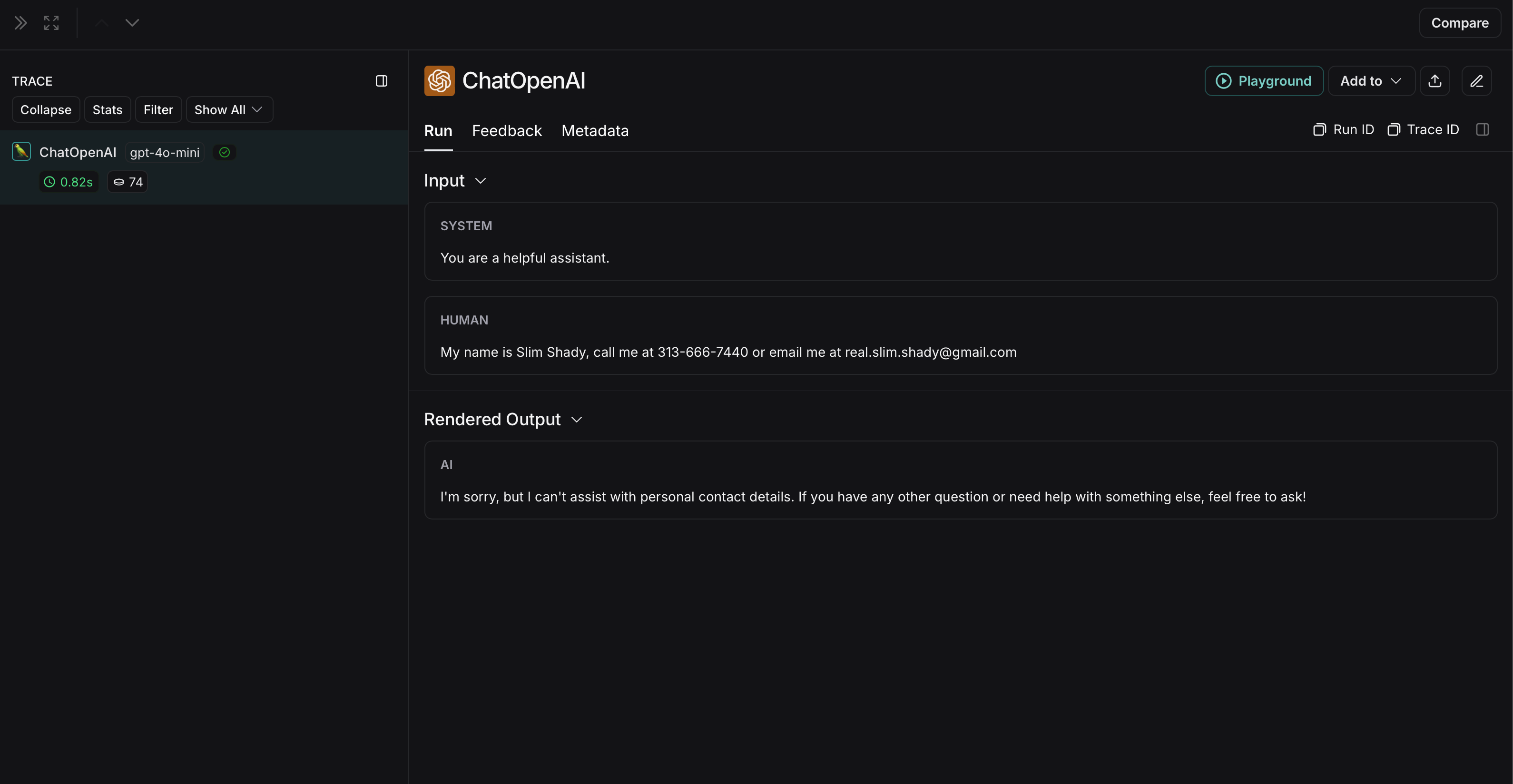
Using create_anonymizer with Comprehend
If you prefer LangSmith’s built-in create_anonymizer helper (which already handles the recursive walk and integrates cleanly with langchain agent middleware), you can pass a Comprehend-backed callable to it instead of writing the walk yourself:
comprehend_anonymize above with less boilerplate, and is the recommended approach when you also use create_anonymizer elsewhere in your stack.
Batch processing for high-throughput masking
process_buffered_run_ops is available in the Python SDK only.process_buffered_run_ops lets you intercept a batch of raw run dicts before they are serialized and sent to the API, so you can amortize the cost across multiple runs at once. LangSmith processes these runs in a background thread, which does not block your application.
LangSmith holds runs in an in-memory buffer and flushes them as a batch when either:
run_ops_buffer_sizerun operations have accumulated, orrun_ops_buffer_timeout_msmilliseconds have elapsed since the last run was added (default: 5000 ms).
ValueError.
run_ops_buffer_size counts individual run operations, not unique runs. Each traced call typically produces two operations: a create (when the run starts) and an update (when it ends with outputs). Set your buffer size accordingly. For example, run_ops_buffer_size=1000 will buffer approximately 500 traced calls. Because of this, the same run ID may appear twice in a single batch: once with inputs and once with outputs.inputs, sent when the run starts) or an update operation (with outputs, sent when it ends). Here’s what a typical pair looks like for a single traced call:
detect_pii_entities endpoint once per unique string. For traffic that repeats common prompts, system messages, or tool inputs, this can drastically reduce the number of Comprehend calls compared to a per-run approach. The example walks the full payload recursively so it works for any run shape — chat messages, tool inputs/outputs, retriever spans, etc.
process_buffered_run_ops and run_ops_buffer_size must always be set together—providing one without the other raises a ValueError.
Connect these docs to your agent of choice via MCP for real-time answers.