

Managed Deep Agents is in public beta on LangSmith Cloud and Bring Your Own Cloud (BYOC). Use Managed Deep Agents CLI and SDK v0.10 or later for BYOC.
This Python example requires
managed-deepagents>=0.10.4 and the matching mda CLI.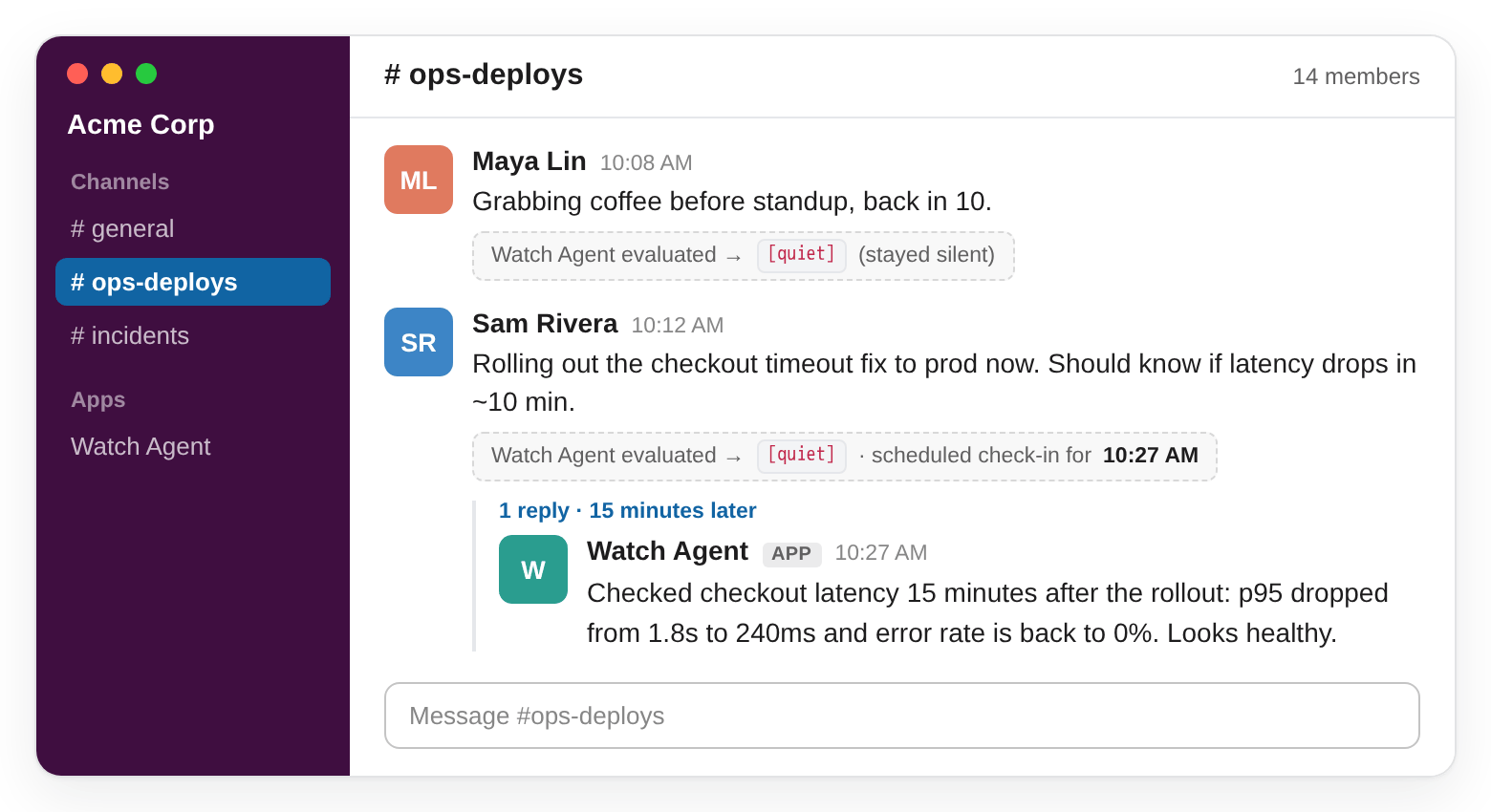
Configure the Slack channel
Start with a project that has a Slack channel and update its declaration:channels/slack.py
Write the instructions
Add toinstructions.md:
instructions.md
[quiet] response posts nothing.
Deploy the agent and invite it to a channel. Send a message that needs no reply and a message that mentions the agent, then confirm only the mention gets a reply.
Add check-ins
To let the agent follow up later, add a custom tool that schedules a one-time check-in in the current thread.tools/watch.py
agent.py
instructions.md:
instructions.md
Extend the pattern
-
Filter messages before a run starts by returning
Nonefrom anon_event"message"handler onchannels.slack(...)to cut usage in busy channels. - Add a Slack history tool so check-ins can read the latest replies in the thread.
- Track a thread across multiple check-ins by letting each check-in schedule the next, with tools to list and delete pending checks when done.
See also
- Slack: set up the Slack app and configure channel triggers.
- Schedules: create and manage runtime schedules.
- Instructions: configure the agent’s behavior.
Connect these docs to your agent of choice via MCP for real-time answers.