

This page covers LangSmith automation webhooks, POST notifications triggered when automation rules match runs or threads. If you are looking for LangGraph API webhooks (a callback parameter you pass when creating or streaming a run), see Use webhooks.
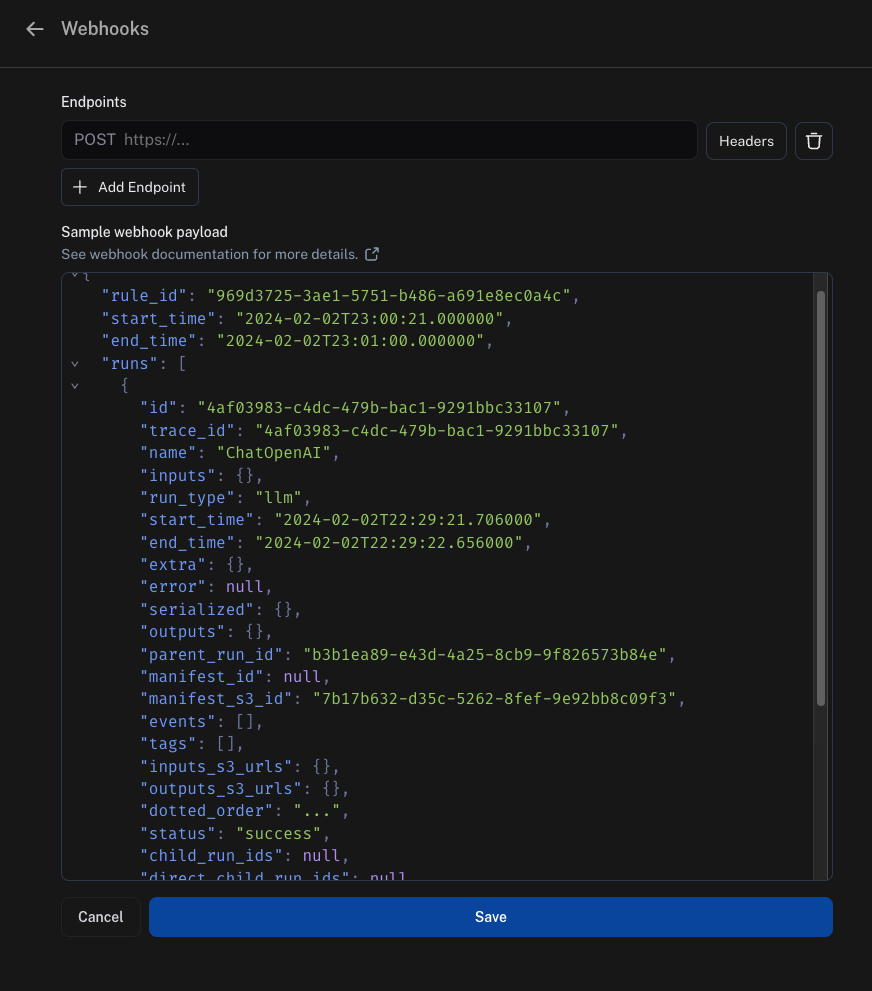
Webhook payload
The payload LangSmith sends to your webhook endpoint contains:"rule_id": this is the ID of the automation that sent this payload."start_time"and"end_time": these are the time boundaries where LangSmith found matching items."runs": this is an array of runs, where each run is a dictionary. If you need more information about each run, use the SDK in your endpoint to fetch it from the API. Each run dictionary includes:"feedback_stats": a dictionary with the feedback statistics for that run. An example of this field is shown in the following code block.
"threads": this is an array of threads, sent in place of"runs"when the rule’s item type is Threads. A payload carries one array or the other, never both. For more information, refer to Read a thread rule payload.
fetching from S3 URLsDepending on how recent your runs are, the
inputs_s3_urls and outputs_s3_urls fields may contain S3 URLs to the actual data instead of the data itself.The inputs and outputs can be fetched by the ROOT.presigned_url provided in inputs_s3_urls and outputs_s3_urls respectively.Handle batched payloads
A payload covers a polling window rather than a single match. LangSmith collects every item the rule matched between"start_time" and "end_time" and delivers them in one POST, instead of sending one POST per item.
Write your endpoint to iterate the array rather than reading only the first element. A thread rule delivers at most 500 threads per execution.
Read a thread rule payload
A rule whose item type is Threads replaces the top-level"runs" array with a "threads" array. Each entry in that array contains:
"thread_id": the ID of the thread that went idle and matched the rule."session_id": the ID of the tracing project the thread belongs to."runs": an array of the thread’s root runs, one per trace, each with the traced inputs and outputs. Child runs such as tool and model calls are not included. These run dictionaries also omit"feedback_stats", which is present only on runs in a"runs"payload.
Security
Add a secret query string parameter to the webhook URL and verify it on every incoming request. This ensures that if someone discovers your webhook URL, you can distinguish those calls from authentic webhook notifications. An example would beWebhook custom HTTP headers
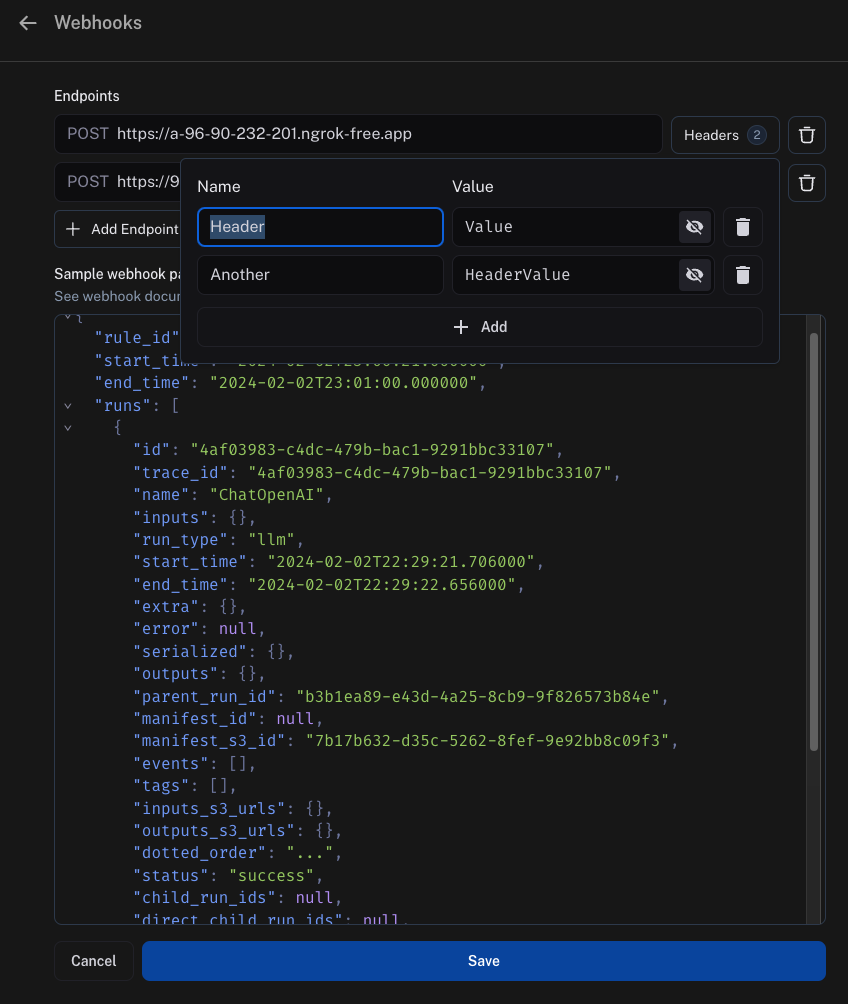
If you’d like to send any specific headers with your webhook, this can be configured per URL. To set this up, click on theHeaders option next to the URL field and add your headers.
Headers are stored in encrypted format.
Webhook delivery
When delivering events to your webhook endpoint, LangSmith follows these guidelines:- If LangSmith fails to connect to your endpoint, LangSmith retries the transport connection up to 2 times before declaring the delivery failed.
- If your endpoint takes longer than 5 seconds to reply, LangSmith declares the delivery failed and does not retry.
- If your endpoint returns a 5xx status code in less than 5 seconds, LangSmith retries up to 2 times with exponential backoff.
- If your endpoint returns a 4xx status code, LangSmith declares the delivery failed and does not retry.
- Anything your endpoint returns in the body will be ignored.
Ensuring evaluations complete before the webhook fires
By default, automation rules run on independent schedules. A webhook rule and an online evaluator rule scanning the same project can pick up the same run at different times, so the webhook may fire before the evaluator has had a chance to score the run. The recommended solution is to add a feedback filter to your webhook rule. This tells LangSmith to send a run to your webhook only once it already carries the expected score, regardless of when it was evaluated. For example, you have an online evaluator that produces ananswer_usefulness score, and a webhook rule that should only fire after that score is present.
- Open the webhook automation rule in the Automations tab of your tracing project or agent environment.
-
Edit the rule’s filter to require the feedback key. In the filter builder, add a condition:
- Save the rule.
answer_usefulness score. When the evaluator rule runs and attaches the score, the webhook rule’s next polling cycle will pick up those runs and send them to your endpoint.
Within a single automation rule, actions execute in a fixed order: annotation queue → dataset → webhook → evaluation. This means that if your webhook and evaluator are configured on the same rule, the webhook will always fire before the evaluation completes on that rule’s run. To ensure the webhook receives evaluation scores, keep the webhook and evaluator as separate rules and use a feedback filter on the webhook rule as described in the example.
Example with Modal
Setup
For an example of how to set this up, this guide uses Modal. Modal provides autoscaling GPUs for inference and fine-tuning, secure containerization for code agents, and serverless Python web endpoints. This guide focuses on the web endpoints. First, create a Modal account. Then, locally install the Modal SDK:Secrets
Next, you will need to set up some secrets in Modal. First, LangSmith will need to authenticate to Modal by passing in a secret. The easiest way to do this is to pass in a secret in the query parameters. To validate this secret, add a secret in Modal to validate it. Do this by creating a Modal secret. Name the secretls-webhook and set an environment variable with the name LS_WEBHOOK.
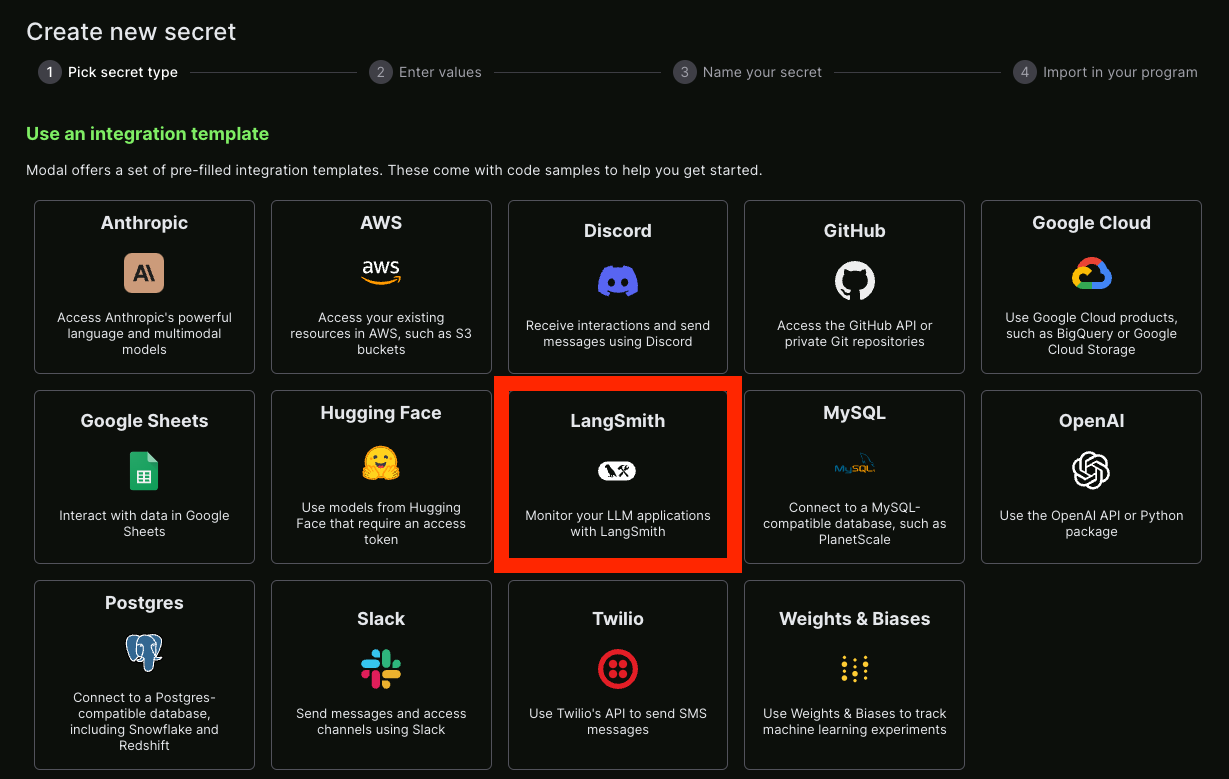
You can also set up a LangSmith secret—luckily there is already an integration template for this!
Service
After that, you can create a Python file that will serve as your endpoint. An example is shown in the following code block, with comments explaining what is going on:modal deploy ... (see managing Modal deployments).
You should now get something like:
https://hwchase17--auth-example-f.modal.run.
NOTE: this is NOT the final deployment URL, make sure not to accidentally use that.
Hooking it up
Take the function URL you created previously and add it as a webhook. Remember to also pass in the secret key as a query parameter. Putting it all together, it should look something like:{SECRET} with the secret key you created to access the Modal service.
Connect these docs to your agent of choice via MCP for real-time answers.