

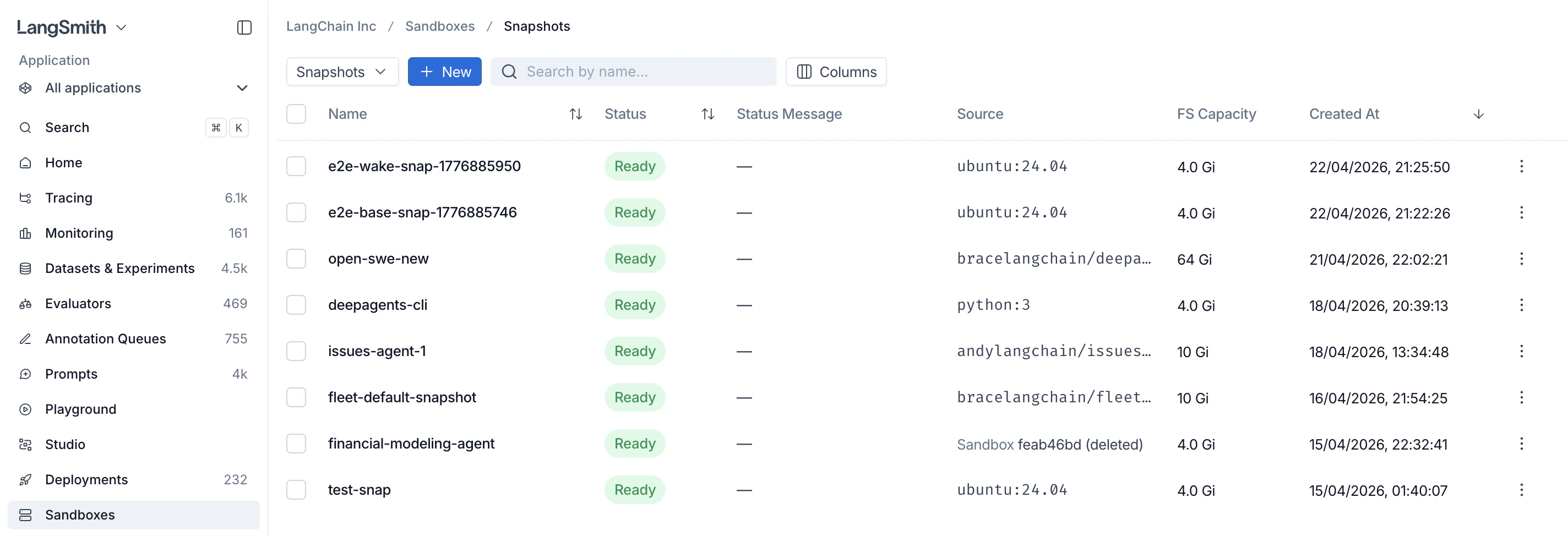
Understand the default snapshot
When you create a sandbox without selecting a snapshot, LangSmith uses a built-in default snapshot. The default provides an Ubuntu 24.04 filesystem with common development tools. LangSmith may update the packages and tools included in the default snapshot over time.Inspect the default snapshot filesystem in self-hosted deployments
In a self-hosted deployment, LangSmith creates the default snapshot from a filesystem embedded in the sandbox runtime container image,sandbox-host:
- During the
sandbox-hostimage build, LangSmith starts with Ubuntu 24.04 and installs the default development tools. - LangSmith packages that filesystem as a compressed 16 GiB ext4 file at
/opt/sandbox-host/bin/builder-base.ext4.gz. - When
sandbox-hoststarts, LangSmith uses the embedded filesystem to create the default snapshot.
sandbox-host container image alone does not inspect the files inside this compressed artifact. To verify the default snapshot, extract and scan the embedded filesystem separately.
This procedure verifies the default snapshot filesystem. LangSmith supplies other required runtime components separately when the sandbox starts; they are not part of the snapshot.
sandbox-host container image configured by your Helm release. If you mirror images, use the reference in images.sandboxHostImage from your private registry.
You need:
- Access to the deployed
sandbox-hostimage. - Docker,
gzip, GNUdd, anddebugfsfrom thee2fsprogspackage on a Linux system. - A local filesystem that supports sparse files, plus enough space for the compressed artifact and the extracted files. The ext4 image has a 16 GiB logical size, but sparse decompression avoids allocating its zero-filled free space.
sandbox-host process:
debugfs. debugfs opens the filesystem read-only unless you pass -w:
$SNAPSHOT_WORKDIR/rootfs. The scanner reads the package databases and files from the same root filesystem that LangSmith uses for the default snapshot.
Build a snapshot from a container image
Build a snapshot by pointing at any container image. The call blocks until the snapshot is ready (default timeout is 60 seconds; bump it for large images).Verify a snapshot built from a container image
LangSmith builds a custom snapshot from the filesystem in the container image you provide. To independently verify those contents:- Resolve the source container image to an immutable reference, such as
registry.example.com/example/image@sha256:<digest>. - Inspect and scan that exact image.
- Use the same digest-qualified reference as
docker_imagewhen you create the snapshot.
Private registries
To pull from a private registry, create a registry once with its credentials, then reference it by ID when building a snapshot. Registries persist, so reuse one across snapshots.Find repositories and tags
In the LangSmith UI, the Container Image URI field suggests repositories and tags from Docker Hub or the selected private registry. Search behavior depends on the registry provider and authentication method:
Repository and tag discovery is advisory and bounded. You can always enter a known repository, tag, or digest manually, including when a provider does not support search or returns no matches. Use a digest-qualified image URI when you need an immutable snapshot source.
Authenticate with username and password
Username and password authentication works with all supported private registry providers. For ECR, the password is an ECR authorization token and expires after 12 hours. Update the saved registry credentials when the token expires.client.registries.list(), client.registries.retrieve(name), client.registries.update(name, ...), and client.registries.delete(name).
Authenticate to ECR with an AWS IAM role
AWS IAM role authentication avoids storing an expiring ECR authorization token in LangSmith. It supports private ECR registries in the commercial AWS partition. Public ECR, AWS GovCloud, AWS China, and custom ECR-compatible domains continue to use username and password authentication.The AWS IAM role authentication method appears only when your LangSmith deployment supports it. If the option is unavailable, use username and password authentication.
BYOC deployments: AWS IAM role authentication works on BYOC AWS data planes with no extra setup. Follow the steps below. If your data plane uses bring your own IAM, apply the latest version of the
byoiam Terraform module first. It grants the workload role permission to assume your ECR role.- In LangSmith, open Sandboxes > Registries, select Register Private Registry, and enter your registry URL in the form
<aws-account-id>.dkr.ecr.<aws-region>.amazonaws.com. - Select AWS IAM role under Authentication method. Copy the AWS principal ARN and workspace ID that LangSmith displays. LangSmith uses the workspace ID as
sts:ExternalId. - In AWS, create an IAM role or update an existing role with a trust policy that uses the exact values shown in LangSmith:
BYOC deployments: BYOC data planes pass session tags when they assume the role, so the trust policy must also allow
sts:TagSession. Add it as a separate statement without the sts:ExternalId condition. Otherwise AWS denies the role assumption:- Give the role permission to discover and pull the required ECR images. The following policy grants access to every repository in one AWS account and region. Replace the placeholders, or narrow the repository resource to the repositories LangSmith can use:
- For hosted LangSmith and BYOC, add the
LangSmithSandboxECR=truetag to the IAM role. - Return to LangSmith, enter the role ARN in AWS role ARN, then register the private registry.
SANDBOX_ECR_AWS_ROLE_PRINCIPAL_ARN and provide the platform backend and snapshot workers with a compatible AWS SDK credential source. Leaving the setting unset hides AWS IAM role authentication and preserves username and password authentication.
Build a snapshot from a Dockerfile
When you have a localDockerfile but don’t want to publish the image to a registry first, build a snapshot directly from the Dockerfile and its build context. LangSmith spins up a temporary builder sandbox, uploads the context, runs the build inside it with BuildKit, and captures the resulting image as a snapshot. The builder sandbox is torn down automatically once the build finishes.
The call blocks until the snapshot is ready (default timeout is 60 seconds; raise it for large or slow builds). fs_capacity_bytes must be large enough to hold the build context, the intermediate layers, and the final image.
dockerfile is resolved relative to context unless you pass an absolute path, and it must live inside the context directory. The .git directory is excluded from the uploaded context automatically.Build args and target stage
Passbuild_args / buildArgs to set Docker ARG values, and target to stop at a specific stage of a multi-stage build.
Stream build logs
Pass a callback toon_build_log / onBuildLog to receive the build’s stdout and stderr as it runs, which is useful for surfacing progress or debugging a failing build.
Speed up cold builds
vcpus / vCpus and mem_bytes / memBytes size the temporary builder sandbox. The build runs BuildKit plus the native snapshotter’s layer copies inside it, which contend for the builder’s default 0.5 vCPU, so giving the builder more CPU can cut a cold build’s wall time substantially. Memory is tied to CPU at 4 GiB per vCPU and must stay within 50% of that target, so a 2-vCPU builder accepts 4 to 12 GiB. Omit memory and it follows the ratio.
Capture a snapshot from a running sandbox
Start a sandbox from an existing snapshot, install packages or prepare data, then capture the result as a new snapshot. The returned snapshot has itssource_sandbox_id set to the sandbox it was captured from, and can be used as the snapshot_id for any later create_sandbox call.
By default, capture preserves the filesystem only. Installed packages (under
/usr/local, /root, /opt, the home directory, etc.) and files you wrote to those locations are kept, as is /tmp. Only /dev/shm is a tmpfs, so everything else lives on the sandbox’s disk. Running processes, open sockets, and in-memory state are not carried over: boot the new sandbox and start the processes you need again, or capture memory too.Tune capture timing
capture_snapshot blocks until the new snapshot is ready. Raise the timeout kwarg (default 60s) if your filesystem is large or your storage backend is slow.
Resume from memory
A snapshot can carry the sandbox’s RAM alongside its filesystem. Boot from one and the sandbox resumes where it left off, with its processes still running, instead of cold-booting. Use this for environments that are slow to warm up, such as a loaded model or a started database.Memory snapshots are available over the REST API only. The
langsmith.sandbox Python and TypeScript clients do not expose these fields yet.include_memory on a capture:
memory_snapshot_size_bytes when memory was captured. include_memory requires a sandbox that is running or stopped, and it cannot be combined with checkpoint or docker_image.
Some sandboxes run on an overlay filesystem runtime that cannot carry a memory image. Capturing one returns include_memory is not supported for overlay-rootfs sandboxes. LangSmith assigns that runtime, so it is not something you select per sandbox.
Two fields on create control the other half:
preserve_memory_on_stop. Without it, the stop discards RAM and there is nothing to capture.
List, fetch, and delete snapshots
list_snapshots / listSnapshots paginates server-side (default page size 50, max 500) and accepts optional filters: name_contains / nameContains (case-insensitive substring on name), limit (1–500), and offset (≥ 0). Page through results by advancing offset.Stopped sandboxes
A stopped sandbox keeps its filesystem, and the next request wakes it automatically. You do not need to start it yourself: send the command you wanted to run and the sandbox comes back up to serve it.preserve_memory_on_stop to resume from memory instead of cold-booting.
Next steps
- Create sandboxes from snapshots with the SDK
- Expose HTTP services with Service URLs
- Inject credentials via the Auth proxy
Connect these docs to your agent of choice via MCP for real-time answers.