

1. Open the Context Hub
If you don’t see Context in the left-hand navigation, verify that Context Hub is enabled for your workspace and that you have the required permissions.
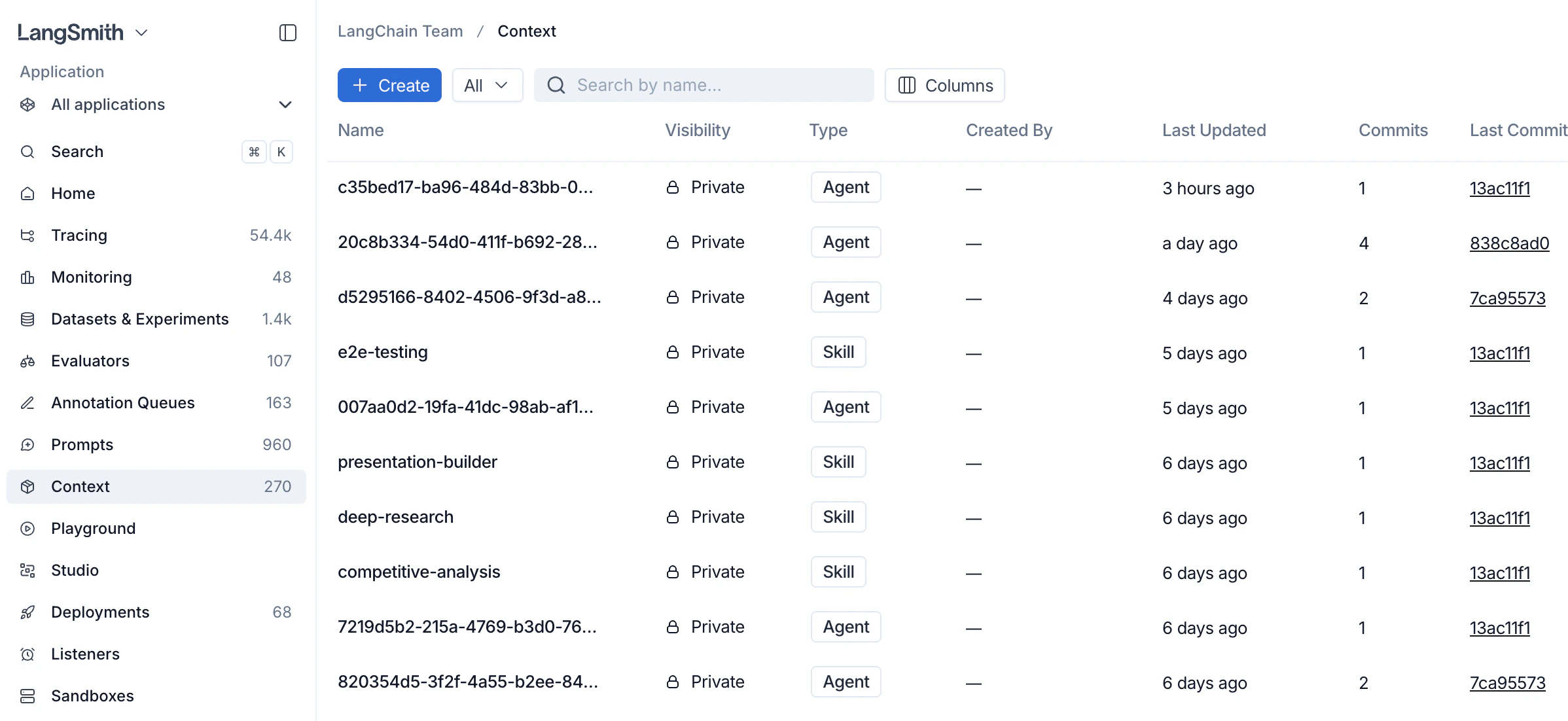
2. Create a context
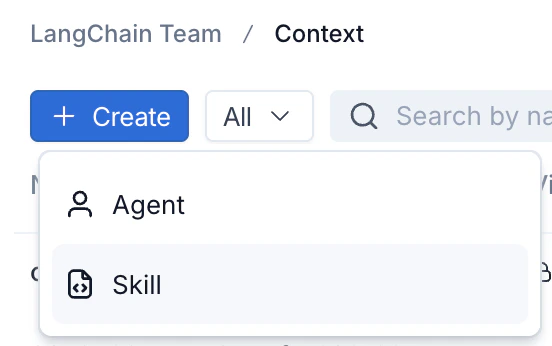
- Click + Create in the top left of the Context Hub.
-
Choose the context type:
- Agent: a full agent bundle including an
AGENTS.mdfile and tools. - Skill: a reusable capability that agents can use, including a
SKILL.mdfile.
- Agent: a full agent bundle including an
-
Fill in a name and description. For skills, a description is required. You can also enter the initial file contents (
SKILL.mdfor a skill,AGENTS.mdfor an agent) now, or add them after creation. Click Create Agent or Create Skill. LangSmith creates the repo and opens it for editing.
3. View a context
Click on an agent or skill from the Context Hub to view it.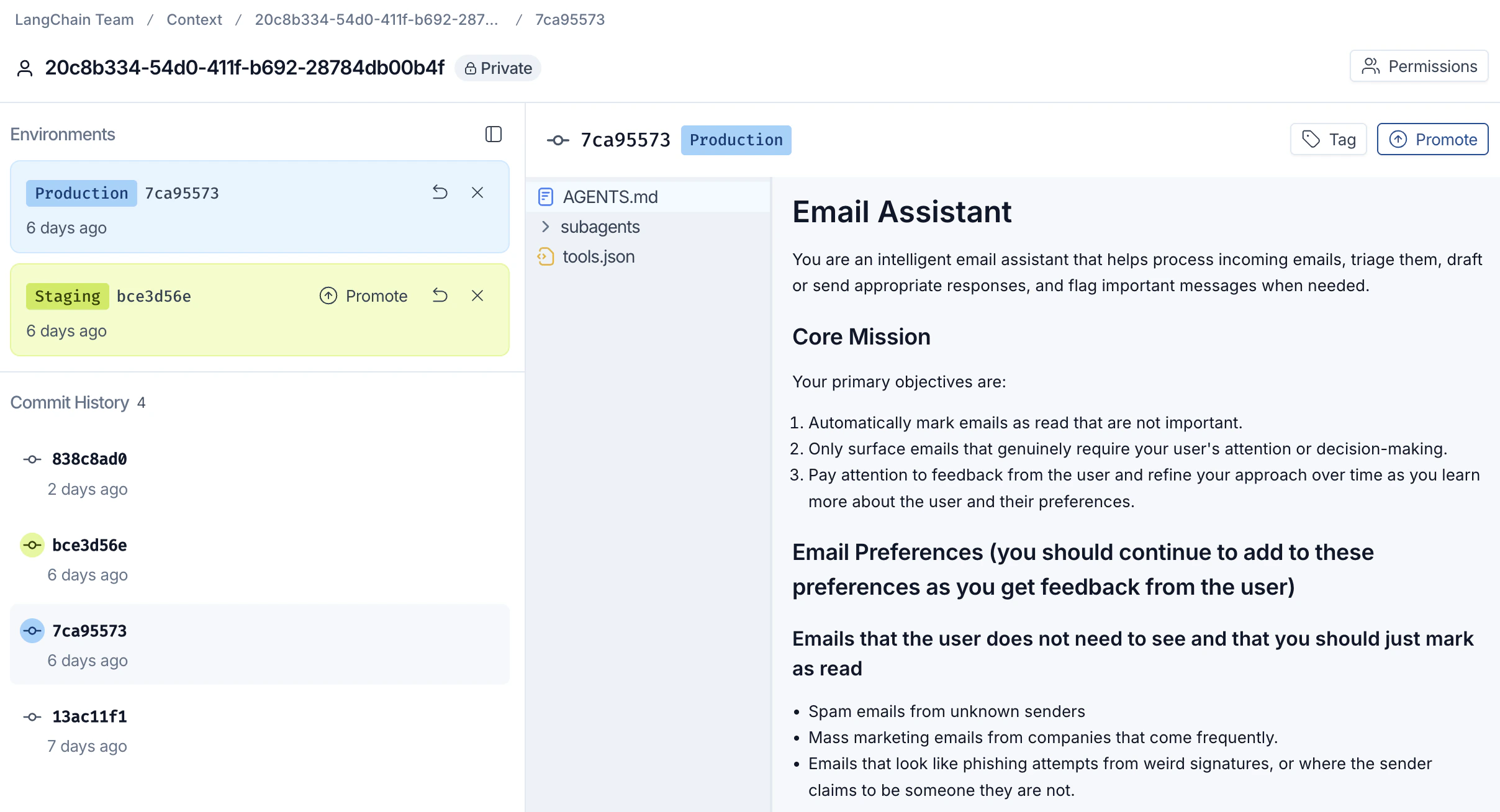
4. Tag and promote a commit
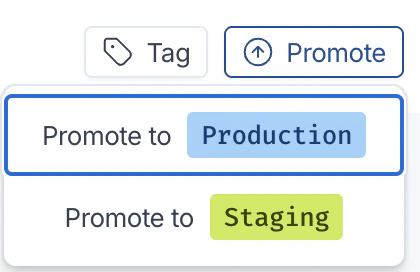
Once a commit is ready to ship, promote it to an environment so downstream agents can pull it.Context Hub currently supports two environment tags for promotion:
staging and production.- With the target commit selected, click Promote in the top right.
-
Choose the destination environment:
- Promote to Production: the commit your production agents pull.
- Promote to Staging: a pre-production environment for validation.
-
The environment label (for example,
Production 7ca95573) moves to the promoted commit. Use the Tag button next to Promote to attach a human-readable label to any commit for easy reference.
:production) now pull this promoted commit.
To use a prior version in an environment, select that commit and promote it to staging or production. This moves the environment tag to the selected commit. It does not change the latest files or create a revert commit.
Next steps
- Context engineering concepts: learn about skills, agents, versioning, and sharing.
- Manage contexts with the SDK: push, pull, list, and delete contexts programmatically.
- Configure commit webhooks: send workspace Context Hub commits to an external HTTPS endpoint.
- Mount a Context Hub repo in a sandbox: give sandbox code read-only filesystem access to a repo that stays in sync as it changes.
Connect these docs to your agent of choice via MCP for real-time answers.