

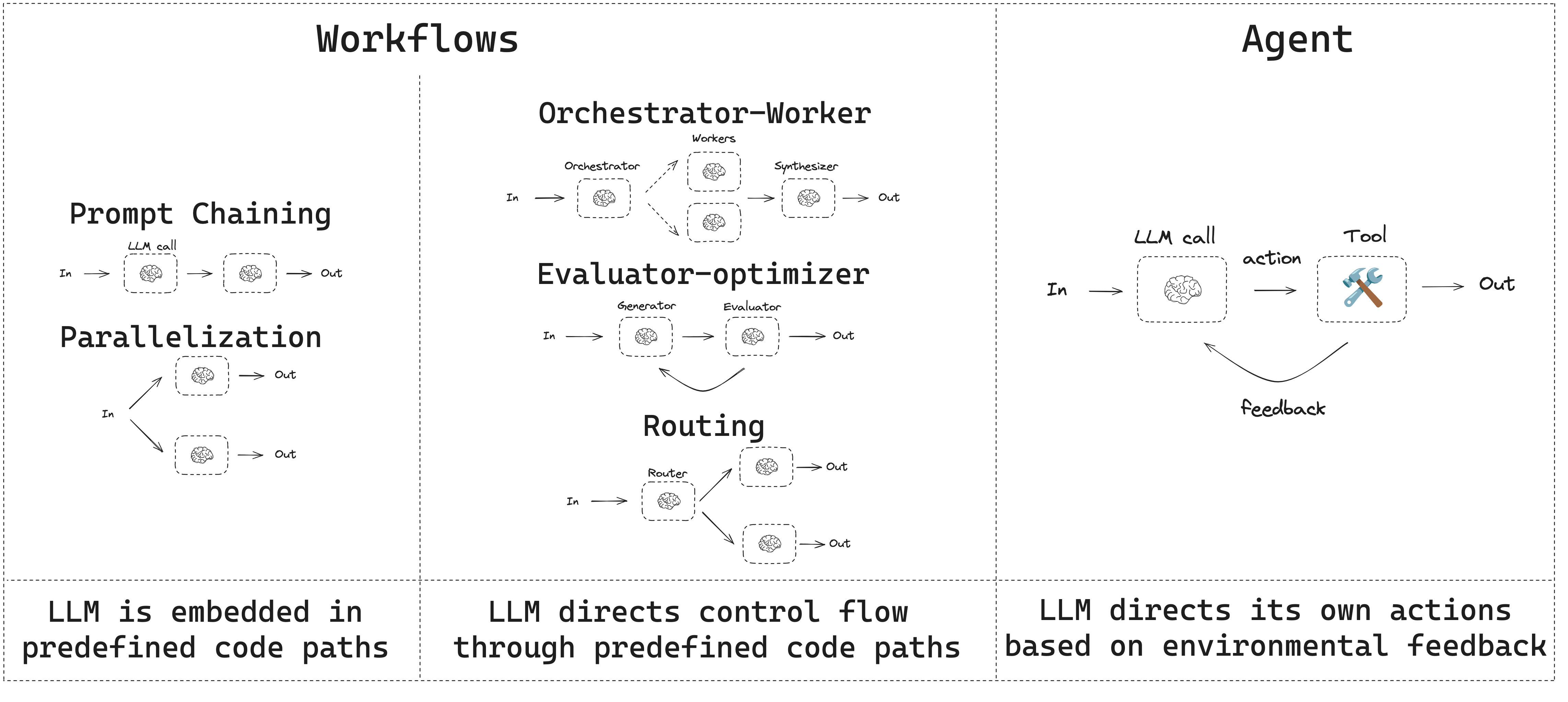
- Workflows have predetermined code paths and are designed to operate in a certain order.
- Agents are dynamic and define their own processes and tool usage.
Setup
To build a workflow or agent, you can use any chat model that supports structured outputs and tool calling. The following example uses Anthropic:- Install dependencies
- Initialize the LLM:
LLMs and augmentations
Workflows and agentic systems are based on LLMs and the various augmentations you add to them. Tool calling, structured outputs, and short term memory are a few options for tailoring LLMs to your needs.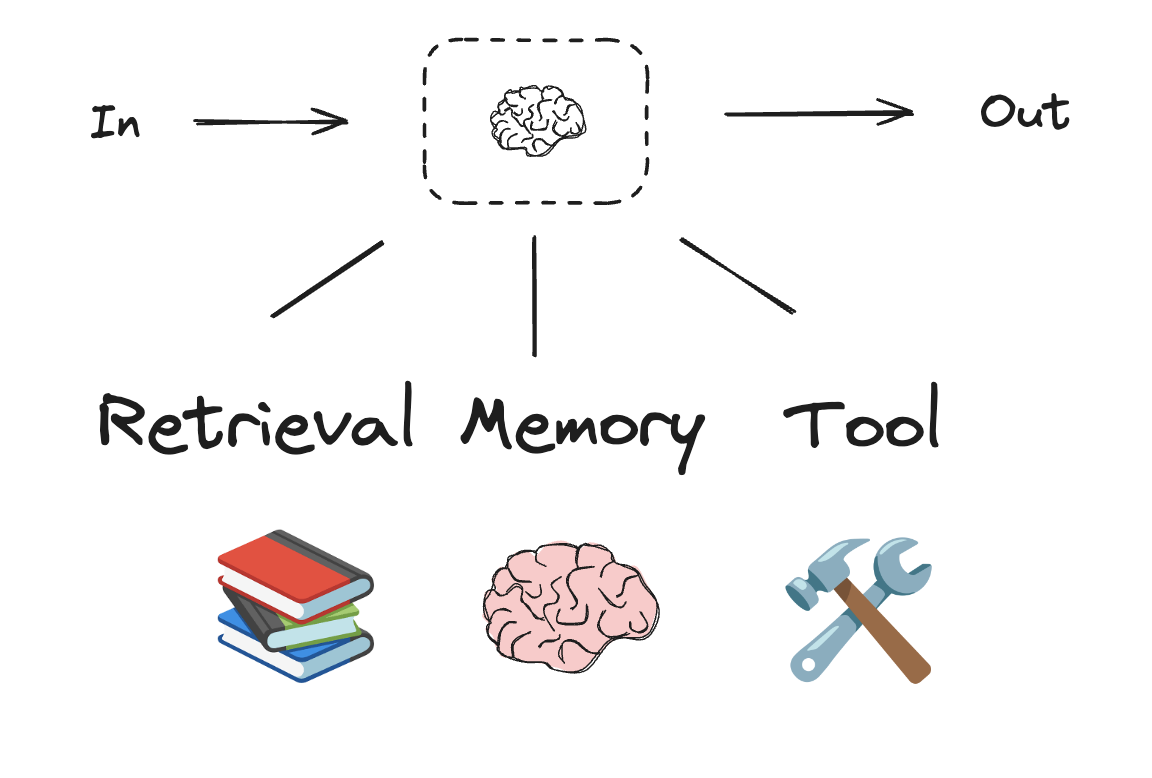
Prompt chaining
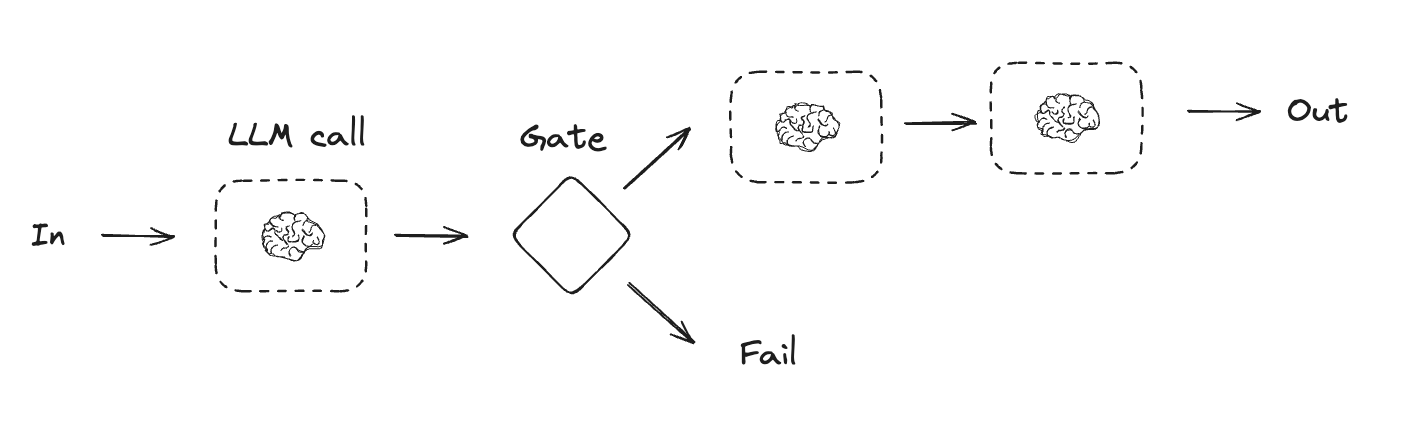
Prompt chaining is when each LLM call processes the output of the previous call. It’s often used for performing well-defined tasks that can be broken down into smaller, verifiable steps. Some examples include:- Translating documents into different languages
- Verifying generated content for consistency
Parallelization
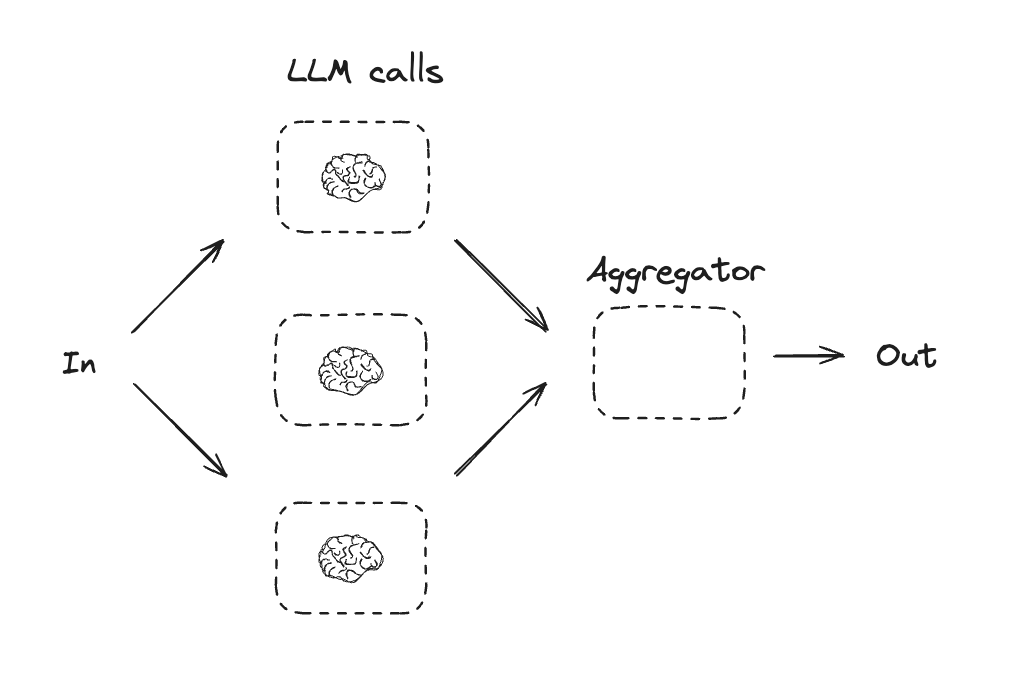
With parallelization, LLMs work simultaneously on a task. This is either done by running multiple independent subtasks at the same time, or running the same task multiple times to check for different outputs. Parallelization is commonly used to:- Split up subtasks and run them in parallel, which increases speed
- Run tasks multiple times to check for different outputs, which increases confidence
- Running one subtask that processes a document for keywords, and a second subtask to check for formatting errors
- Running a task multiple times that scores a document for accuracy based on different criteria, like the number of citations, the number of sources used, and the quality of the sources
Routing
Routing workflows process inputs and then directs them to context-specific tasks. This allows you to define specialized flows for complex tasks. For example, a workflow built to answer product related questions might process the type of question first, and then route the request to specific processes for pricing, refunds, returns, etc.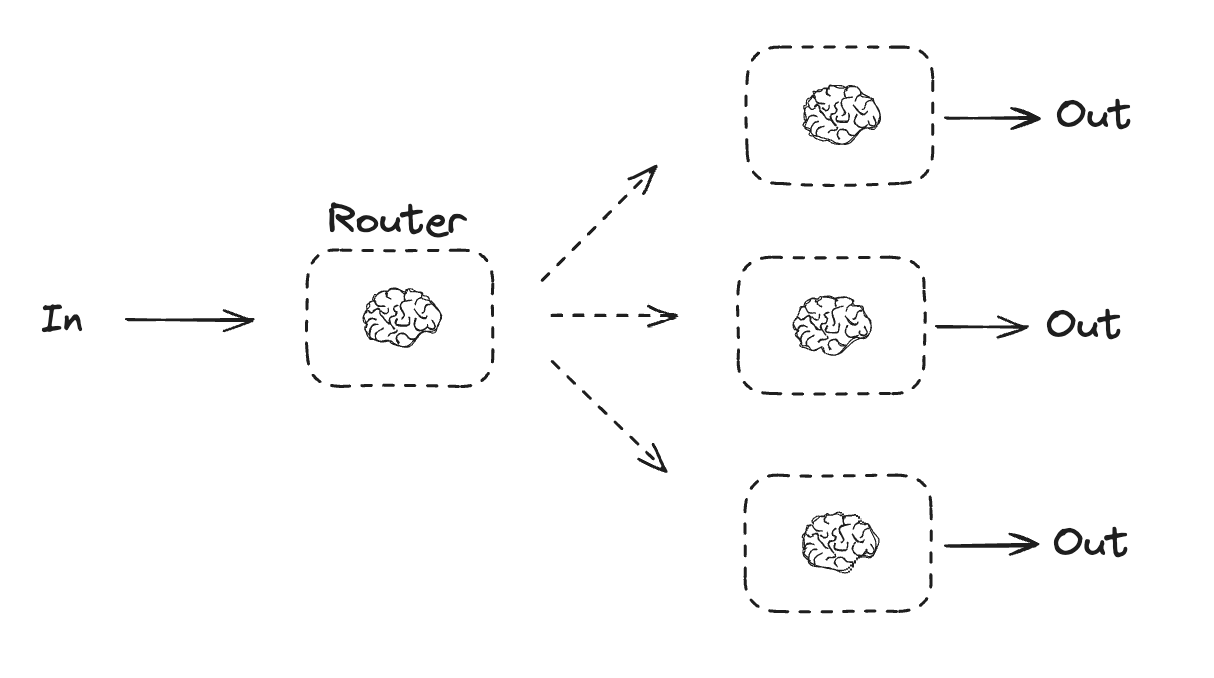
Orchestrator-worker
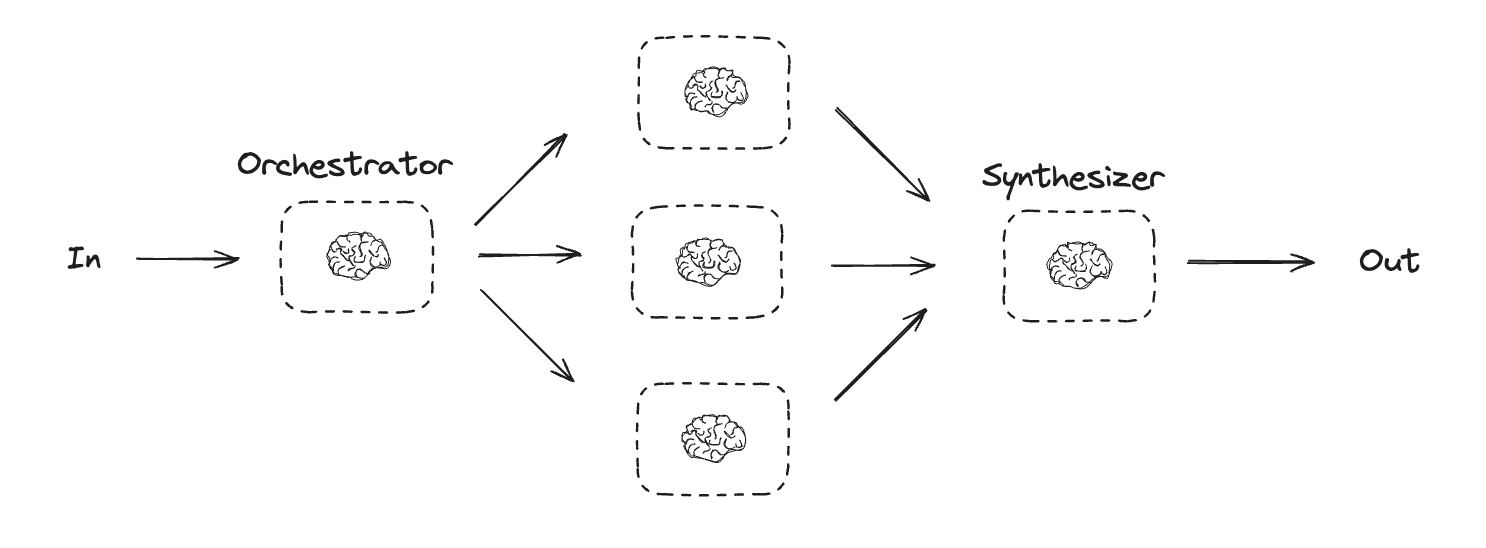
In an orchestrator-worker configuration, the orchestrator:- Breaks down tasks into subtasks
- Delegates subtasks to workers
- Synthesizes worker outputs into a final result
Creating workers in LangGraph
Orchestrator-worker workflows are common and LangGraph has built-in support for them. TheSend API lets you dynamically create worker nodes and send them specific inputs. Each worker has its own state, and all worker outputs are written to a shared state key that is accessible to the orchestrator graph. This gives the orchestrator access to all worker output and allows it to synthesize them into a final output. The example below iterates over a list of sections and uses the Send API to send a section to each worker.
Evaluator-optimizer
In evaluator-optimizer workflows, one LLM call creates a response and the other evaluates that response. If the evaluator or a human-in-the-loop determines the response needs refinement, feedback is provided and the response is recreated. This loop continues until an acceptable response is generated. Evaluator-optimizer workflows are commonly used when there’s particular success criteria for a task, but iteration is required to meet that criteria. For example, there’s not always a perfect match when translating text between two languages. It might take a few iterations to generate a translation with the same meaning across the two languages.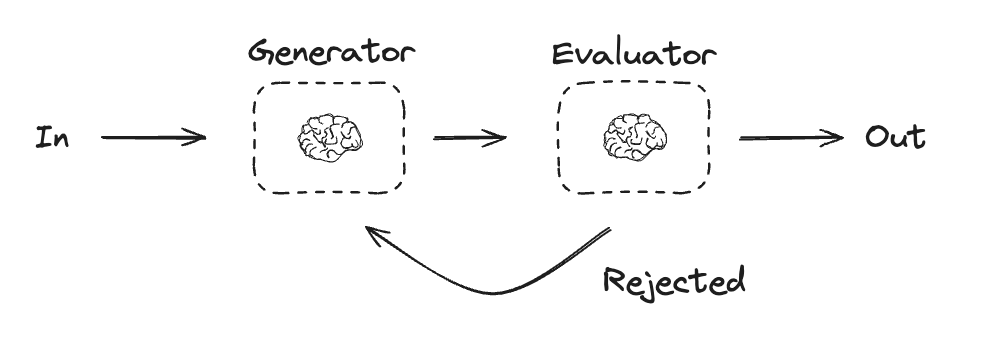
Agents
Agents are typically implemented as an LLM performing actions using tools. They operate in continuous feedback loops, and are used in situations where problems and solutions are unpredictable. Agents have more autonomy than workflows, and can make decisions about the tools they use and how to solve problems. You can still define the available toolset and guidelines for how agents behave.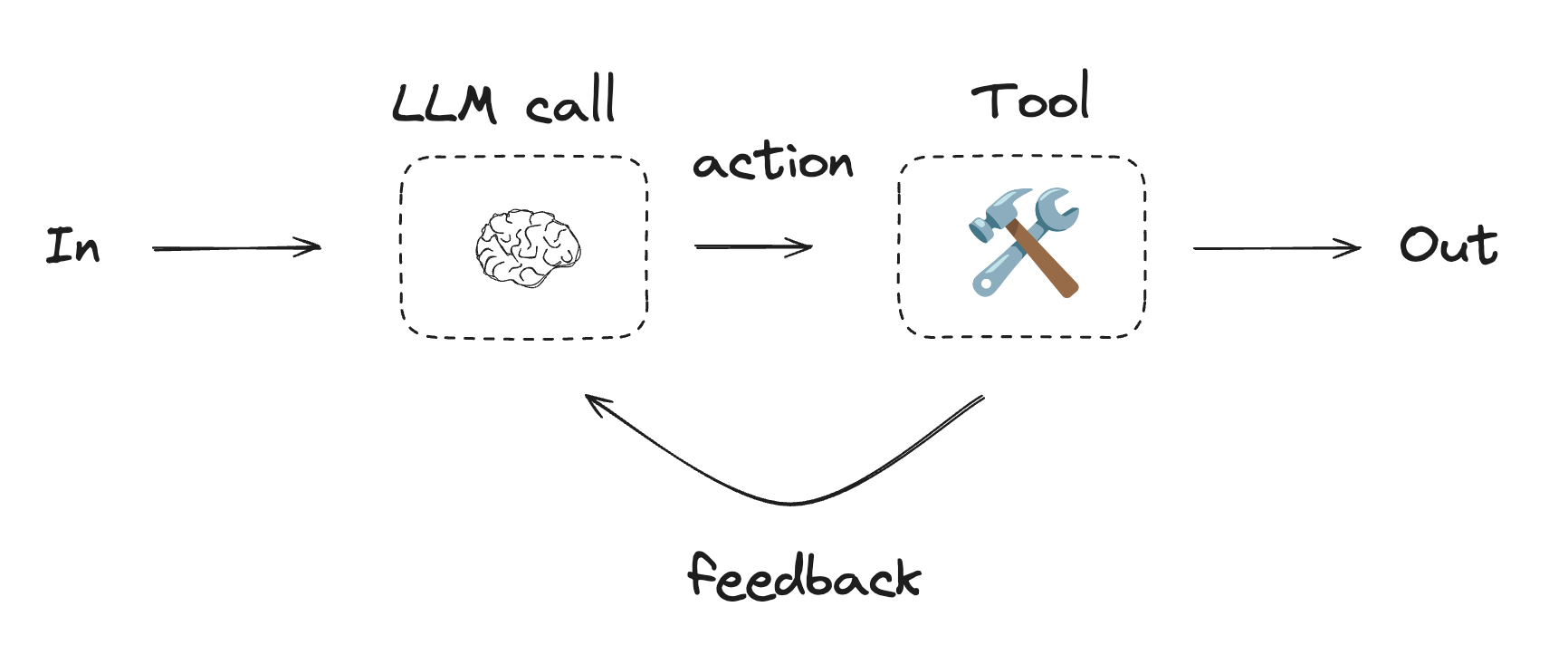
To get started with agents, see the quickstart or read more about how they work in LangChain.
Using tools
ToolNode
ToolNode is a prebuilt node that executes tools in LangGraph workflows. It handles parallel tool execution, error handling, and state injection automatically.
Use ToolNode when you need fine-grained control over how your graph executes tools. This is the building block that powers tool execution in many LangGraph agent patterns.
Access graph state and context from tools
Tools executed byToolNode receive the arguments generated by the model as
their first argument. To read graph-side data that was not generated by the
model, use one of these options:
- In Python, read state and run-scoped context from the injected
ToolRuntimeargument. - In JavaScript, read state and run-scoped context from the tool’s second
argument, typed as
ToolRuntime.
Tools can only access the state values passed to the
ToolNode. When
ToolNode is added directly as a StateGraph node, that input is the current
graph state. If you invoke a ToolNode manually from another node, pass the
full state when tools need custom state fields. For example, tool_node.invoke(state)
or toolNode.invoke(state, config) exposes the full state, while passing only
{"messages": state["messages"]} or { messages: state.messages } only exposes
messages.View example trace
Open a public LangSmith run for this example.
Connect these docs to your agent of choice via MCP for real-time answers.