

Relays are in alpha. To request access for your organization, contact our sales team.
How relays work
- An organization admin creates a relay in LangSmith.
- You run the connector inside your network with the relay’s ID and an API key. The connector connects outbound to LangSmith over HTTPS (port 443). Nothing connects in to your network, and the connector exposes no ports.
- You add a relay rule to a sandbox’s
proxy_config. The rule lists the hostnames, IP addresses, or CIDR blocks to send through the relay. - When the sandbox opens a connection to a matching destination, LangSmith carries it to the connector, and the connector opens the connection from your network.
- The connector checks every destination against its own policy before it connects. By default it reaches only public addresses on ports 80 and 443. You widen that with allow rules and narrow it with deny rules.
Set up a relay
To create a relay, you need the Organization Admin or Organization Operator role. You also need a place inside your network to run the connector, such as a Kubernetes cluster, a Docker host, or a machine with the LangSmith CLI. It must reach the destinations you relay and make outbound HTTPS connections.Create an API key
In Settings > API Keys, create an organization-scoped service key with the Organization Admin or Organization Operator role. The connector uses it to connect to LangSmith. Store it where your connector can read it, and do not commit it to source control.
Create the relay
In LangSmith, go to Settings, then select Relays under Infrastructure.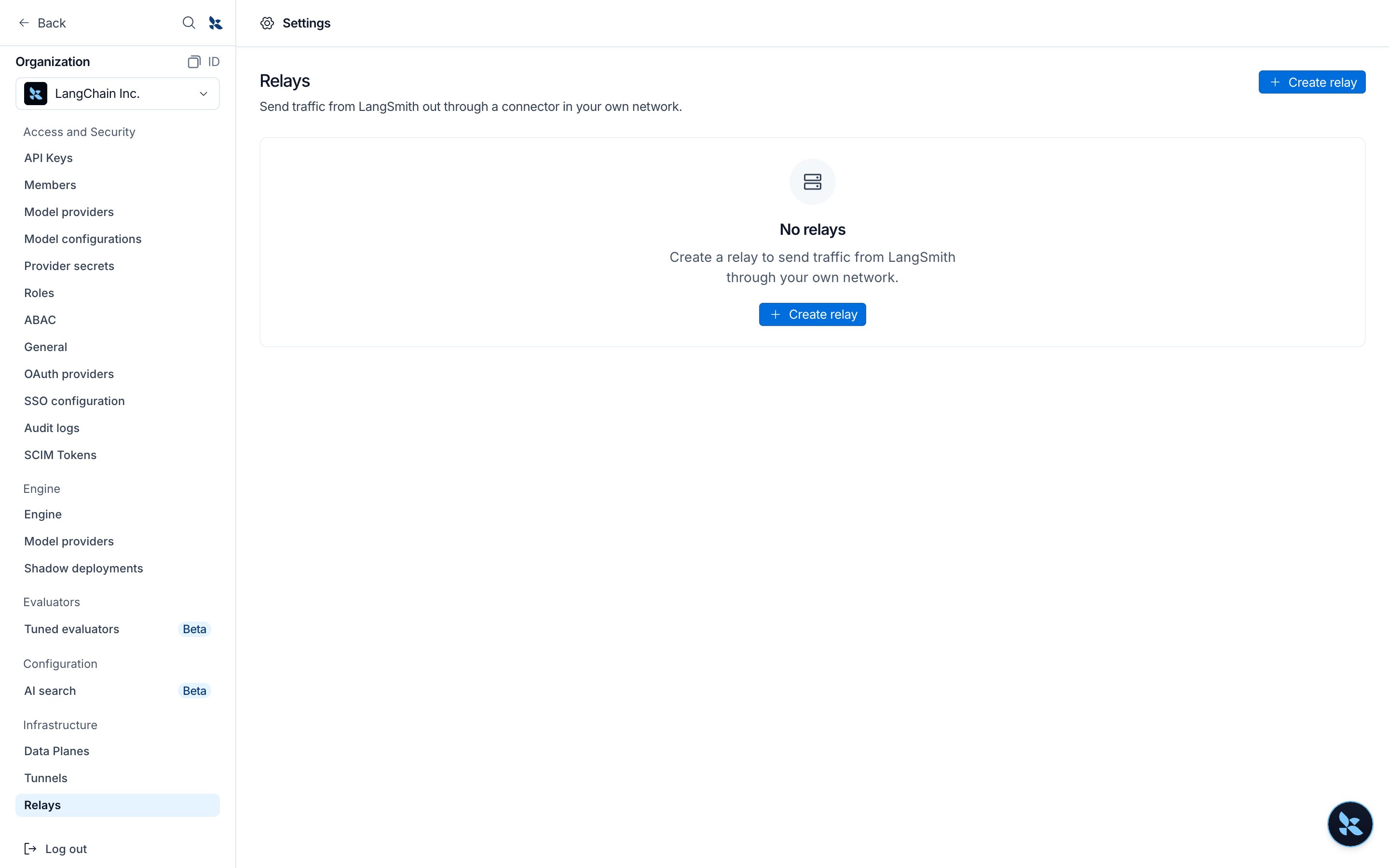
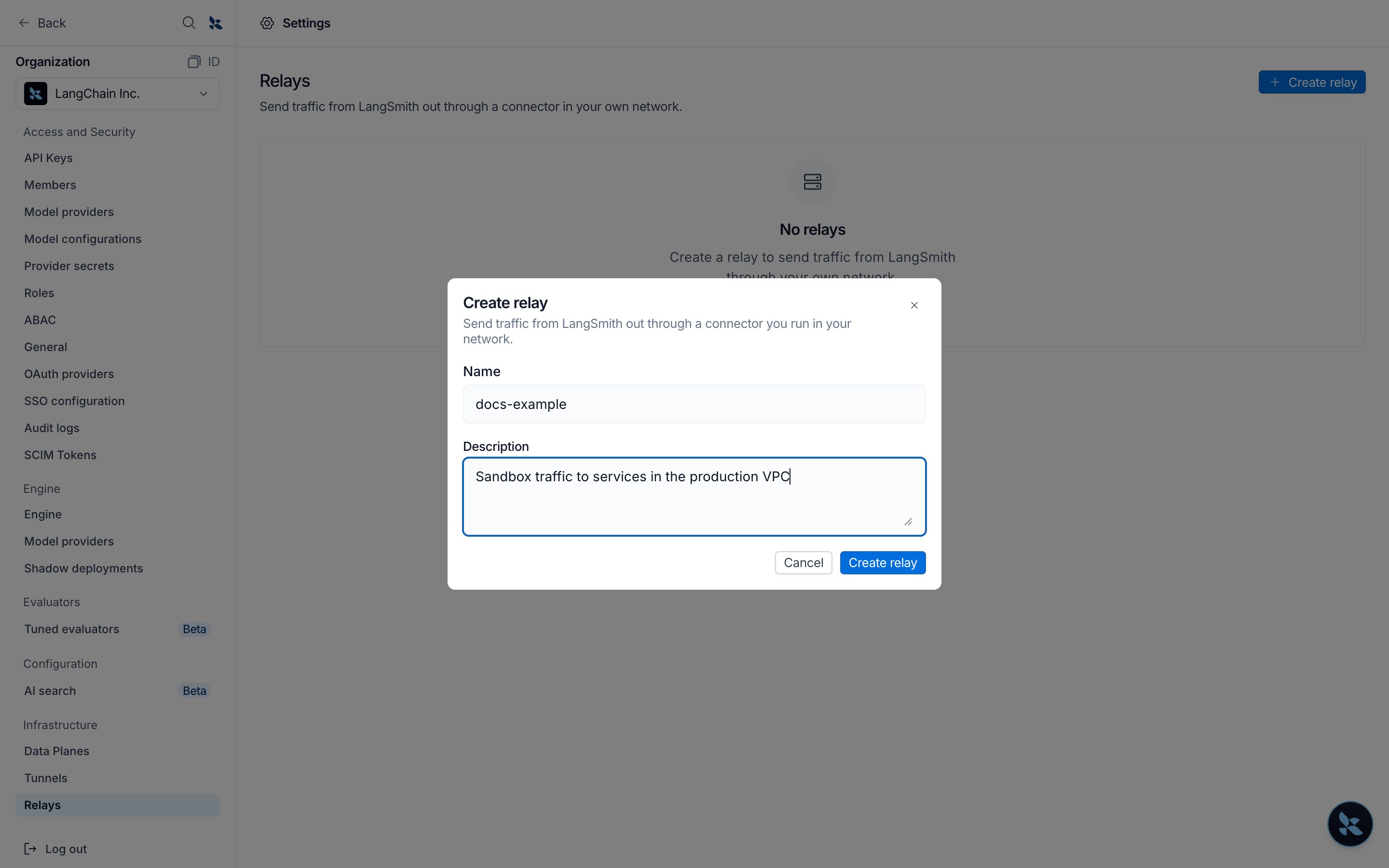
POST /v1/connections with {"name": "corp-network", "kind": "relay"}. A connection’s kind cannot change after you create it.Run the connector
Run the connector inside your network in relay mode. The relay’s page in Settings > Relays shows a command for the CLI, Docker, and Kubernetes (Helm) with the relay ID and your region’s endpoint filled in. Copy one and replace 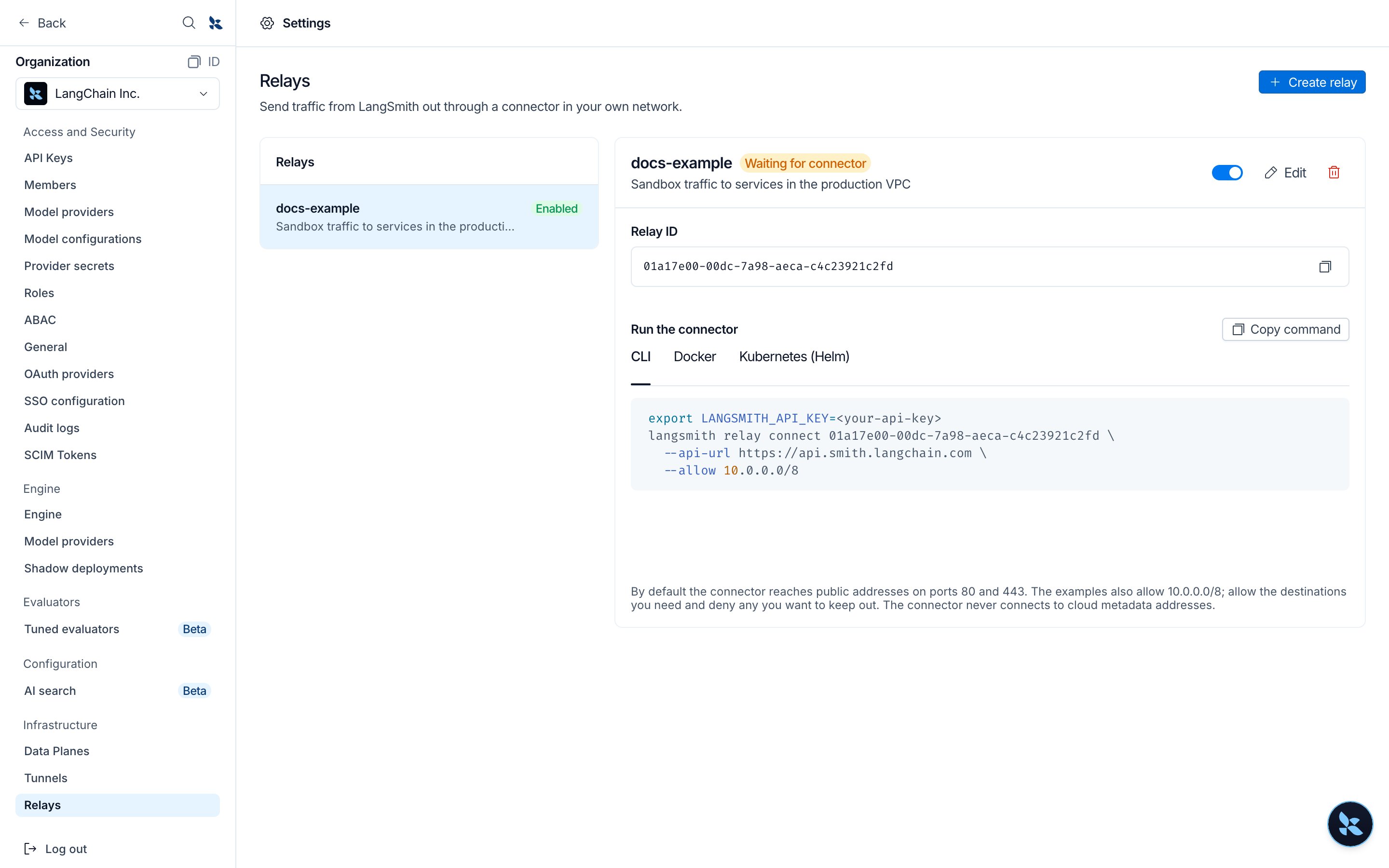
<your-api-key>.The examples allow the relay to reach
10.0.0.0/8 and db.corp.internal:5432 in addition to its default; see Connector policy.- Kubernetes (Helm)
- Docker
- LangSmith CLI
Store the API key in a Secret, then install the Add
langsmith-connector chart, version 0.3.0 or later:--set config.endpoint=<endpoint> for a region other than GCP US, and config.relay.deny for deny rules. Pass rules as a list, as in the example. A relay takes no config.targets.Run a single replica. One connector already keeps two redundant connections to LangSmith.HTTPS_PROXY if your network requires an outbound proxy. It logs connector registered with LangSmith when it connects. Set LOG_LEVEL=debug for more detail. With Helm, set it through connector.deployment.extraEnv.Add a relay rule to a sandbox
Add a rule with With the CLI, save the configuration as See Relay rules for the fields and how relay rules combine with other proxy settings.
"type": "relay" to the sandbox’s proxy_config when you create the sandbox, or update the proxy_config of an existing sandbox:proxy.json and pass it when you create the sandbox:Check that the relay works
Within a few seconds of the connector starting, the relay shows Connected in Settings > Relays.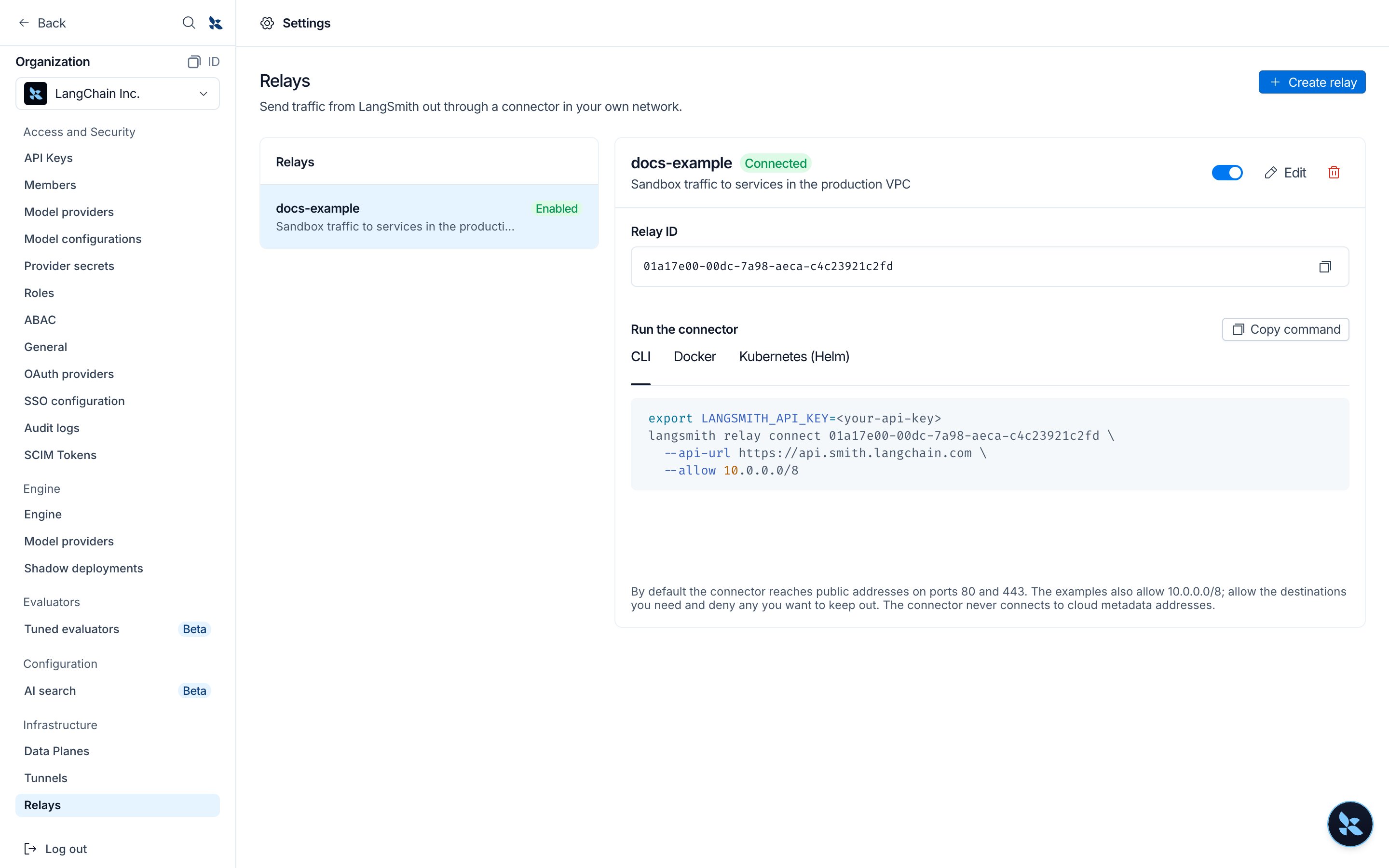
connector opened relay flow with the destination. If the connector’s policy refuses the destination, the connector logs relay policy denied destination and the sandbox’s connection fails; add an allow rule for it.A connection to a matched destination fails while no connector is connected to the relay. It never falls back to a direct connection.Relay rules
A relay rule is a rule in the sandbox’sproxy_config (see Configure auth proxy rules) with these fields:
A relay rule matches hosts only, so it does not accept
match_paths, headers, env_vars, aws, gcp, or azure.
- The first enabled relay rule that matches a destination carries it. Header rules for the same host still apply.
- Access control applies first, so a destination that access control blocks is not relayed.
- A relay rule can match private addresses that the sandbox would otherwise refuse to connect to. The connector’s policy decides whether it reaches them.
- A sandbox can use only relays in its own organization.
Connector policy
The connector decides which destinations a relay can reach, whatever the sandbox’s rules match:- By default, it reaches public addresses on ports 80 and 443.
- Allow rules add destinations, and deny rules remove them. A deny rule wins over an allow rule.
- It never connects to cloud metadata addresses.
10.0.0.0/8), an IP address, a hostname (db.corp.internal), or a wildcard (*.corp.internal), optionally followed by :PORT. An IPv6 address or range takes a port only in brackets ([2001:db8::1]:443).
The connector resolves hostnames with your network’s DNS. When an allow rule names a hostname, the connector connects to the addresses that hostname resolves to unless a deny rule matches them.
To change the policy, update the connector’s configuration and restart it, for example with helm upgrade.
Security
Outbound-only connection
The connector makes an outbound WebSocket connection over TLS to your region’s LangSmith API endpoint on port 443. You do not open inbound ports or change firewall rules for LangSmith, and the connector exposes no ports.Authentication and authorization
- Connector: The connector authenticates with an organization API key that has permission to connect tunnels and relays. LangSmith accepts the connector only while the relay is enabled.
- Each connection: Before LangSmith carries a sandbox’s connection to the connector, it checks that the relay belongs to the sandbox’s organization and is enabled.
What your network exposes
- A sandbox reaches only destinations that both its relay rule matches and your connector’s policy allows. The connector’s policy is configured inside your network, and LangSmith cannot change it.
- The connector does not connect to cloud metadata addresses.
- Relayed connections reach your network from the connector’s address, so your services see the connector as the client.
Logging
The connector does not log the contents of relayed connections. At the defaultinfo level, it logs each relayed connection’s destination and each destination its policy refuses.
Revoke access
To stop sandboxes from using your network, disable or delete the relay in Settings > Relays. You can also stop the connector or revoke its API key.Connect these docs to your agent of choice via MCP for real-time answers.