Multi-agent systems coordinate specialized components to tackle complex workflows. However, not every complex task requires this approach—a single agent with the right (sometimes dynamic) tools and prompt can often achieve similar results.
For built-in multi-agent support, use Deep Agents: a higher-level harness built on LangChain that ships with subagents, skills, planning, a virtual filesystem, and context management.
When developers say they need “multi-agent,” they’re usually looking for one or more of these capabilities:
Context management: Provide specialized knowledge without overwhelming the model’s context window. If context were infinite and latency zero, you could dump all knowledge into a single prompt—but since it’s not, you need patterns to selectively surface relevant information.
Distributed development: Allow different teams to develop and maintain capabilities independently, composing them into a larger system with clear boundaries.
Parallelization: Spawn specialized workers for subtasks and execute them concurrently for faster results.
Multi-agent patterns are particularly valuable when a single agent has too many tools and makes poor decisions about which to use, when tasks require specialized knowledge with extensive context (long prompts and domain-specific tools), or when you need to enforce sequential constraints that unlock capabilities only after certain conditions are met.
At the center of multi-agent design is context engineering—deciding what information each agent sees. The quality of your system depends on ensuring each agent has access to the right data for its task.
Behavior changes dynamically based on state. Tool calls update a state variable that triggers routing or configuration changes, switching agents or adjusting the current agent’s tools and prompt.
Distributed development: Can different teams maintain components independently?
Parallelization: Can multiple agents execute concurrently?
Multi-hop: Does the pattern support calling multiple subagents in series?
Direct user interaction: Can subagents converse directly with the user?
You can mix patterns! For example, a subagents architecture can invoke tools that invoke custom workflows or router agents. Subagents can even use the skills pattern to load context on-demand. The possibilities are endless!
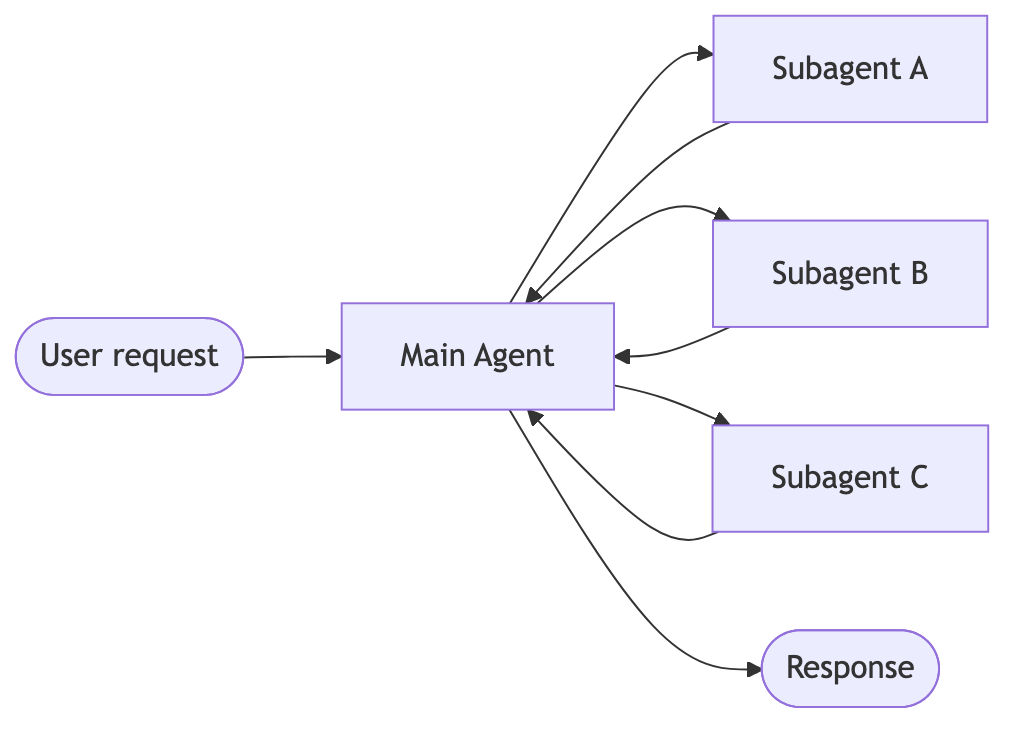
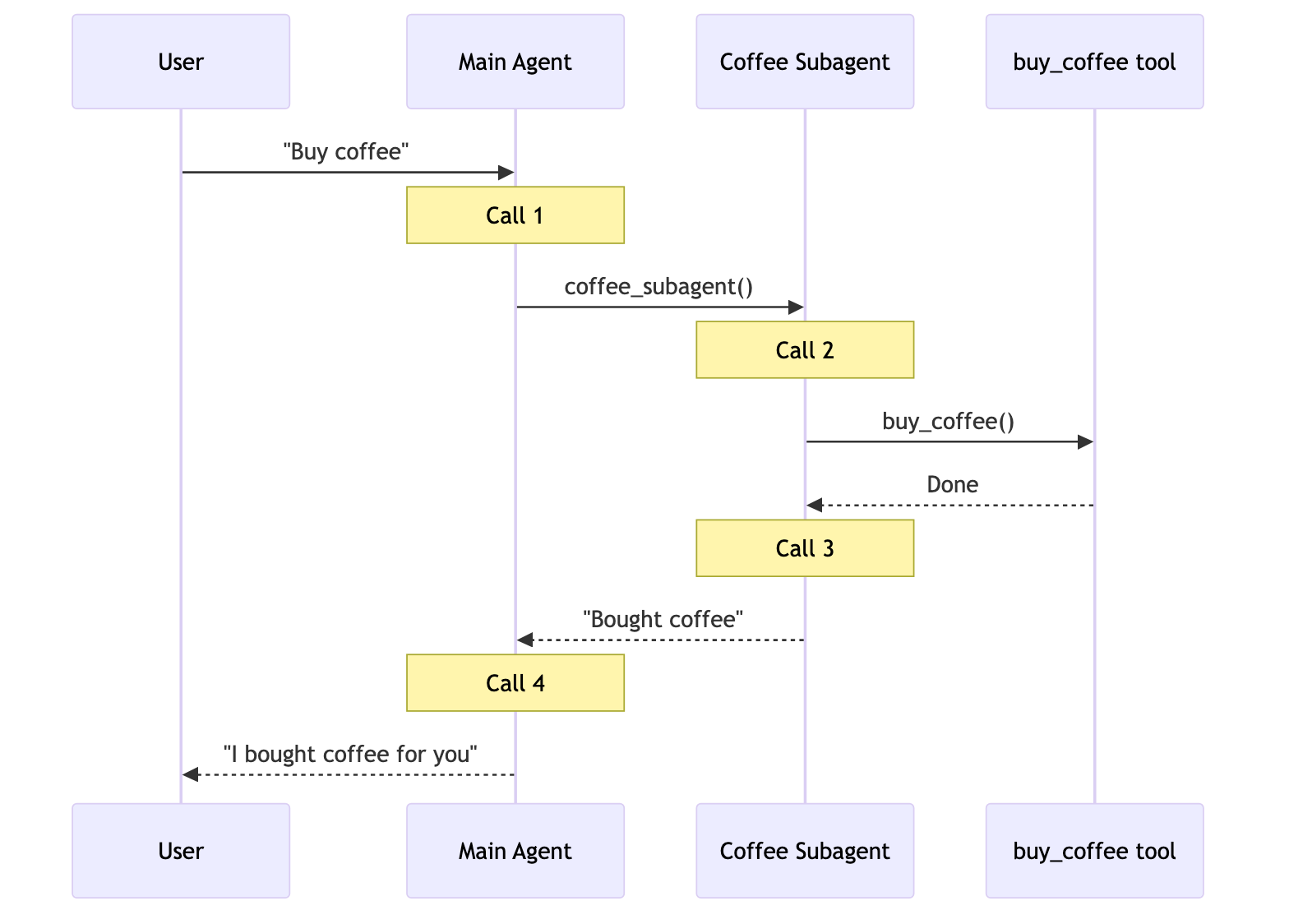
A main agent coordinates subagents as tools. All routing passes through the main agent.
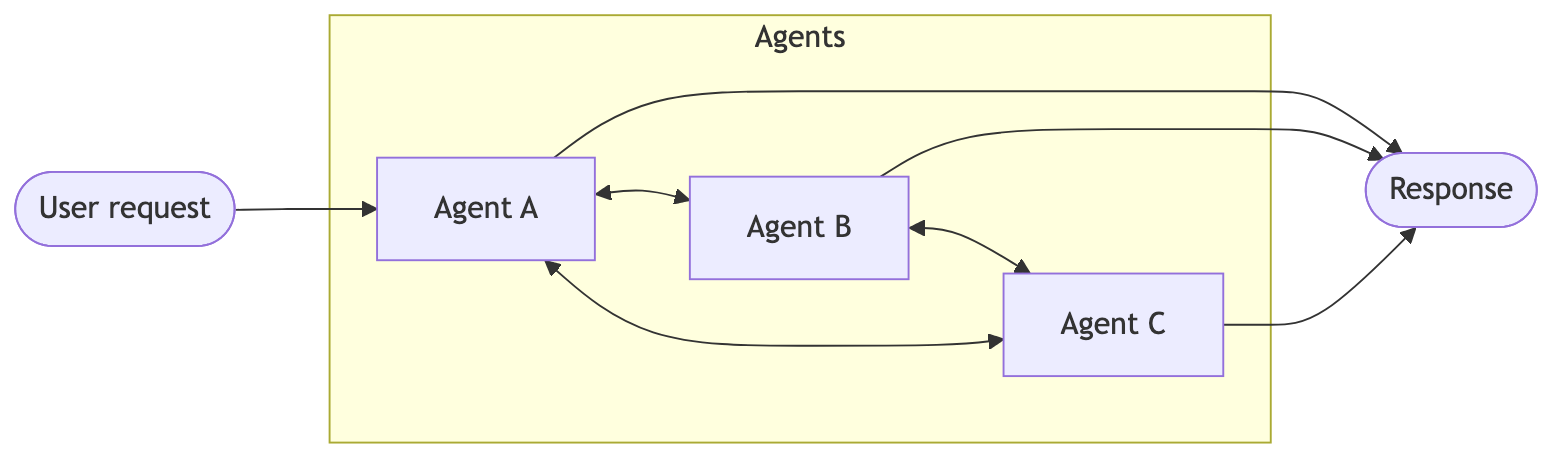
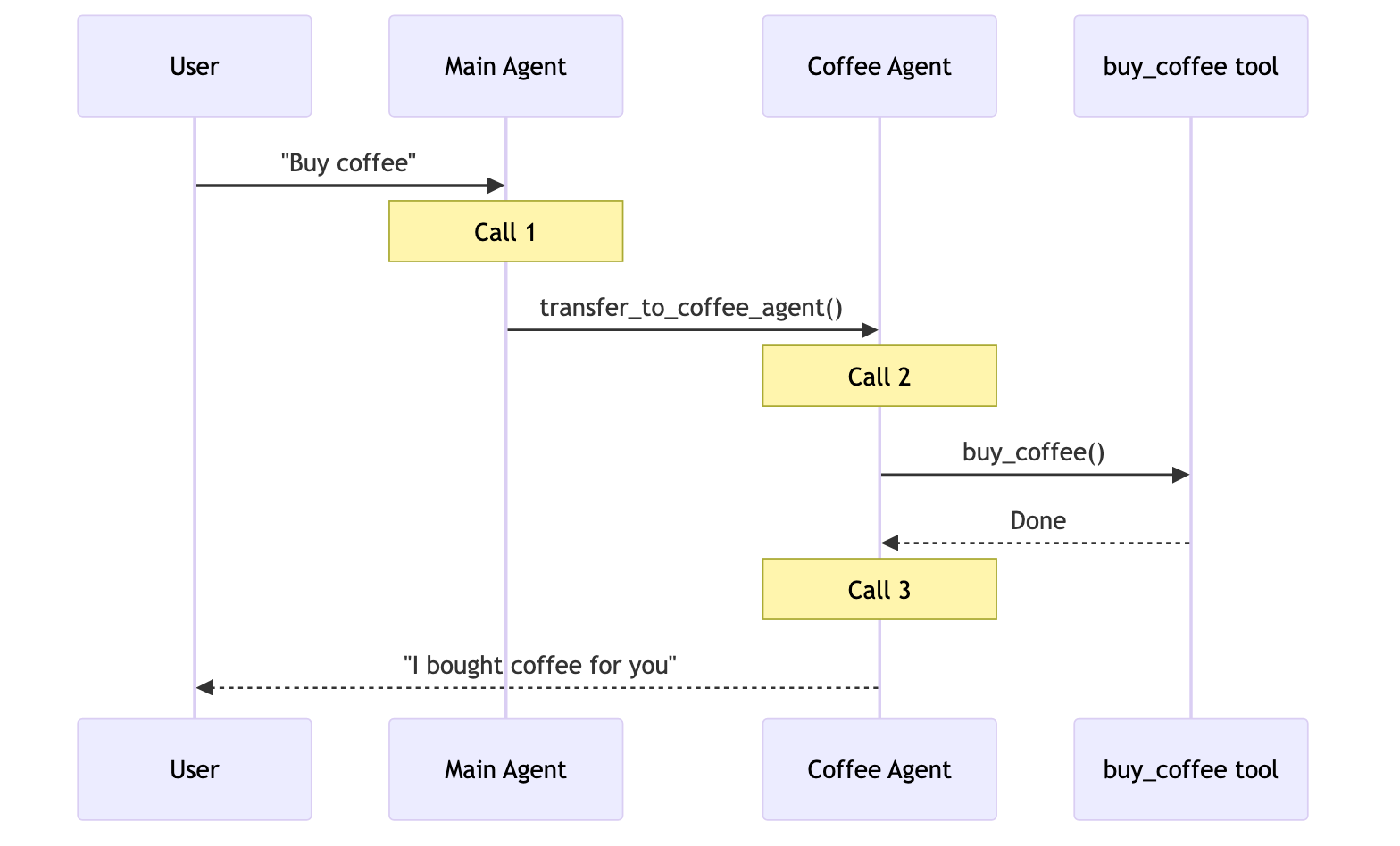
Agents transfer control to each other via tool calls. Each agent can hand off to others or respond directly to the user.
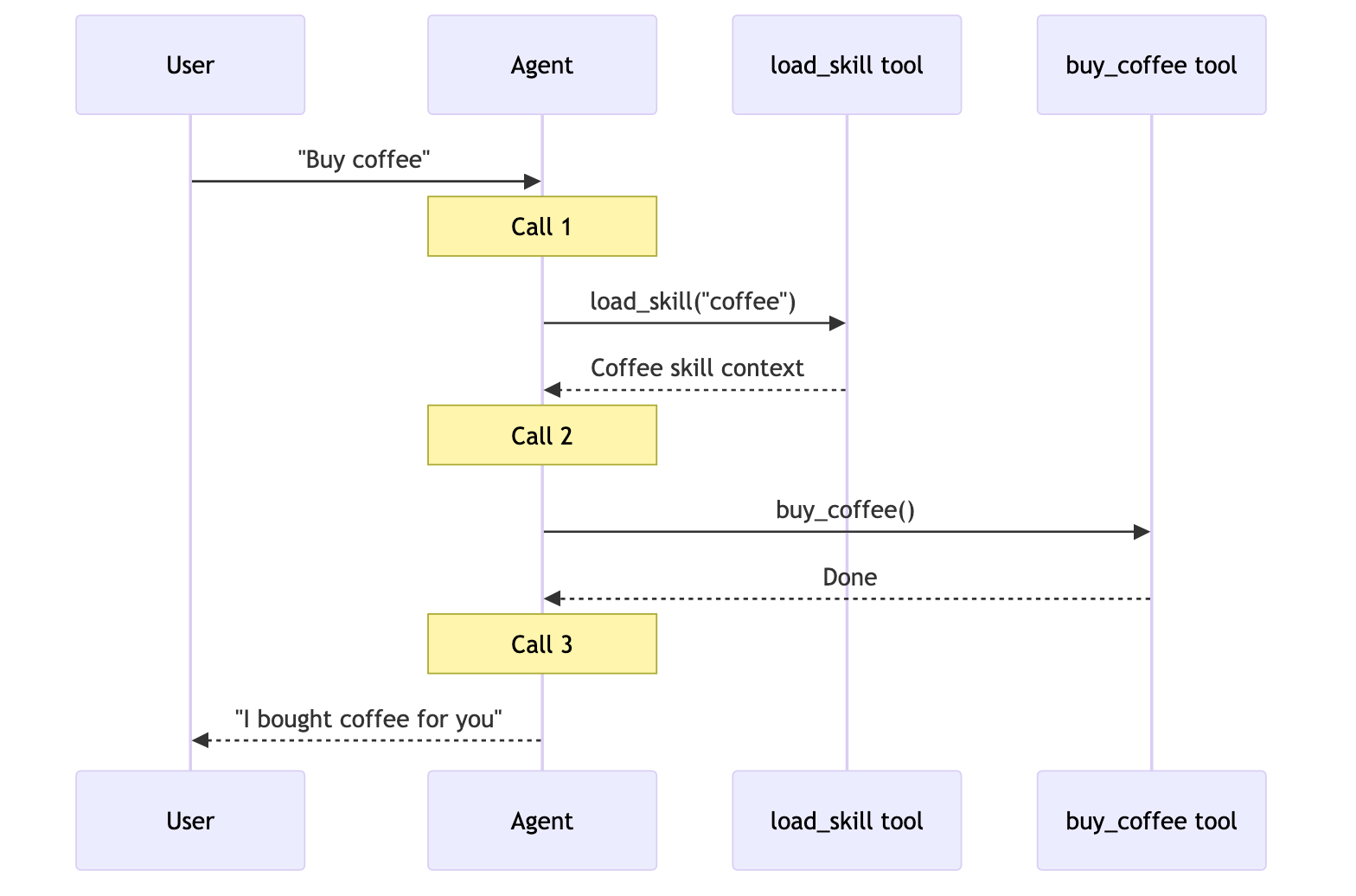
A single agent loads specialized prompts and knowledge on-demand while staying in control.
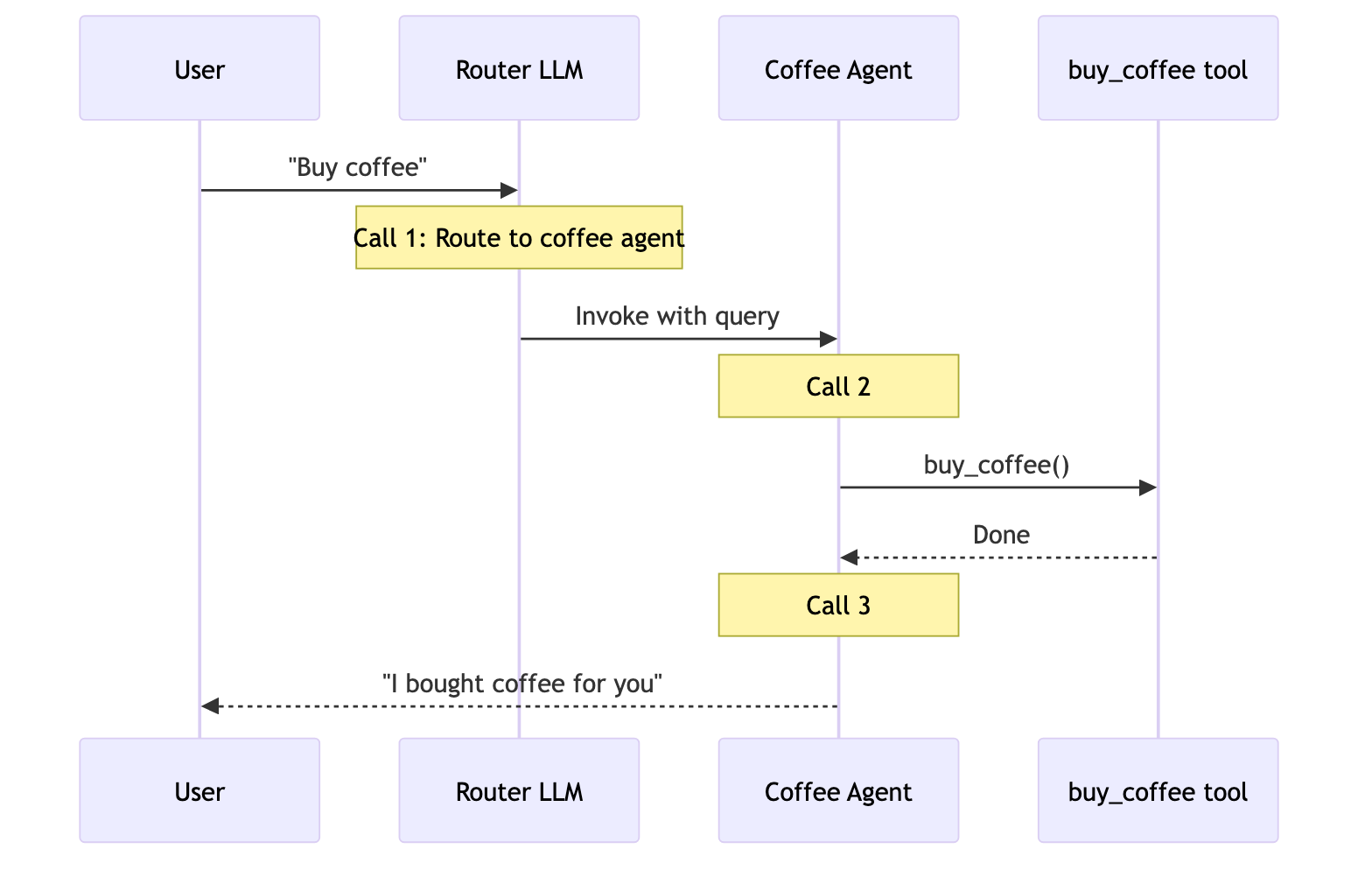
A routing step classifies input and directs it to specialized agents. Results are synthesized.
Trace the full coordination flow across agents with LangSmith. Follow the tracing quickstart to get set up.We recommend you also set up LangSmith Engine which monitors your traces, detects issues, and proposes fixes.
Different patterns have different performance characteristics. Understanding these tradeoffs helps you choose the right pattern for your latency and cost requirements.Key metrics:
Model calls: Number of LLM invocations. More calls = higher latency (especially if sequential) and higher per-request API costs.
Tokens processed: Total context window usage across all calls. More tokens = higher processing costs and potential context limits.
Key insight: Handoffs, Skills, and Router are most efficient for single tasks (3 calls each). Subagents adds one extra call because results flow back through the main agent—this overhead provides centralized control.
Can be optimized by wrapping as a tool in a stateful agent
Key insight: Stateful patterns (Handoffs, Skills) save 40-50% of calls on repeat requests. Subagents maintain consistent cost per request—this stateless design provides strong context isolation but at the cost of repeated model calls.
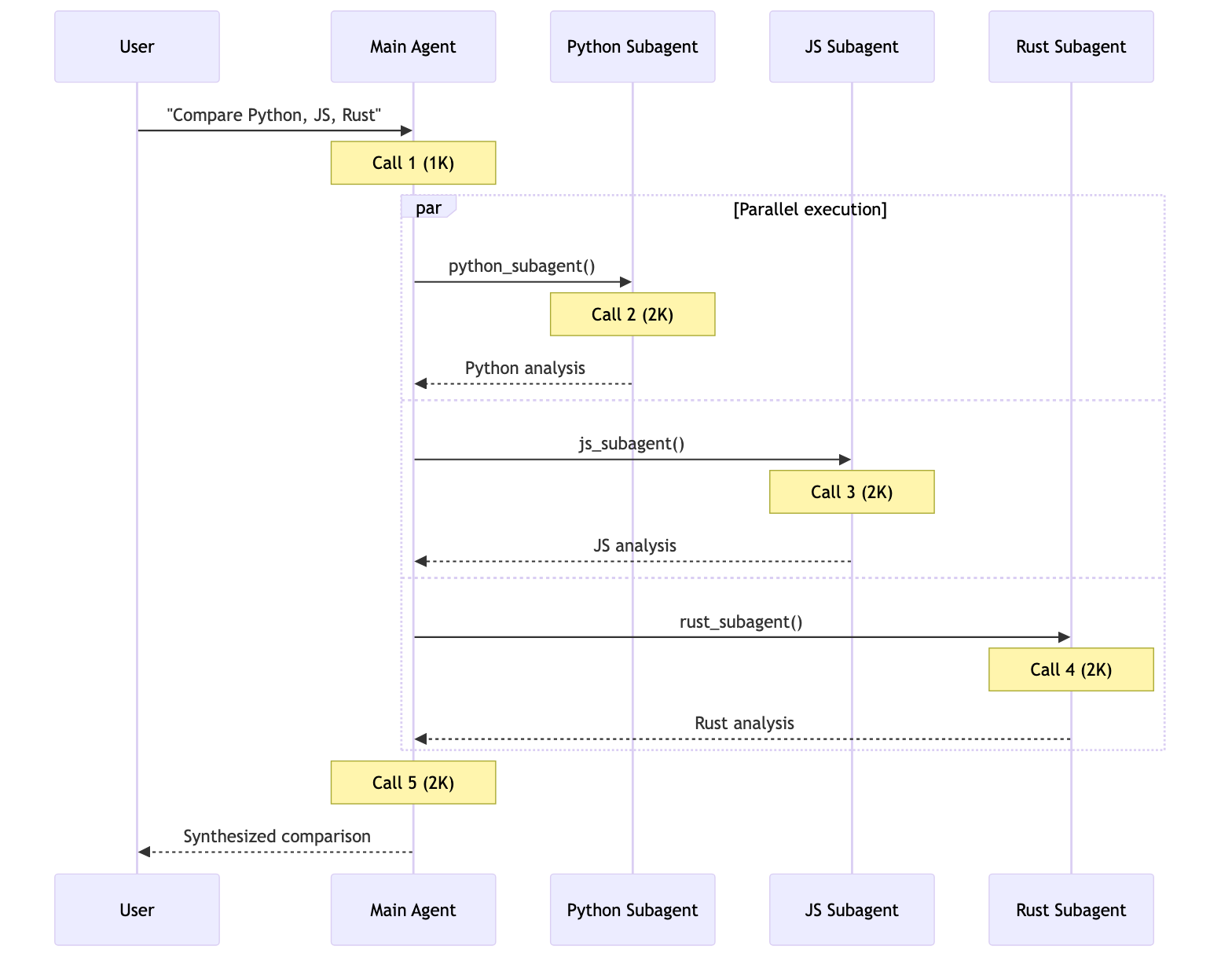
Each subagent works in isolation with only its relevant context. Total: 9K tokens.
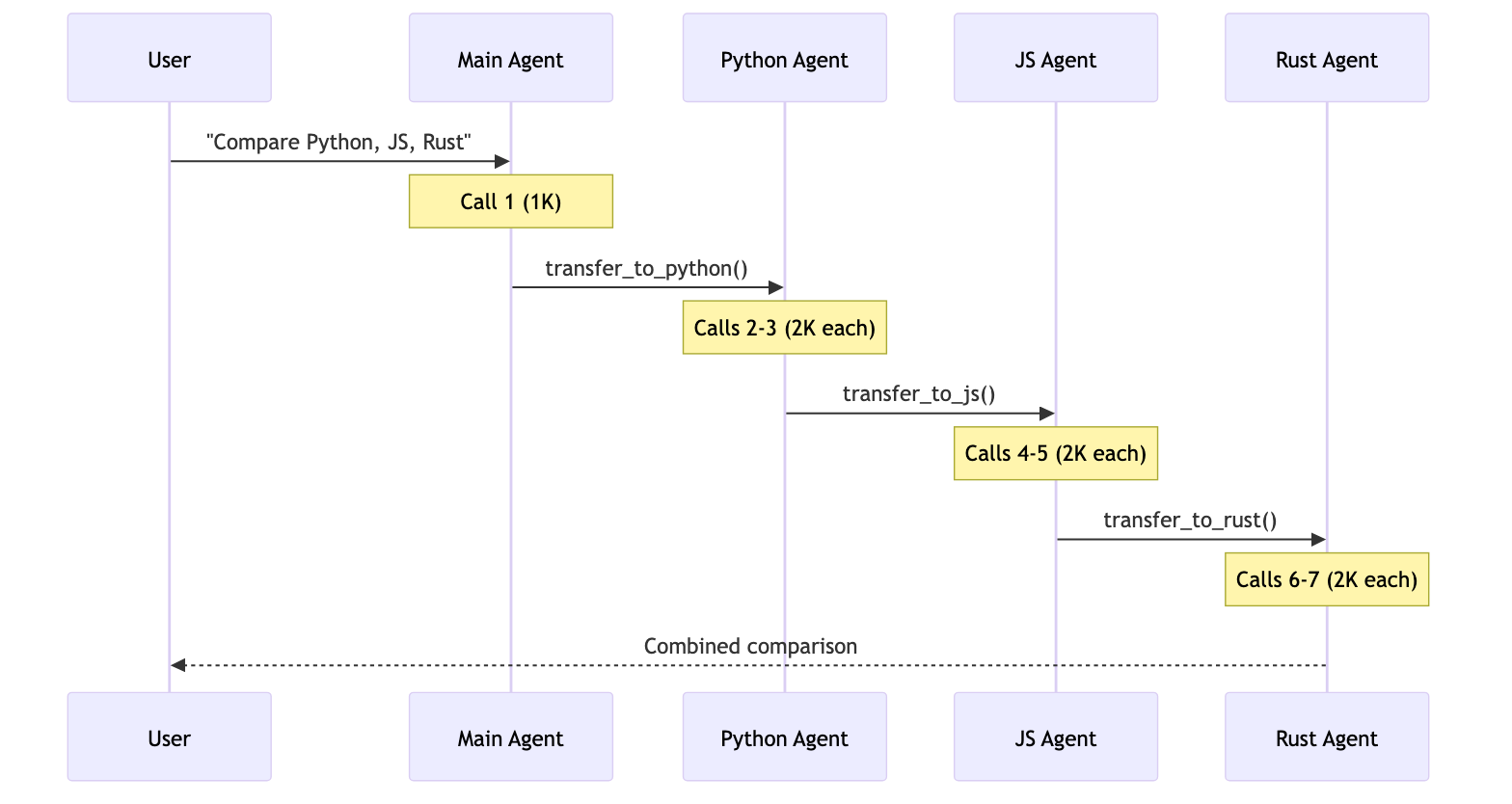
7+ calls, ~14K+ tokens
Handoffs executes sequentially—can’t research all three languages in parallel. Growing conversation history adds overhead. Total: ~14K+ tokens.
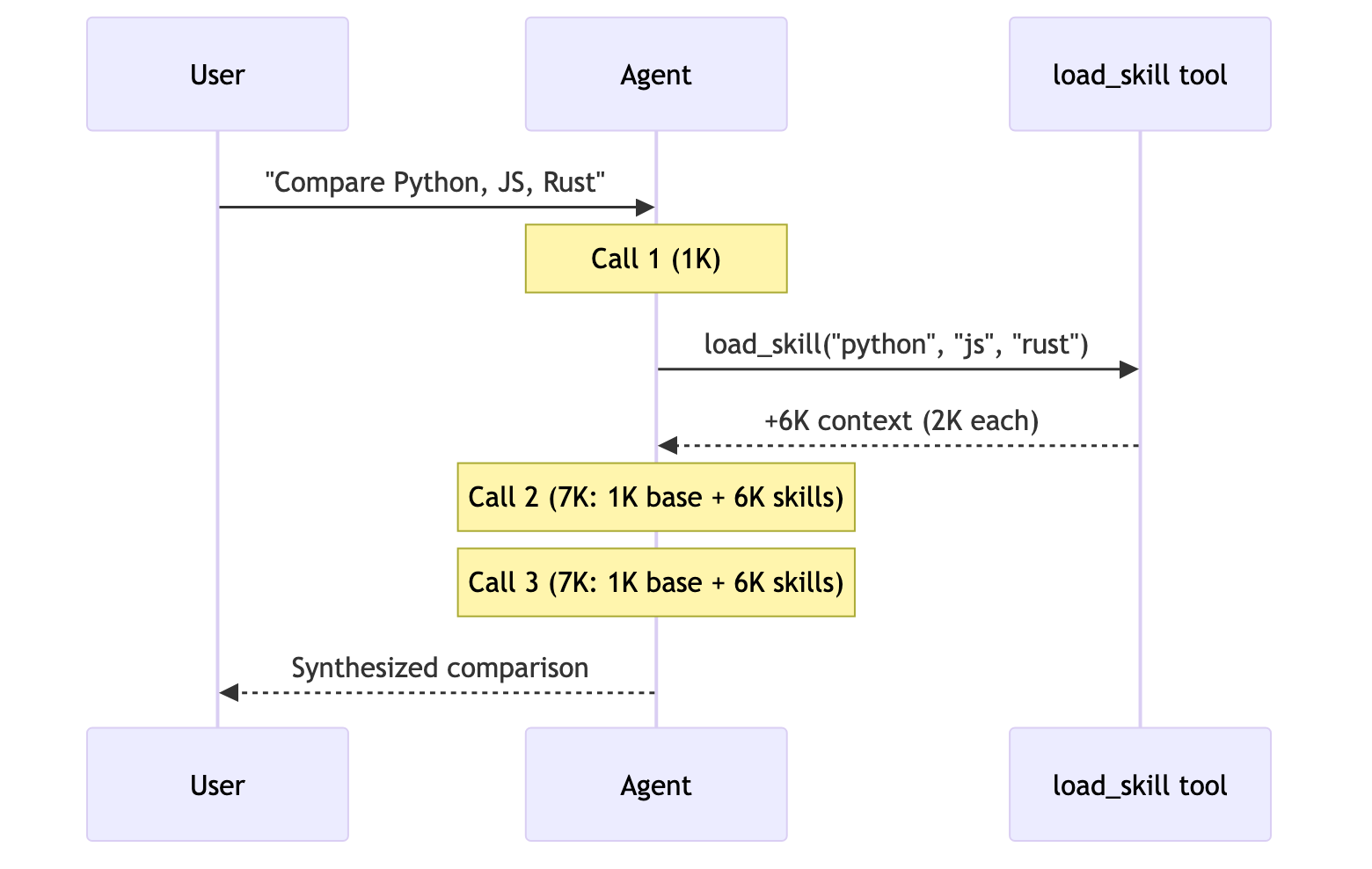
3 calls, ~15K tokens
After loading, every subsequent call processes all 6K tokens of skill documentation. Subagents processes 67% fewer tokens overall due to context isolation. Total: 15K tokens.
5 calls, ~9K tokens
Router uses an LLM for routing, then invokes agents in parallel. Similar to Subagents but with explicit routing step. Total: 9K tokens.
Key insight: For multi-domain tasks, patterns with parallel execution (Subagents, Router) are most efficient. Skills has fewer calls but high token usage due to context accumulation. Handoffs is inefficient here—it must execute sequentially and can’t leverage parallel tool calling for consulting multiple domains simultaneously.