

Feature Access
The Feature Access table controls provider and model availability independently for each LangSmith feature.
All features support custom workspace configurations, so you can use any provider or model—even for features that show a curated list by default.
Insights uses two separate rows—one for analysis and one for summarization. The UI displays a warning if you select incompatible providers or non-recommended models for either row.
Configure feature access
To configure feature access in the UI:- Navigate to Settings > Model configurations.
- In the Feature Access table, find the feature you want to configure.
- Click Enabled Providers and toggle providers on or off for that feature.
- Click Available Models and select which models users can choose from.
- Use the Default Model dropdown to set the model preselected when users open the feature.
Providers disabled for the whole organization in Settings > Model providers appear locked in this table and can’t be re-enabled per workspace. See Organization-wide provider control.
Organization-wide provider control
Provider availability is controlled at two levels:- Organization (organization admins): turn a provider on or off for the entire organization—every workspace and every feature. Managed in Settings > Model providers.
- Workspace (workspace admins): the Feature Access table above, which controls provider and model availability per feature within a single workspace.
organization:manage permission), and is available on LangSmith Cloud and Self-hosted for organizations (not personal accounts).
Disable a provider for the organization
- Navigate to the Model providers page under Settings.
- Toggle a provider off to disable it across the organization, or on to re-enable it.
Organization-scoped model configurations
Organization-scoped model configurations are available on LangSmith Self-hosted and Cloud Enterprise only.On self-hosted installations, organization-scoped model configurations require Helm chart version
0.17.0-rc.42 or later and application version 0.17.28rc1 or later.Create an organization-scoped configuration
Creating an organization-scoped configuration requires the Organization Admin role:- Navigate to Settings > Model configurations at the organization level.
- Under Configurations, click + Create.
- Select a Provider and Model, and complete the remaining fields.
- Click Save.
Enable an org-scoped configuration in a workspace
After an org-scoped configuration is created, workspace admins must enable it before it appears in workspace features:- In the workspace, navigate to Settings > Model configurations.
- Find the org-scoped configuration in the Configurations table.
- In the Feature Access table, enable the configuration for each feature where it should appear.
Limitations
Keep the following constraints in mind when working with org-scoped configurations:- Scope is immutable. A configuration saved as org-scoped cannot be changed to workspace-scoped, and a workspace-scoped configuration cannot be promoted to org-scoped. Create a new configuration if you need to change the scope.
- Workspace takes precedence on name collision. When a workspace configuration and an org-scoped configuration share the same name, the workspace version takes precedence.
- Secrets store location. On LangChain Cloud (non-BYOC), secrets for org-scoped configurations are stored on the LangChain Cloud control plane. In a BYOC deployment, you can configure where model secrets are written using the data-plane switcher.
Configurations
The Configurations table is a shared library of named model configurations for your workspace. Configurations you create in LangSmith (including from the Playground) appear here and you can reuse them across all features.Create a configuration
- Navigate to Settings > Model configurations.
- Under Configurations, click + Create.
- Select a Provider and Model.
- Enter the API Key Name—the name of the secret in your workspace that stores the provider API key.
-
Adjust parameters as needed. Parameters are grouped into sections for:
- Standard sampling settings: temperature, top P, top K, presence penalty, frequency penalty, max output tokens
- Reasoning: reasoning effort, service tier
- Provider config: provider API, base URL
- Options: stop sequences, seed, JSON mode, extra headers, requests per second, extra parameters
- Click Save.
Edit a configuration
- In the Configurations table, click the overflow menu next to the configuration.
- Select Edit.
- Update the configuration and click Save.
Delete a configuration
- In the Configurations table, click the overflow menu next to the configuration.
- Select Delete and confirm.
OAuth client credentials
OAuth client credentials are available on LangSmith Cloud and Self-hosted deployments running version
0.16.0-rc.6 or later.client_credentials directly on the configuration instead of distributing a static API key. LangSmith exchanges those credentials for a short-lived bearer token at request time, attaches it as Authorization: Bearer <token> on the outbound LLM call, and refreshes the token before it expires. This is a per-configuration self-service alternative to routing the workspace through the LLM auth proxy; the two are mutually exclusive per configuration.
OAuth client credentials are available on every plan that supports custom model configurations. The Use Custom OAuth toggle applies to bearer-token providers (OpenAI, Anthropic, OpenAI-compatible endpoints, and similar) and is not supported for Bedrock, Gemini Enterprise Agent Platform, or Google GenAI, which authenticate with native cloud identity. The toggle is also hidden for the LangServe (Deprecated) preset.
Configure OAuth on a model configuration
Configuring OAuth requires the Workspace Admin role, or a custom role with theworkspaces:manage-model-configs permission. Members without it see the OAuth fields disabled, with a masked secret hint. In the LangSmith UI:
- Navigate to Settings > Model configurations and either click + Create or open an existing row through the overflow menu > Edit.
- Select a compatible provider and configure model parameters as usual.
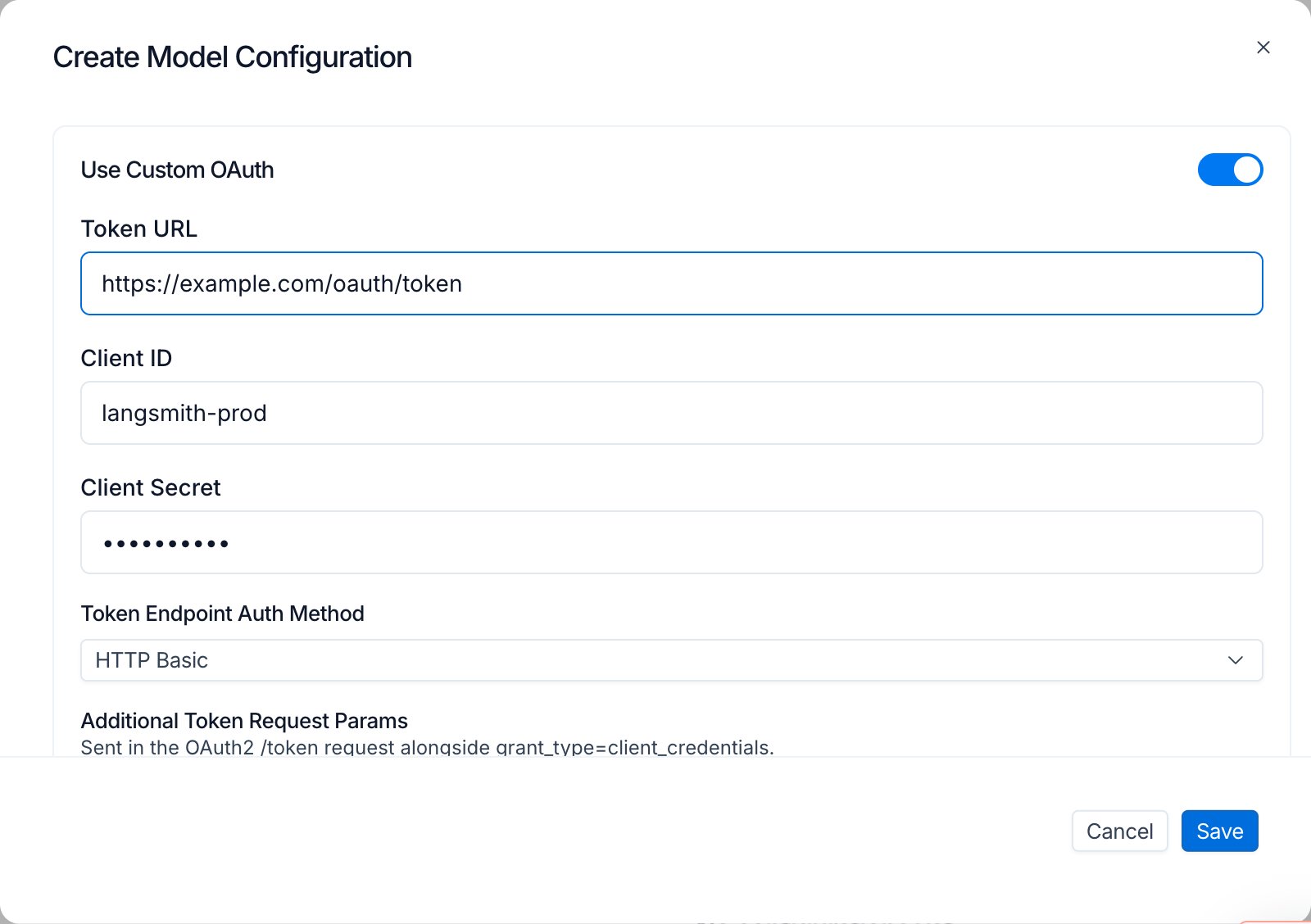
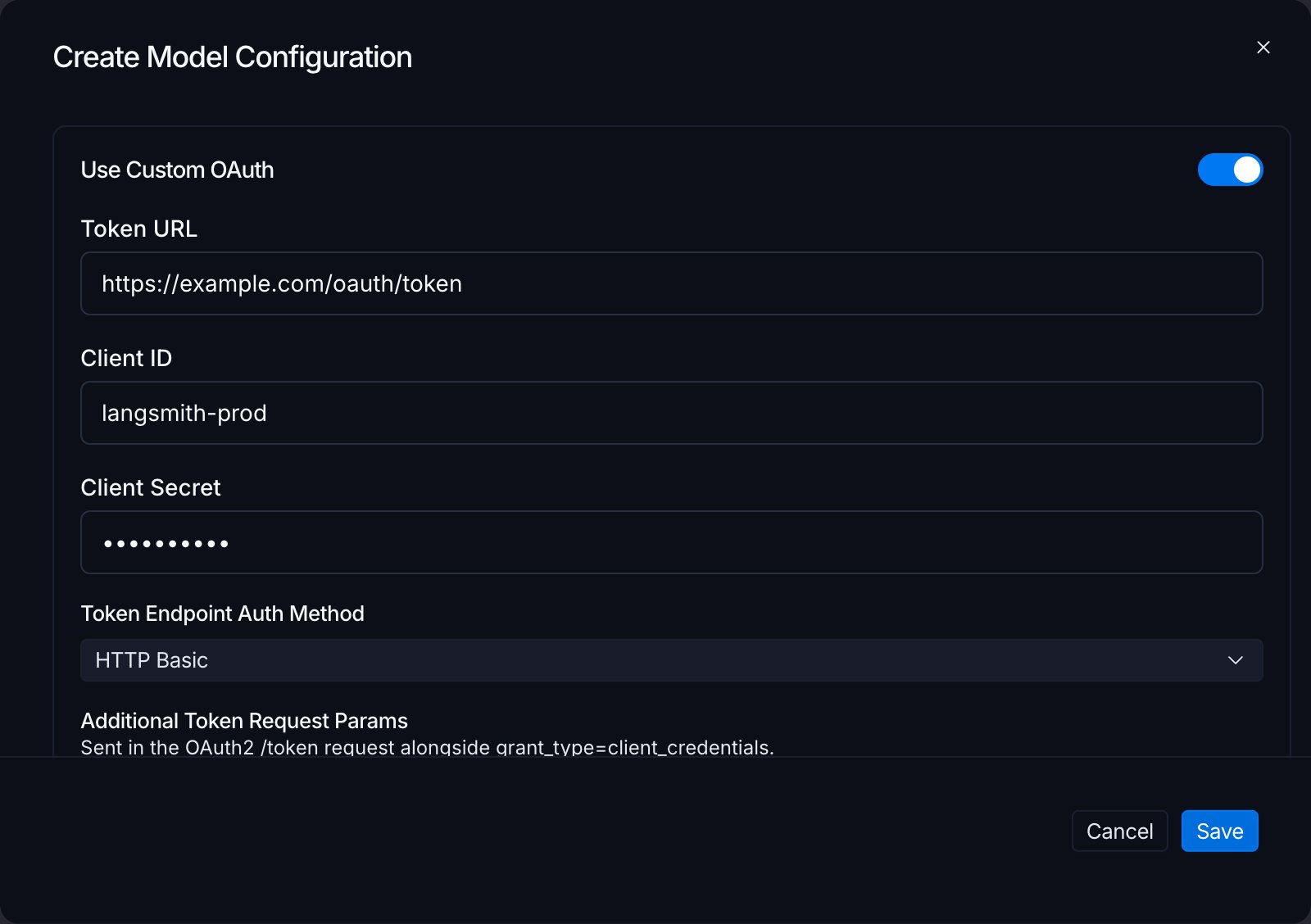
- Toggle Use Custom OAuth on.
- Fill the OAuth fields:
- Token URL: the IdP token endpoint, for example
https://login.example.com/oauth/token. - Client ID: the OAuth client identifier.
- Client Secret: the OAuth client secret. Encrypted at rest.
- Token Endpoint Auth Method:
client_secret_basicorclient_secret_post. - Extra parameters: key/value rows sent in the token request body. Use these rows for
scope,audience,resource, or any other parameter the IdP expects. Add one row per value when sending multiple scopes; duplicate keys are sent as multi-value pairs. - Extra headers: additional headers sent with the token request. Reserved headers such as
Authorizationare rejected at save time.
- Token URL: the IdP token endpoint, for example
- Click Save.
Edit semantics
OAuth fields follow edit behaviors that protect the stored secret:- Secret round-trip: the server returns the secret as
********. The input renders empty with a “Secret is set. Type to replace.” hint. Submitting without retyping leaves the stored secret unchanged. - Toggle off preserves credentials: switching Use Custom OAuth off deactivates the OAuth flow but keeps the stored fields. Toggling back on resumes using the same credentials.
- Clear a field: edit the configuration and blank the field to clear it explicitly.
- Clone via Save as preset: when you save a one-off configuration as a new preset, non-secret OAuth fields copy into the new row. The secret cannot transfer because it is never exposed for read, so OAuth is force-disabled on the clone until you re-enter the secret.
How a request flows
When a request runs against an OAuth-enabled configuration, LangSmith mints a bearer through an internal broker, caches the result, and stamps the bearer on every outbound LLM call until the cached token expires. Routing between OAuth and the LLM auth proxy is per-configuration, not per-organization. Each request resolves to OAuth or the LLM auth proxy based on the configuration’s OAuth state. A single multi-model job (for example, Insights with separate Thinking and Summarization models) can mix the two flows because each model is resolved independently.Fallback behavior
If the broker cannot mint a token (IdP unreachable, credentials invalid, configuration deleted between request preparation and execution), the request falls back to the static workspace API key for the provider. If no workspace key is set, expect a provider 401 on the outbound call. Token rotation propagates only after the cached bearer expires. Plan rotations around the access token TTL configured at the IdP.Surface coverage
OAuth-enabled configurations are honored wherever model configurations are consumed:- Playground: chat runs and experiment runs.
- Evaluators: LLM-as-judge configuration, Reuse, Preview Test, and Evaluator Details Test all skip the workspace-secrets prompt when every prompt resolves to an OAuth-enabled configuration.
- Insights: Thinking and Summarization configurations are resolved independently.
- Chat
- Fleet
Security and audit
- Encryption at rest: client secrets are Fernet-encrypted with the same derivation used for workspace secrets.
- Bearer caching: access tokens are cached until expiry and are never written to logs.
FAQ
Why is my OAuth-enabled configuration suddenly using a static workspace key?
Why is my OAuth-enabled configuration suddenly using a static workspace key?
If the broker cannot mint a bearer (IdP unreachable, credentials invalid, configuration deleted between request preparation and execution), the request falls back to the static workspace API key for the provider. Re-open the model configuration and verify the Token URL is reachable, the Client ID and secret are current, and the Token Endpoint Auth Method matches what your IdP expects.
How do I rotate the client secret?
How do I rotate the client secret?
Edit the model configuration and retype the secret in the Client Secret field. The previous secret is overwritten on save. The Redis-cached bearer continues to work until its TTL expires, after which the broker mints a new bearer using the rotated secret.
Can OAuth and the LLM auth proxy be used together?
Can OAuth and the LLM auth proxy be used together?
Yes. Routing is per-configuration. Configurations with OAuth enabled use OAuth; configurations without it fall through to the LLM auth proxy when the proxy is enabled at the organization level. A single multi-model job can mix the two flows.
Connect these docs to your agent of choice via MCP for real-time answers.