

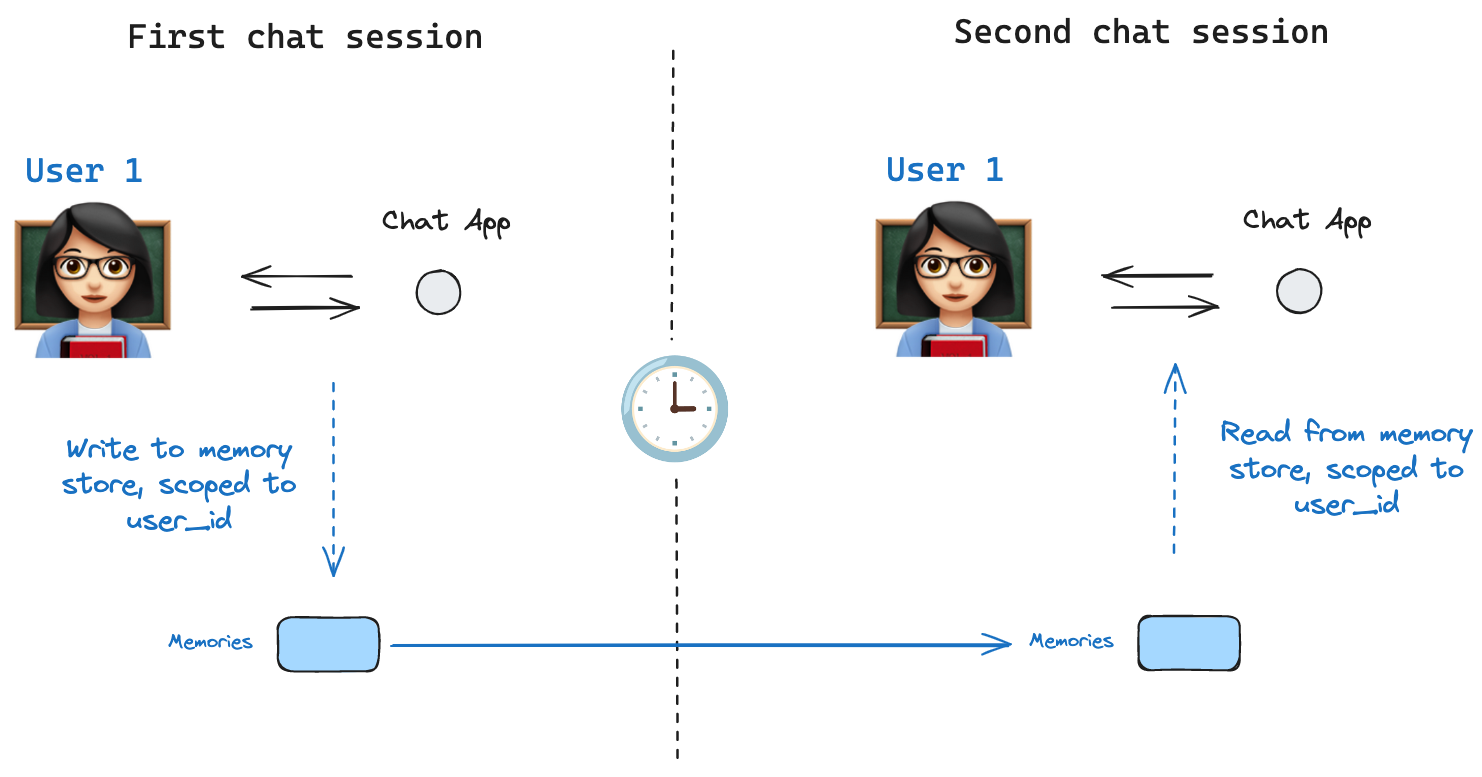
Agent Server handles stores automatically
When using the Agent Server, you do not need to implement or configure stores manually. The API handles all storage infrastructure for you behind the scenes.
InMemoryStore is suitable for development and testing. For production, use a persistent store like
PostgresStore, MongoDBStore, RedisStore, or UpstashStore. All implementations extend BaseStore, which is the type annotation to use in node function signatures.See store integrations for the full list of available providers.
Basic usage
The following code snippet shows the InMemoryStore in isolation without using LangGraph:tuple, which is (<user_id>, "memories") in the following example. The namespace can be any length and represent anything, does not have to be user specific.
store.put method to save memories to the namespace in the store. Specify the namespace, as defined above, and a key-value pair for the memory: the key is simply a unique identifier for the memory (memory_id) and the value (a dictionary) is the memory itself.
store.search method, which returns memories for a given user as a list, up to the limit argument (default 10). With InMemoryStore, items are returned in insertion order, so the most recent memory is last in the list; other backends may order memories differently (see Listing items in a namespace).
Item) with certain attributes. We can access it as a dictionary by converting with .dict.
The attributes it has are:
-
value: The value (itself a dictionary) of this memory -
key: A unique key for this memory in this namespace -
namespace: A tuple of strings, the namespace of this memory typeWhile the type istuple[str, ...], it may be serialized as a list when converted to JSON (for example,['1', 'memories']). -
created_at: Timestamp for when this memory was created -
updated_at: Timestamp for when this memory was updated
Listing items in a namespace
Callingstore.search (or the async store.asearch) with no query and no filter returns the items stored under namespace_prefix, up to limit. Use this to enumerate everything in a namespace when you don’t need semantic ranking.
namespace_prefixmatches by prefix, not exactly.("alice",)also returns items under("alice", "memories"),("alice", "preferences"), and so on. To restrict to a single level, pass the full namespace or filter the returned items client-side onitem.namespace.- Results past
limitare silently truncated. There is no overflow signal—setlimitabove your expected maximum, or paginate withoffset. - Default ordering depends on the store backend.
PostgresStoreandAsyncPostgresStorereturn results ordered byupdated_atdescending (most recently updated first).InMemoryStorereturns results in insertion order (most recently inserted last). Do not rely on a specific order across implementations; sort client-side onitem.updated_atif order matters.
store.list_namespaces or store.alist_namespaces:
Semantic search
Beyond simple retrieval, the store also supports semantic search, allowing you to find memories based on meaning rather than exact matches. To enable this, configure the store with an embedding model:fields parameter or by specifying the index parameter when storing memories:
Using in LangGraph
The store works hand-in-hand with the checkpointer: the checkpointer saves state to threads, as discussed above, and the store allows you to store arbitrary information for access across threads. Compile the graph with both the checkpointer and the store as follows.thread_id, as before, and also with a user_id, which serves as the namespace for memories for this particular user as before.
user_id from any node by using the Runtime object. The Runtime is automatically injected by LangGraph when you add it as a parameter to your node function. You can use it to save memories:
store.search method to get memories. Memories are returned as a list of objects that can be converted to a dictionary.
user_id is the same.
langgraph.json file. For example:
Build a custom store
To use a storage backend other than the built-in implementations, subclass BaseStore and implement its required methods. The built-in InMemoryStore is the simplest reference implementation.Base contract
All five async methods are required. Sync counterparts (put, get, delete, search, list_namespaces) are optional but recommended for compatibility with sync graph execution.
Look up exact signatures before implementing:
Namespace design
Namespaces are tuples of strings, e.g.("user_id", "memories"). Store implementations must support:
- Prefix matching:
asearch(("alice",))returns items under("alice",),("alice", "memories"), and any other sub-namespace. - Exact key lookup:
aget(("alice", "memories"), "some-key")must be O(1) or close to it.
Serialization
Store values are plain Python dicts — no special serializer is required. Serialize withjson.dumps / json.loads or a JSONB column directly. Do not store raw Python objects that are not JSON-serializable.
Semantic search support
If your backend supports vector search, implement thequery parameter on asearch:
- Accept a
query: str | Noneargument. - When
queryis notNone, embed it and rank results by cosine similarity. - Results should include a
scorefield on eachItemwhenqueryis provided.
NotImplementedError when query is passed.
Testing
There is currently no conformance suite for custom stores. Test against InMemoryStore as the reference:Next steps
- Add a custom store to Agent Server — deploying your implementation
- Checkpointers — thread-scoped state persistence
Connect these docs to your agent of choice via MCP for real-time answers.