

- The run’s actual output is wrong, and you’d rather describe what a correct answer looks like than write one by hand.
- You want to capture acceptance criteria in plain English without leaving the review flow.
Assertions are available on run items in single-run annotation queues. They are not available on thread items or pairwise queues. Assertions are available in the LangSmith UI only.
Add assertions
- In the LangSmith UI, navigate to Annotation Queues in the left sidebar. Open a single-run queue and select a run.
- In the side panel, find the Assertions section below Feedback.
- Click + Add to create an assertion row.
-
Enter a key that summarizes the claim (for example,
must_cite_source,must_not_invent_url) and a one-sentence comment describing the claim. The key is free-form. Themust_/must_not_prefixes are just a naming convention; LangSmith doesn’t treat them specially. -
Repeat Steps 3 and 4 for each criterion you want to capture.
The run editor shows the run’s inputs and outputs alongside the assertions side panel. As soon as you add at least one assertion, the run editor’s Outputs panel switches from the run’s actual output to a read-only preview of the assertions you’ve added. This preview is what gets saved to the dataset. The run’s actual output is not saved, because assertions describe what a correct answer should include, not what this run produced.
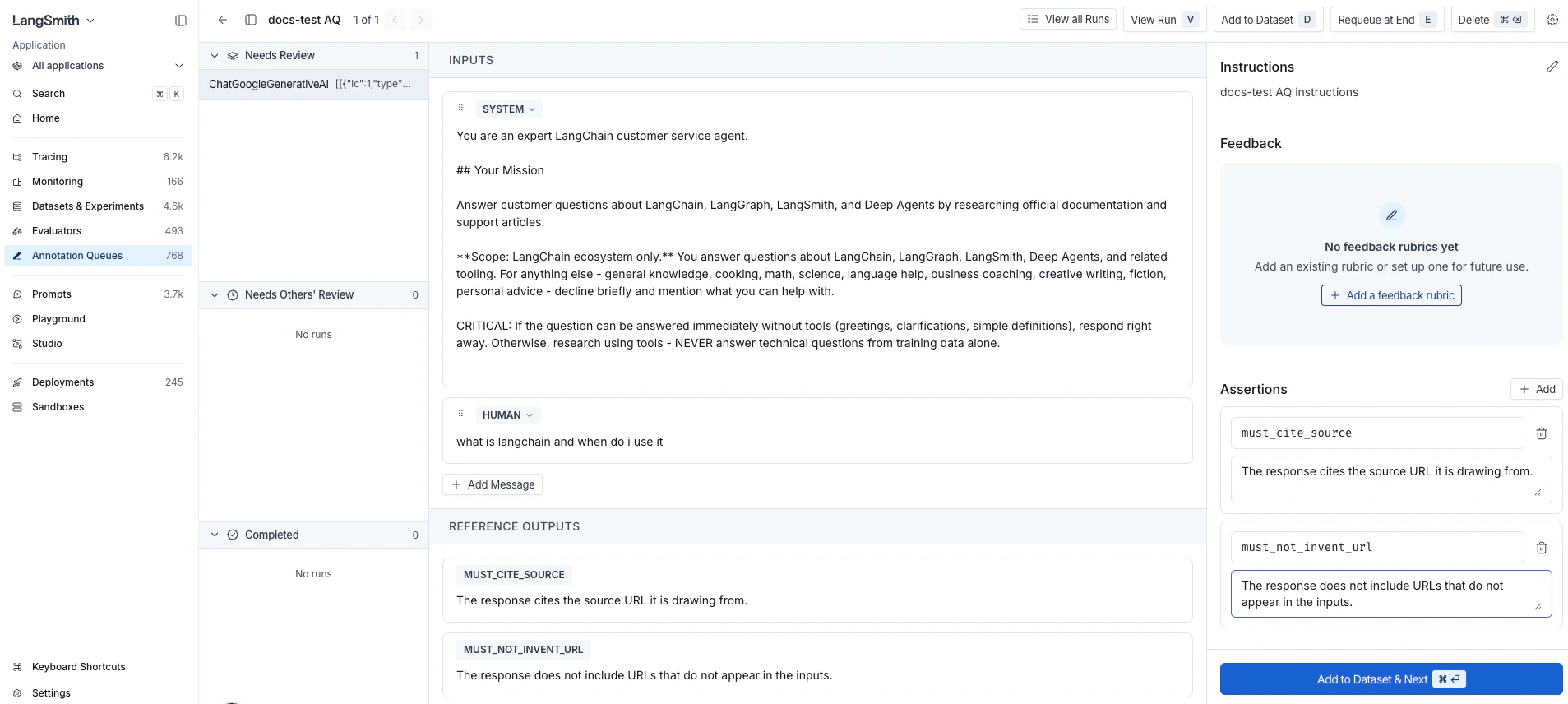
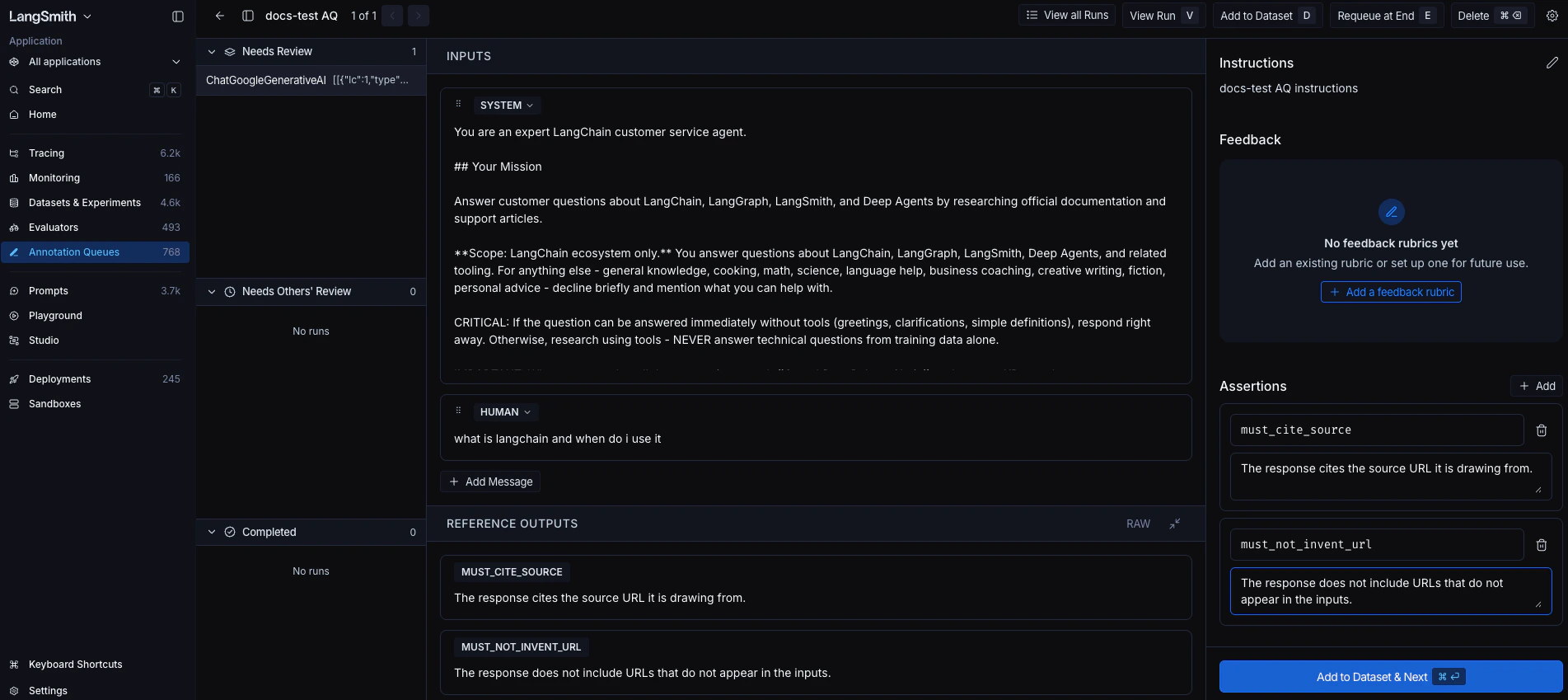
- Click Add to Dataset & Next in the side panel footer (keyboard shortcut: ⌘ Enter on macOS or Ctrl Enter elsewhere). LangSmith adds the current run to the queue’s default dataset, or prompts you to pick one if no default is configured. The queue then moves you to the next run.
outputs field is stored as JSON. For example:
inputs field stores the run’s inputs, or your edited version if you changed them. See Example data format for the full shape of a saved example.
Evaluate against assertions
Write an offline evaluator that reads the saved assertions fromreference_outputs["assertions"] and returns one feedback score per assertion. The minimal shape:
- LLM-as-a-judge: For each assertion, prompt a model with the application’s output and the assertion’s
comment, and have it return a score. Best when claims are subjective or hard to verify mechanically. - Code-based checks: For each assertion, run a deterministic check keyed off the assertion’s
key, such as a regex match, schema validation, or substring presence. Best when the claim has a crisp, mechanical answer. - Partial-credit scoring: Return a numeric score (for example, between 0.0 and 1.0) instead of a boolean to grade on a scale and give “partial credit” to outputs that fulfill some, but not all, claims.
Connect these docs to your agent of choice via MCP for real-time answers.